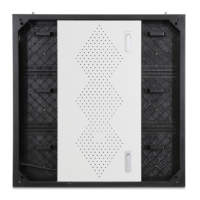
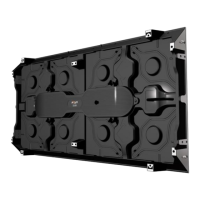
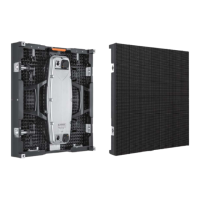
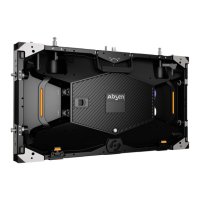
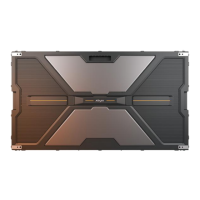
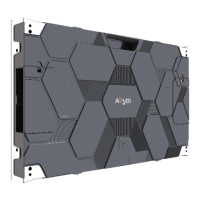
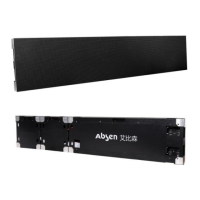
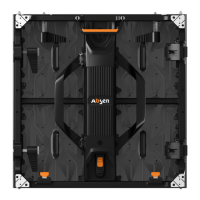
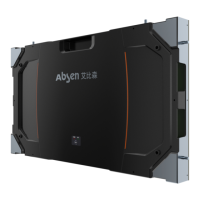
The Absen KLCOB V2 Series is a Micro LED fine pixel pitch LED display designed for professional use in control rooms, conference rooms, studios, and high-end business displays. It utilizes integrated flip encapsulation technology, offering a panel size of 600x337.5mm with a 27-inch 16:9 ratio, optimized for detailed image display.
Function Description:
The KLCOB V2 series functions as a high-performance LED video wall. It requires a computer to send video sources via HDMI or DVI cable to a video controller. The controller then converts the video signal into a format recognizable by the LED cabinets, allowing for configuration of display parameters such as brightness, color temperature, contrast, and splicing. Each LED cabinet contains a control card and a HUB card. The control card receives signals from the controller, processes data, stores correction data, and controls individual LED pixels. The HUB card distributes signals within the cabinet. The display itself does not store or display video content independently but relies on external input devices and a controller for operation.
Important Technical Specifications:
The KLCOB V2 series offers various pixel pitches: 0.78mm (KLCOB0.7 V2), 0.93mm (KLCOB0.9 V2), 1.25mm (KLCOB1.2 V2), 1.56mm (KLCOB1.5 V2), and 1.87mm (KLCOB1.8 V2). All models feature Flip RGB LED type and a panel dimension (WxHxD) of 600x337.5x39.3mm. Pixel per panel varies by model, ranging from 768x432 for 0.78mm to 320x180 for 1.87mm. The panel weight is 4.3kg, and the material is die-casting aluminum. Module dimensions are 150x168.75mm, with each panel containing 8 modules. Brightness is 600 nit for all models. Gray scale is 20bit (internal processing) for KLCOB0.7 V2 and KLCOB1.2 V2, and 19bit (internal processing) for KLCOB0.9 V2, KLCOB1.5 V2, and KLCOB1.8 V2. Refresh rate is 3840 Hz. Contrast ratio is 15000:1, and color temperature is 6500K. Viewing angle (H/V) is 160/160°. Driving type varies from 1/48 to 1/60. AC operating voltage is 100-240V. Power consumption (Max./Avg.) ranges from 390/130 W/m² for KLCOB0.7 V2 to 290/97 W/m² for KLCOB1.8 V2 (with a tolerance of ±15%). Storage temperature is -40~+60°C, operating temperature is -10~+40°C. Storage humidity is 10%~85% RH, and operating humidity is 10%~80% RH. IP rating is IP40 (Front) / IP21 (Rear). LED lifetime is 100,000 hours. Module and PSU & Others maintenance are both front-accessible. Panel installation types include stacking, wall mounting, and hanging. The product is certified with CE/FCC/ETL/UKCA.
Usage Features:
The KLCOB V2 series boasts several key usage features:
- Black, Extraordinary deep blacks: A black polymer coating on the surface ensures amazing black consistency, leading to deep and pure blacks and enhanced visual performance.
- Brilliant, Capture every brilliance: Incorporates multiple Absen image optimization technologies to enhance clarity and visibility, rendering natural details and vivid colors.
- Cool, Stay cool, enjoy more: Utilizes flip-chip LED technology and Absen's HBB technology to maintain cool operating temperatures.
- Strong, Against external impact: Panel-type Micro LED encapsulation technology provides 360° protection against external impact.
- Maximize Your View: The 16:9 display ratio allows for easy splicing into 2K, 4K, 8K, or custom-sized screens, offering an immersive viewing experience.
- Refresh Pair of Eyes: A non-glare surface light source provides softer, uniform light, reducing eye fatigue during prolonged viewing.
- Perfect in-Camera Performance: Panel-type light-emitting technology effectively reduces moiré, making it suitable for TV studios and lecture halls.
- More Quality, Less Consumption: Achieves 40% energy savings through four technological innovations, aligning with the "Absen Green" concept.
Installation options include steel structure installation, wall mounting, and hanging. For steel structure installation, panels are installed from bottom to top, with connection screws between panels locked first, then fixed to the steel structure using connection pieces and M6x60mm screws. Wall mounting involves fixing wall mounting frames with M6 self-tapping or expansion screws, then installing panels from bottom to top, securing them with screws on mounting holes and inner connection pieces. Hanging installation requires fixing a hanging bar to the structure, aligning and fixing panel screw holes with the bar, installing other panels, tightening screws, installing inner connection pieces, and connecting network and power cables. The maximum lifting capacity for hanging is 20 panels.
Cabling involves careful connection of power and data cables. Power supply wiring uses 3x2.5mm²/14awg power cables. When input voltage is 220V, each power cable can carry up to 28 cabinets; at 110V, it carries up to 14 cabinets. Data cabling uses RJ45 CAT5 network cables, with "S" type up-down connections. The resolution should be calculated based on cabinet pixels and connected according to the controller's loading range. Before powering on, a multimeter must be used to check for short circuits in the AC input (L, N, PE) and DC output (VCC, GND) lines.
Maintenance Features:
The KLCOB V2 series supports front maintenance for modules, HUBs, receiving cards, and power supplies.
- Module Maintenance: Modules can be quickly removed using a passive front maintenance tool. The tool's handle is opened, placed on the faulty module's surface, pulled up, and then gently pulled outward to remove the module. Before maintenance, the tool's surface should be cleaned with a dust-free cloth.
- HUB/Receiving Card/Power Maintenance: After removing the faulty module, a PH2 Phillips screwdriver is used to remove screws fixing the HUB board, receiving card, or power supply for replacement. The current equalizing wire on the HUB board or power supply must be removed before replacing components.
- Troubleshooting: The manual provides a comprehensive troubleshooting guide for common faults such as black modules, a completely black screen, or a scrambled image. Solutions involve checking power plugs, cables, power supplies, flat cables, modules, receiving cards, controller status, video card output, and software settings.
- Safety Precautions: Anti-static measures are crucial when handling LED light boards and panels, including wearing grounded electrostatic wrist straps or gloves. The screen must be strictly grounded (resistance ≤10 ohms, checked every six months). Cleaning the lamp panel surface should be done with a clean, dust-free, or damp cloth, avoiding unknown chemical liquids. The distribution box must have surge protectors.


 To Next Page
 General