5. Initial start-up
The network camera automatically detects whether a direct connection between the PC and camera
should be established. A crossover network cable is not required for this. You can use the supplied
patch cable for direct connection for initial start-up.
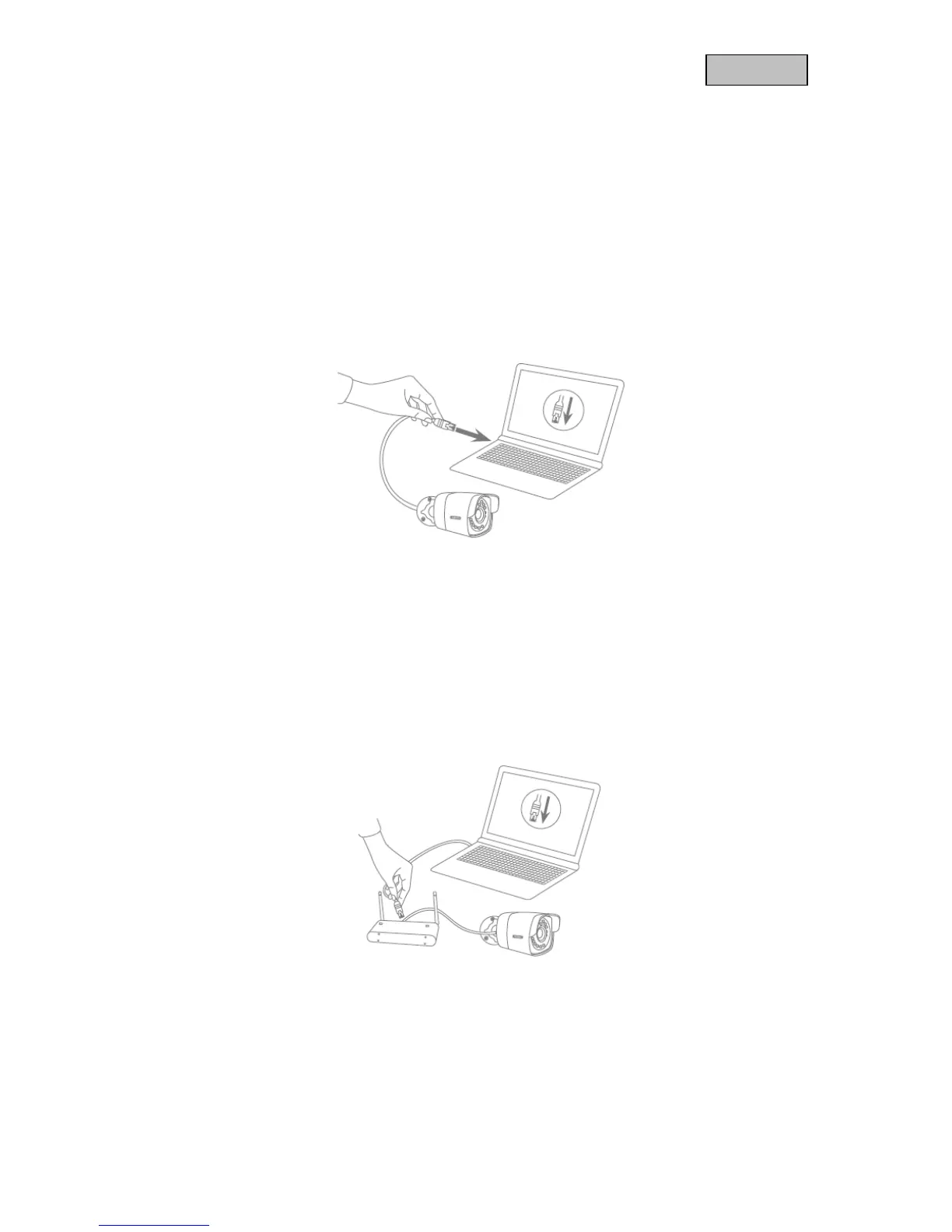
Connecting the network camera directly to a PC/laptop
1. Ensure that a CAT 5 network cable is used.
2. Connect the cable to the Ethernet interface of the PC/laptop and the network camera.
3. Connect the network camera to the power supply.
4. Configure the network interface of your PC/laptop to the IP address 192.168.0.2
Connecting the network camera to a router/switch
1. Ensure that a CAT 5 network cable is used for the connection.
2. Connect the PC/laptop to the router/switch.
3. Connect the network camera to the router/switch.
4. Connect the network camera to the power supply.
5. If a DHCP server is available on your network, set the network interface of your PC/laptop to
"Obtain an IP address automatically".
6. If no DHCP server is available, configure the network interface of your PC/laptop to 192.168.0.2
and the default gateway to 192.168.0.1.



 To Next Page