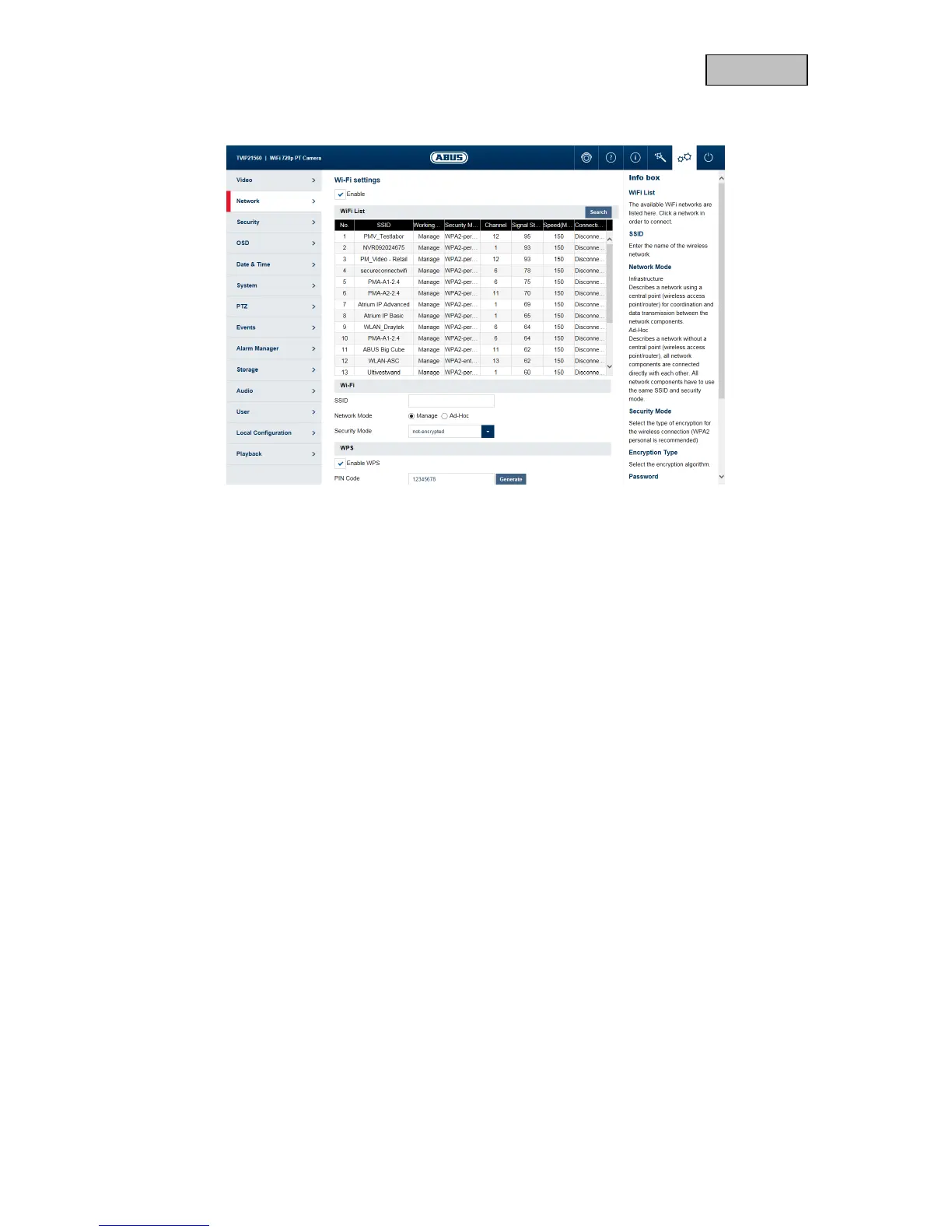
11.2.5. Wi-Fi
Enable: Enable or disable Wi-Fi.
Wi-Fi list: Available Wi-Fi networks are displayed here. Click in a row to select a
network.
SSID: (Service Set Identifier) Enter the name of the wireless network here.
Network mode: Infrastructure
Describes a network in which a central instance (wireless access
point/router) carries out the coordination and data transmission for all
network components.
Ad-hoc:
Describes a network in which all network components are connected to
one another directly, without using a central instance (wireless access
point/router). All network components must use the same SSID and
security mode.
Security mode: Select encryption for the Wi-Fi connection (WPA2 personal is
recommended).
Encryption Type: Select an encryption algorithm. (recommended:AES)
Password: Enter a password for the Wi-Fi network.
Enable WPS: (Wi-Fi protected setup) enables the WPS function. There are 2 different
methods for using the WPS function (PIN code, PBC).
PIN code: generates a new PIN code for using the PIN code method.
PBC connection: (Push Button Configuration) the WPS connection is produced after a
button is pressed on the camera.
PIN code connection: a PIN code is generated in the router and entered in the camera.



 To Next Page