Setup wizard
73
Setup wizard
Setting up the system
The setup wizard guides you through the necessary
basic system settings. The DVR is then set up for record-
ing and surveillance.
Note
All detailed settings can be found in the device
menu (see overview on page 60).
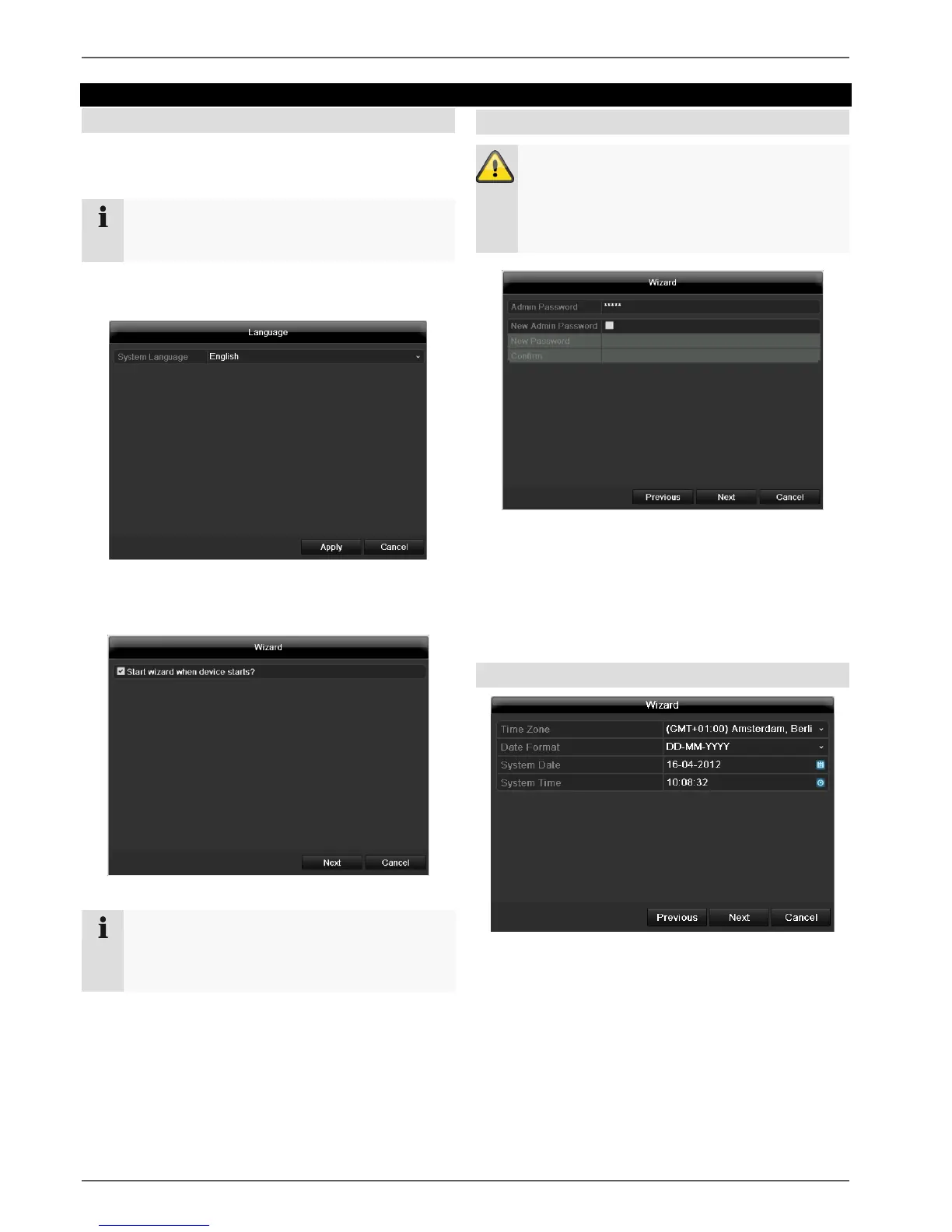
The language selection appears after switching on for the
first time:
Click the entry field and select the desired language
from the list. Click on Apply to continue. The follow-
ing query appears:
Click on Next to start the wizard.
Note
After the system is set up, you can untick the box.
The setup wizard is then no longer started auto-
matically.
Setting up the administrator
Warning
Note down the admin password.
The following password is preset
“1 2 3 4 5”
Click the entry field and enter your admin password.
To assign a new password, tick the box next to New
Admin Password.
Enter the new password and confirm in the field be-
low.
Click on Next.
Time / Date
Enter the system time (date and time). Click on Next to
accept the data.



 To Next Page