77
CLOUDRAY
PROGRAMMING
OSCILLATION
In addition to the standard features, your
fan can oscillate to provide airflow at a
wide angle. The oscillation function is
manually activated using the oscillation
button and cannot be controlled using
external UIS programming.
If set to OFF, your clip fan will not oscillate
regardless of any external programs.
If set to ON, oscillation will automatically
start if the external program activates your
clip fan to turn ON. Oscillation will then
automatically stop if the external program
deactivates your clip fan to turn OFF.
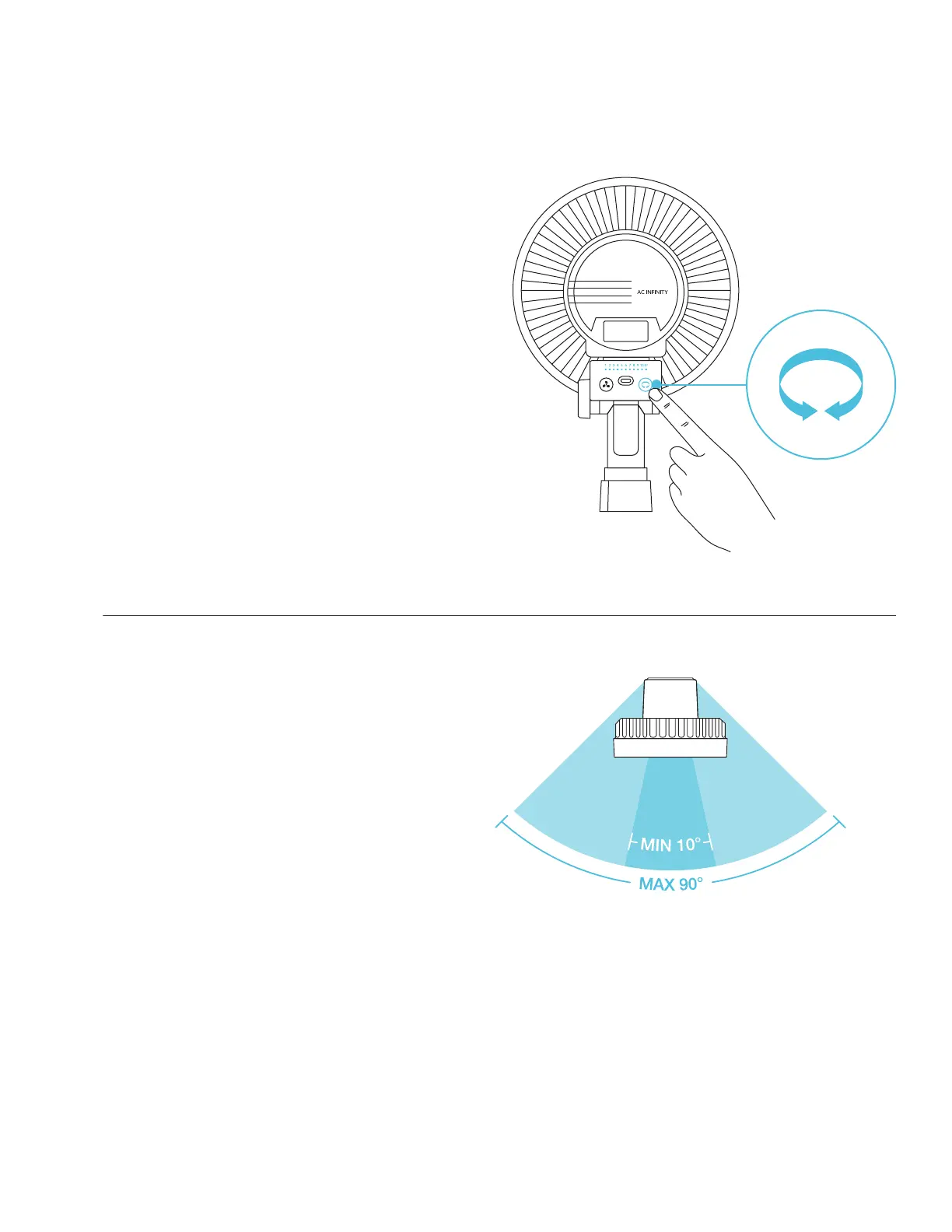
ADJUSTING OSCILLATION RANGE
The oscillation button cycles through
oscillation levels 0-10 with a maximum
90° angle range. This will ensure that
your clip fan will not come into contact
with your grow tent while still enabling
you to adjust the focus of circulation.
Press the oscillation button to increase
how wide the fan will oscillate by one
level. These levels are indicated by the
orange row of LED lights.
Pressing the button past speed 10 will
return to level 0.
Oscillation
Button



 To Next Page