Installation and Operation Manual Chapter 6 Diagnostics and Troubleshooting
ASMi-54 Ver. 1.0 Testing the Unit 6-23
6.5 Testing the Unit
ASMi-54 checks network integrity by running ping, trace route, or loopback tests.
Running a Ping Test
You can ping the remote IP host to check the IP connectivity.
To ping an IP host:
1. Select Main Menu>Diagnostics.
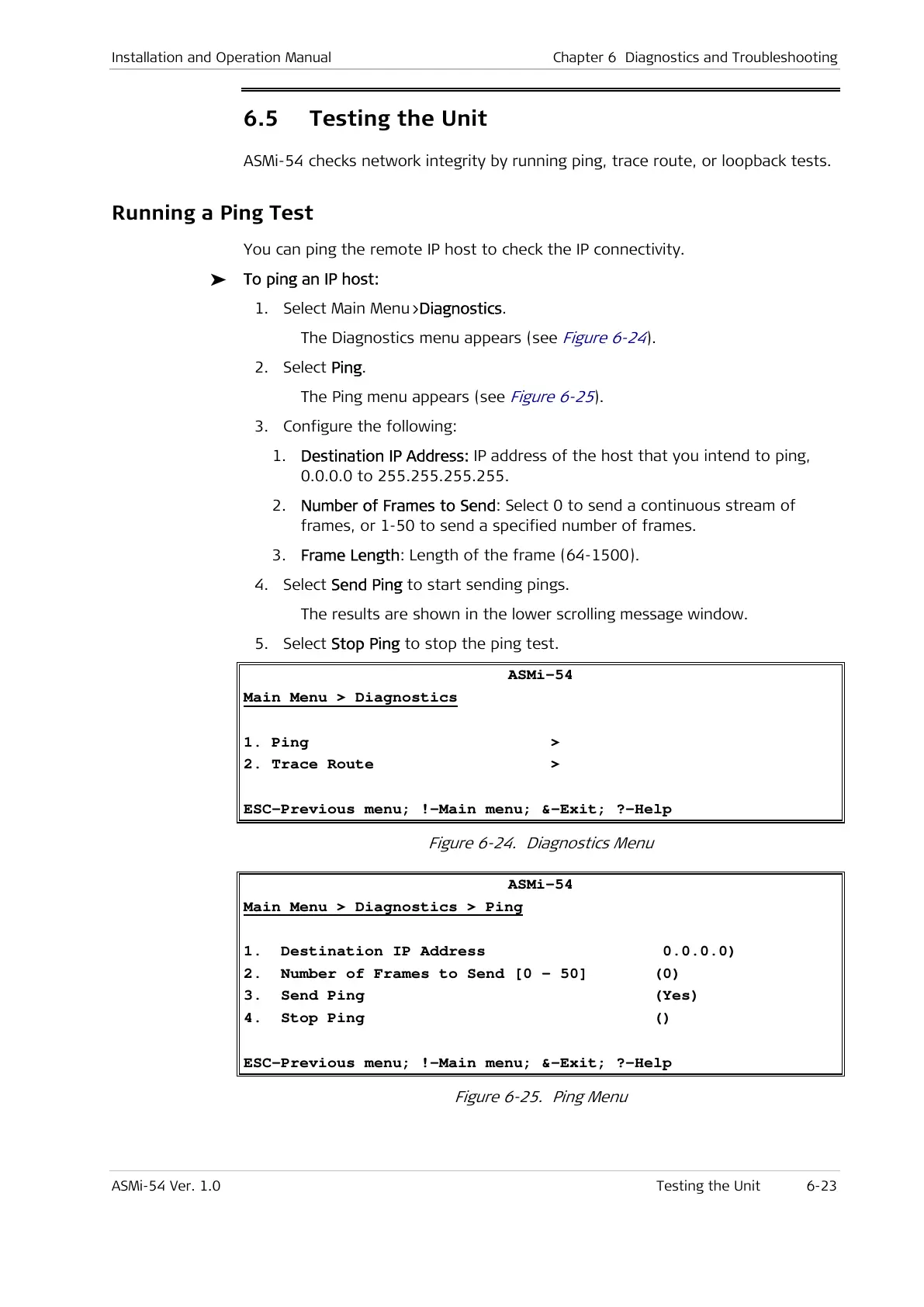
The Diagnostics menu appears (see
Figure 6-24
).
2. Select Ping.
The Ping menu appears (see
Figure 6-25
).
3. Configure the following:
1. Destination IP Address: IP address of the host that you intend to ping,
0.0.0.0 to 255.255.255.255.
2. Number of Frames to Send: Select 0 to send a continuous stream of
frames, or 1-50 to send a specified number of frames.
3. Frame Length: Length of the frame (64-1500).
4. Select Send Ping to start sending pings.
The results are shown in the lower scrolling message window.
5. Select Stop Ping to stop the ping test.
ASMi-54
Main Menu > Diagnostics
1. Ping >
2. Trace Route >
ESC-Previous menu; !-Main menu; &-Exit; ?-Help
Figure 6-24. Diagnostics Menu
ASMi-54
Main Menu > Diagnostics > Ping
1. Destination IP Address 0.0.0.0)
2. Number of Frames to Send [0 – 50] (0)
3. Send Ping (Yes)
4. Stop Ping ()
ESC-Previous menu; !-Main menu; &-Exit; ?-Help
Figure 6-25. Ping Menu



 To Next Page