Installation and Operation Manual Chapter 4 Configuration
ASMi-54 Ver. 1.0 Additional Tasks 4-27
4.3 Additional Tasks
Procedures for miscellaneous tasks are provided in this section.
• Displaying the Inventory
• Changing User Name and Password
• Transferring Software and Configuration Files
• Resetting ASMi-54.
Displaying the Inventory
The inventory displays a description of the unit, including its hardware revision
and power supply type.
The inventory is a wide table with 132 characters. It is best viewed by setting
your terminal to 132 character wide display.
To display the inventory:
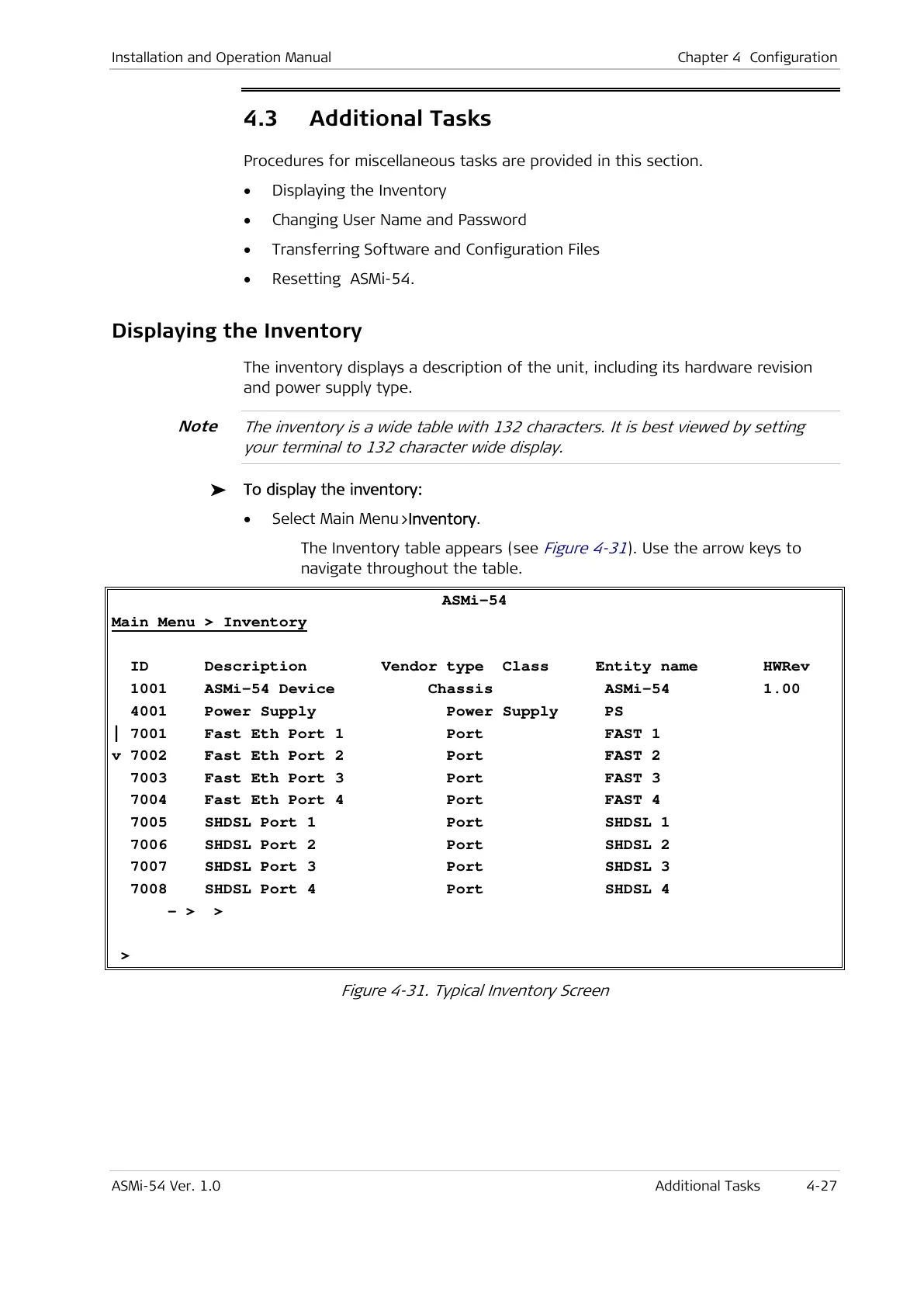
• Select Main Menu>Inventory.
The Inventory table appears (see
Figure 4-31
). Use the arrow keys to
navigate throughout the table.
ASMi-54
Main Menu > Inventory
ID Description Vendor type Class Entity name HWRev
1001 ASMi-54 Device Chassis ASMi-54 1.00
4001 Power Supply Power Supply PS
| 7001 Fast Eth Port 1 Port FAST 1
v 7002 Fast Eth Port 2 Port FAST 2
7003 Fast Eth Port 3 Port FAST 3
7004 Fast Eth Port 4 Port FAST 4
7005 SHDSL Port 1 Port SHDSL 1
7006 SHDSL Port 2 Port SHDSL 2
7007 SHDSL Port 3 Port SHDSL 3
7008 SHDSL Port 4 Port SHDSL 4
- > >
>
Figure 4-31. Typical Inventory Screen
Note



 To Next Page