Chapter 4 Configuration Installation and Operation Manual
4-4 Configuring for Management ASMi-54 Ver. 1.0
Tagged – The host receives frames only when they are tagged with the
host’s VLAN ID, and it sends frames to the bridge with this tag.
When Host Tagging is set to Tagged, two parameters are added to the menu:
Host VLAN ID and VLAN Priority.
The default is Untagged.
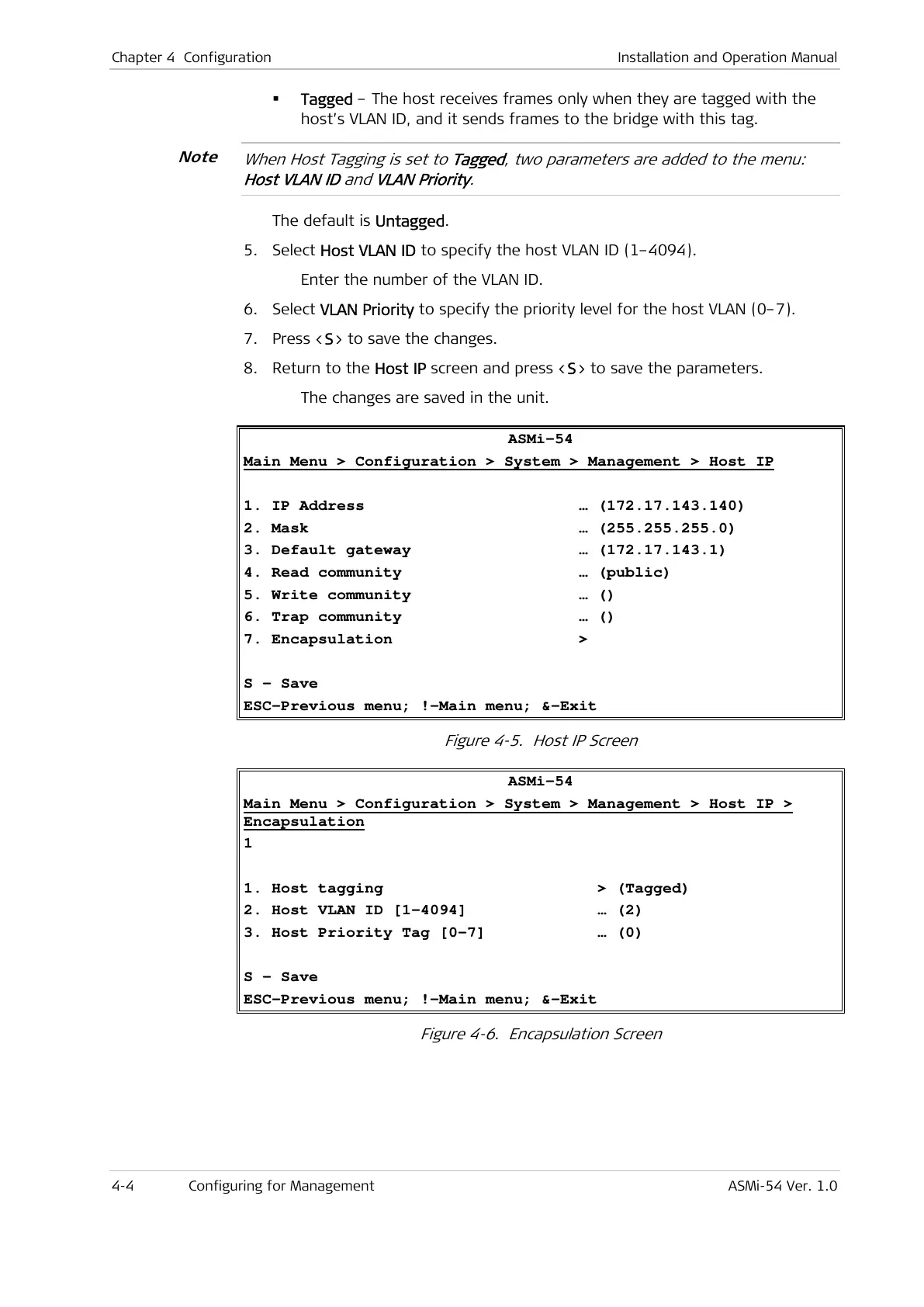
5. Select Host VLAN ID to specify the host VLAN ID (1–4094).
Enter the number of the VLAN ID.
6. Select VLAN Priority to specify the priority level for the host VLAN (0–7).
7. Press <S> to save the changes.
8. Return to the Host IP screen and press <S> to save the parameters.
The changes are saved in the unit.
ASMi-54
Main Menu > Configuration > System > Management > Host IP
1. IP Address … (172.17.143.140)
2. Mask … (255.255.255.0)
3. Default gateway … (172.17.143.1)
4. Read community … (public)
5. Write community … ()
6. Trap community … ()
7. Encapsulation >
S - Save
ESC-Previous menu; !-Main menu; &-Exit
Figure 4-5. Host IP Screen
ASMi-54
Main Menu > Configuration > System > Management > Host IP >
Encapsulation
1
1. Host tagging > (Tagged)
2. Host VLAN ID [1-4094] … (2)
3. Host Priority Tag [0-7] … (0)
S - Save
ESC-Previous menu; !-Main menu; &-Exit
Figure 4-6. Encapsulation Screen
Note



 To Next Page