3.3 Counting Function
Once the bills are correctly placed in the hopper plate, the machine will start
counting automatically. The counted bills number will be shown on the Display.
Moreover, once the bills are removed from the stacker and a new bundle of bills
placed into the hoper, the “Counter” display will clear and the “Batch” display in
turn will show the number of the previous counting.
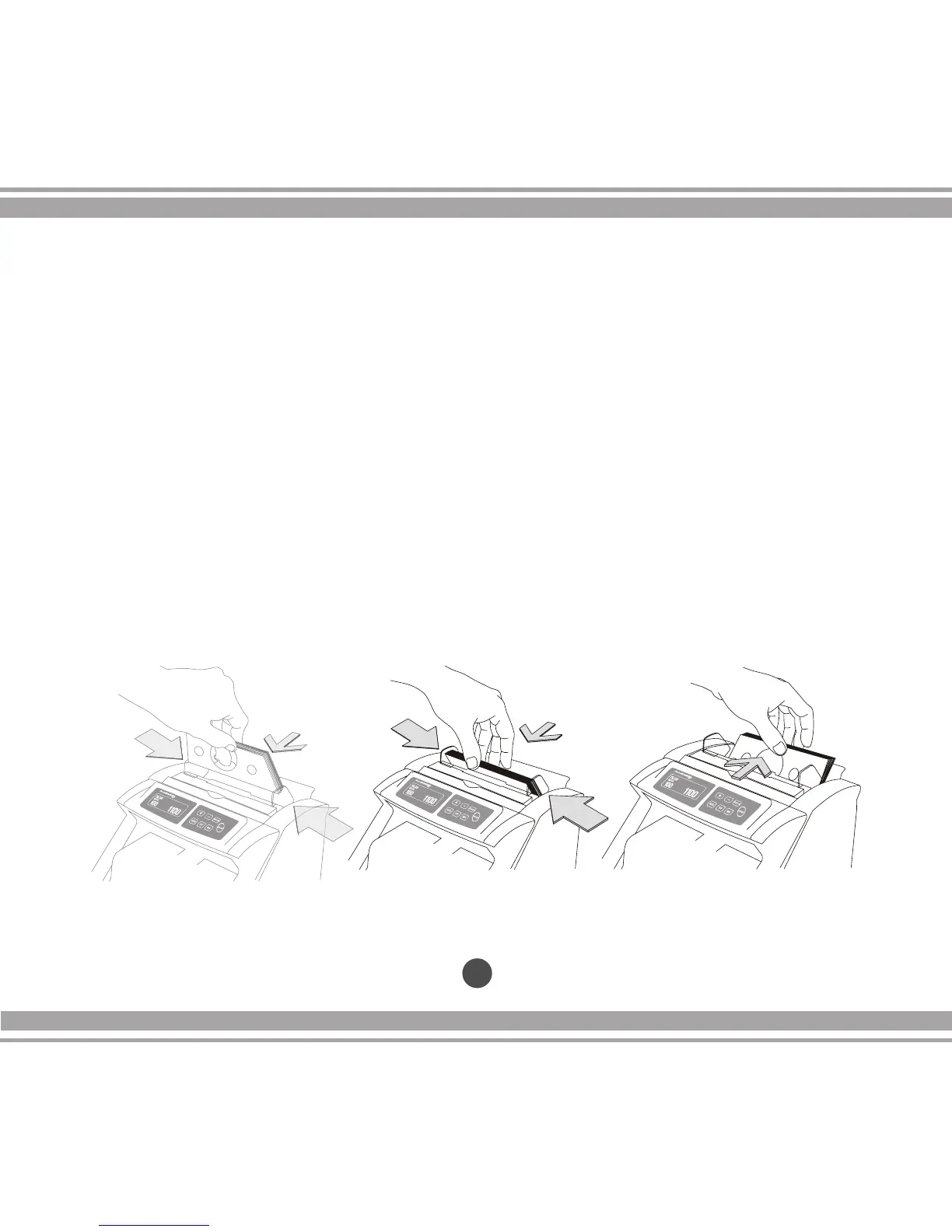
1. Place the bills between the counting guides as shown in gure 1 and 2.
Swiftly, push the bills with a nger (see gure 3) to make them rest on top
of the hopper plate, in the correct counting position.
18
3.0 Operations cont.
Figure 1 Figure 2 Figure 3


 To Next Page