WinCEGeräte_Handbuch_Administration_v2 00_en 34 / 84
More detailed information is available in the Rfid2KeyCE_SoftwareDoku document.
In the RFID2Key.ini file, you can select the transponder card you require by selecting the transponder card
ICode SLI or Mifare. The RFID data is inserted into the keyboard or into the dialogue fields accordingly.
Virtual keys are inserted to read data from a transponder card (Mifare) in a continuous data flow from a
specific address on the card. This data is inserted directly into the keyboard.
Mask / Fields are inserted to read or write transponder card data (Mirfare) according to a specific pattern.
The data is assigned to a dialogue's input fields (Windows CE application) using a unique field ID (→ child
window).
The following mechanism is used to insert the SLI transponder card:
The serial number (8 bytes) of an SLI transponder card is inserted into the keyboard buffer.
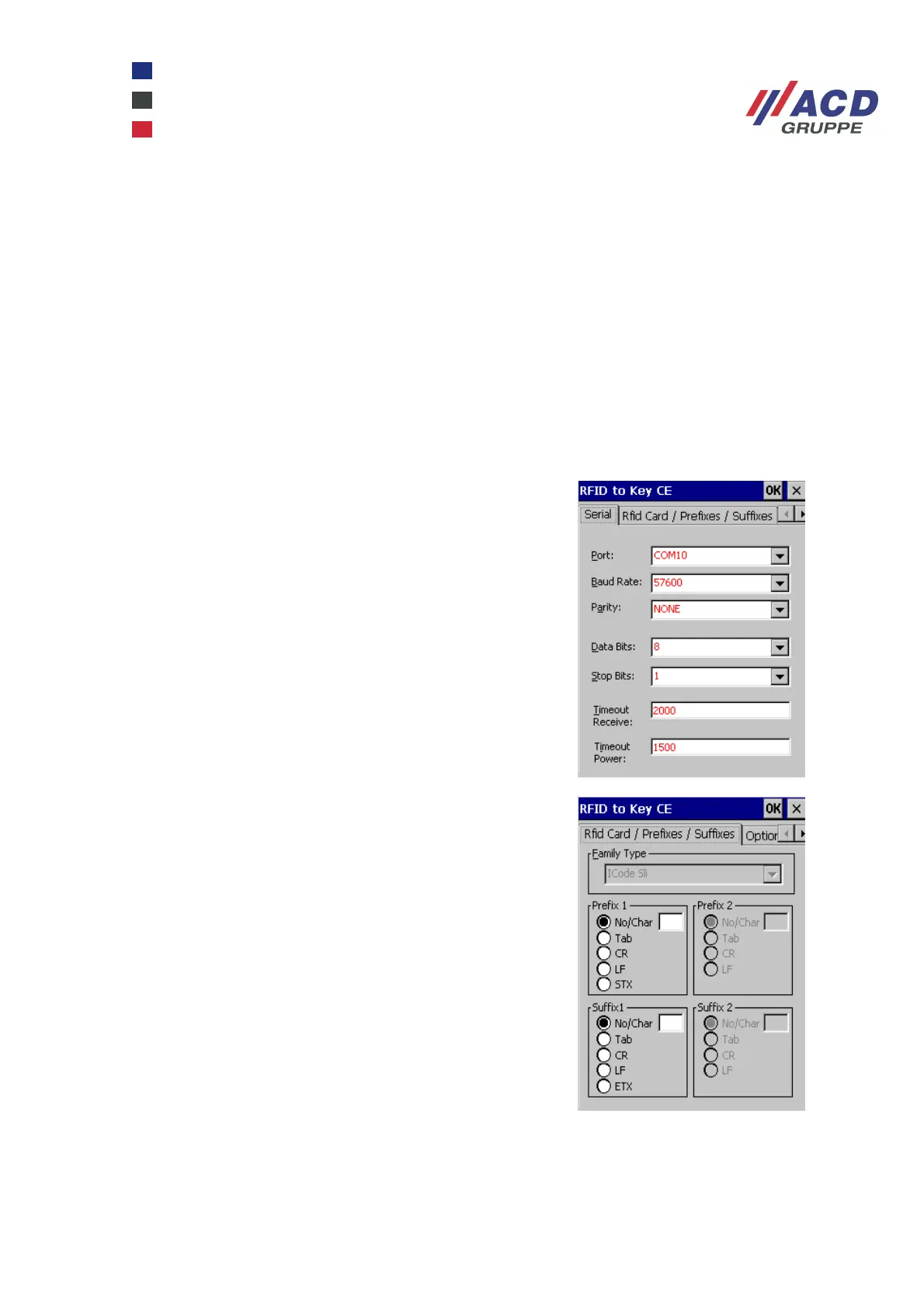
Basic configuration settings are saved in the RFID2Key.ini configuration file.
This tab defines the interface parameters and timeout
parameters for serial communication with the RFID read /
write module.
In the Prefixes / Suffixes tab, a maximum of two prefix and
suffix characters are defined which are added to the read
RFID data.
Characters that are configured by default are:
TAB ( 0x09 ) CR ( 0x0d ) LF ( 0x0a )
STX ( 0x02 ) ETX ( 0x03 )
The parameters "no/char" have a dual function:
If a visible character is to be used, it must be entered in the
edit field.
If the edit field is empty, no character is inserted.



 To Next Page