WinCEGeräte_Handbuch_Administration_v2 00_en 35 / 84
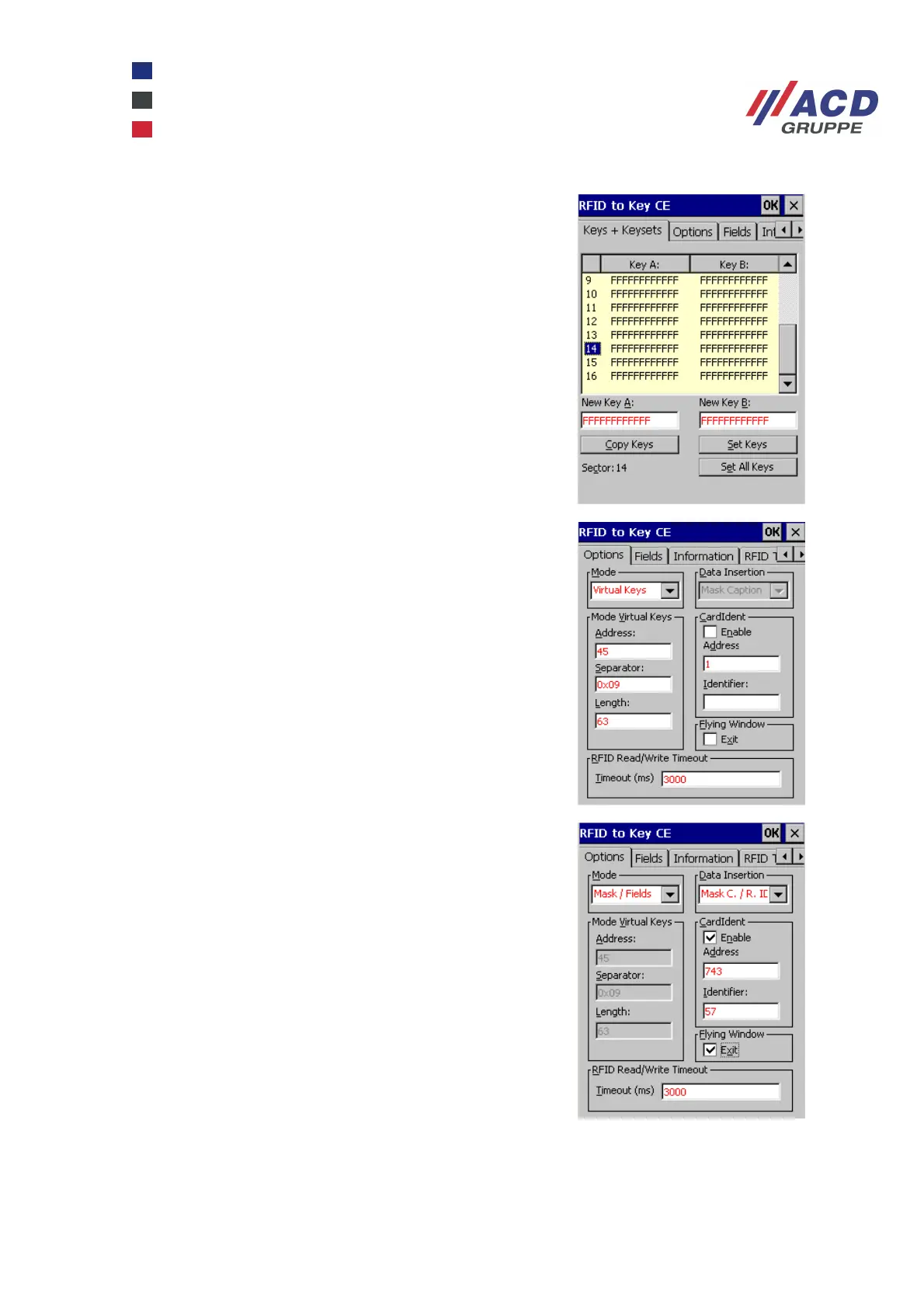
This tab is used to set all authentication keys (A, B) for the
separate sectors of a Mifare transponder card.
In this tab, you can select the data insertion function, in the
screenshot on the right "virtual keys". The Data Insertion
section is greyed out. The data flow start address,
hexadecimal separator and length of data flow (number of
characters) can be entered here. As a rule, the data up to
the separator is inserted or until a zero termination is
identified.
In this tab, you can select the data insertion function, in the
screenshot on the right "Mask / Fields". The Virtual Keys
mode is greyed out and the Data Insertion section is
enabled. This section defines the data insertion criteria. Data
is inserted until a zero termination is identified. Data
Insertion offers three different options:
Mask Caption: Inserts data into a dialogue's input fields, the
caption of which is known.
Resource IDs: Inserts data in the input fields of any dialogue
box.
Mask Caption / resource IDs: This insertion mode is a
combination of the mode Mask Caption and Resource IDs.



 To Next Page