WinCEGeräte_Handbuch_Administration_v2 00_en 36 / 84
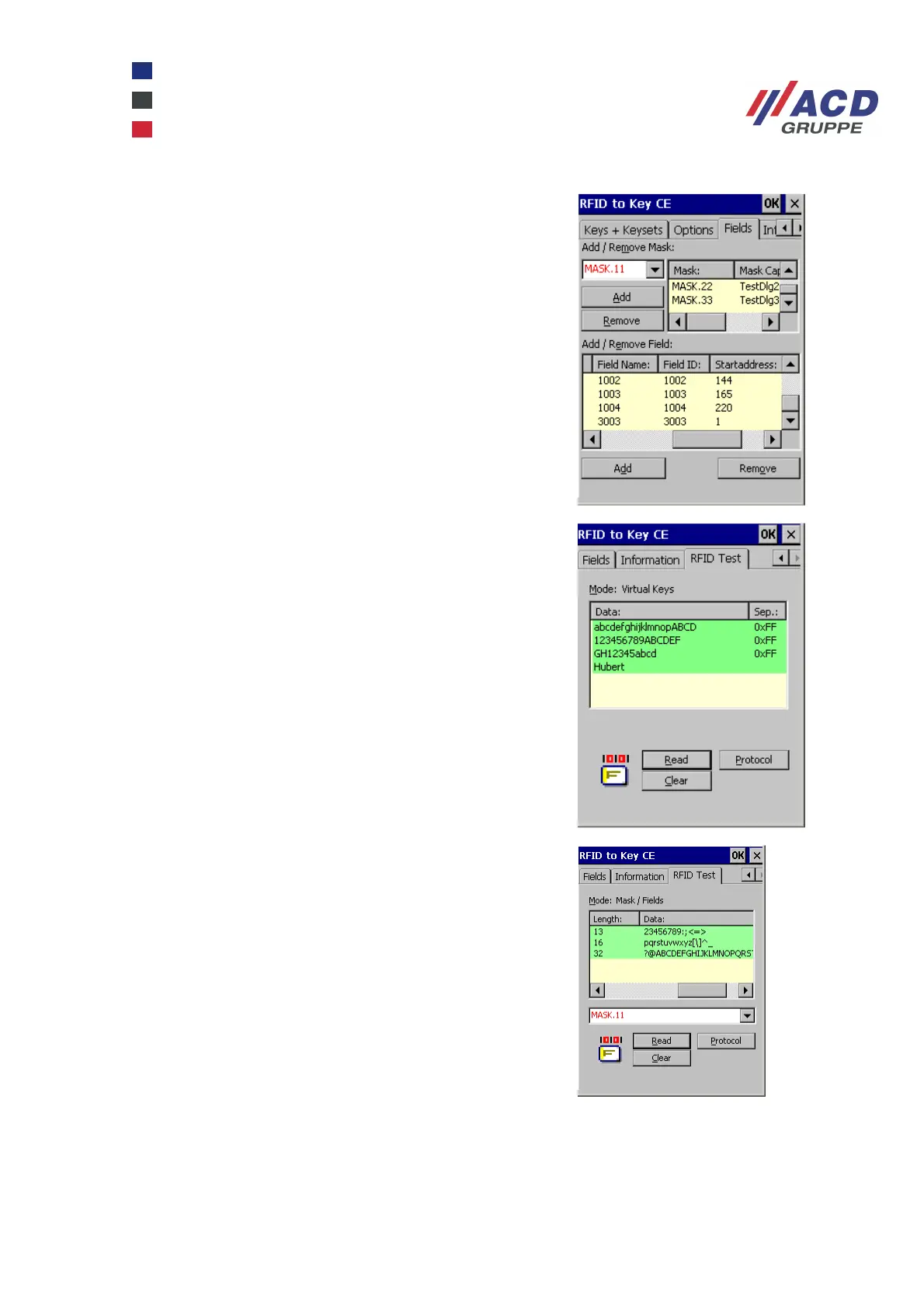
This tab allows you to add and delete unique IDs and
captions from separate dialogues and their input fields. This
window can only be enabled if the keyboard insertion mode
"Mask / Fields" was selected first.
This tab allows you to test Rfid2KeyCE settings, in the
example on the right the "Virtual Keys" test mode. The data
is entered directly into the protocol window. The separators
are displayed separately in hexadecimal format.
This tab allows you to test Rfid2KeyCE settings, in the
example on the right the "Mask / Fields" test mode. The
mask to be tested is selected in a combo box. The defined
fields and read data are displayed in the protocol window.
Only data from the transponder card can be read in test
mode. The status information of a transponder read/write
action is always displayed with graphic icons.
The RFID2KeyCE program can be closed in the Information tab by entering the 2801 password.



 To Next Page