WinCEGeräte_Handbuch_Administration_v2 00_en 43 / 84
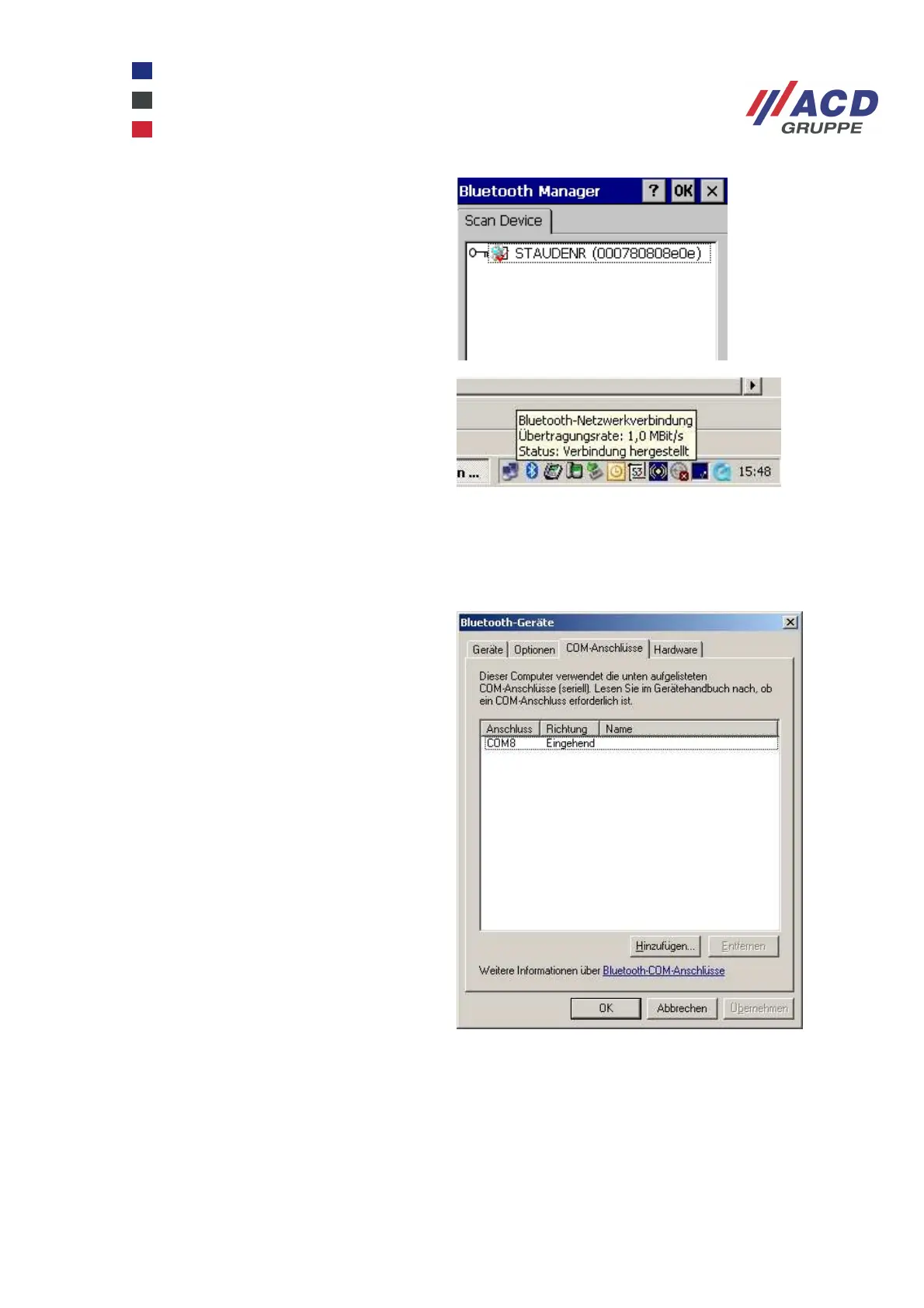
A red checkmark indicates that the profile is
activated.
PAN is connected automatically. If not,
double-click the Bluetooth network icon and
click the Connect button.
Network settings can be configured in the Windows CE device under Start / Settings / Network and Dial-up
Connections / BTPAN1.
SPP (Serial Port Profile)
A virtual Bluetooth COM port must first be
installed at the communication partner; in
the screenshot on the right, this is a PC with
an integrated Bluetooth stack from Windows
XP.
At Start / Settings / Control panel/
Bluetooth devices
On the COM ports tab, you can configure
this type of COM port by clicking Add. As the
PC acts as a server in this scenario, an
incoming COM port must be configured. In
the screenshot on the right, this is COM 8.



 To Next Page