WinCEGeräte_Handbuch_Administration_v2 00_en 48 / 84
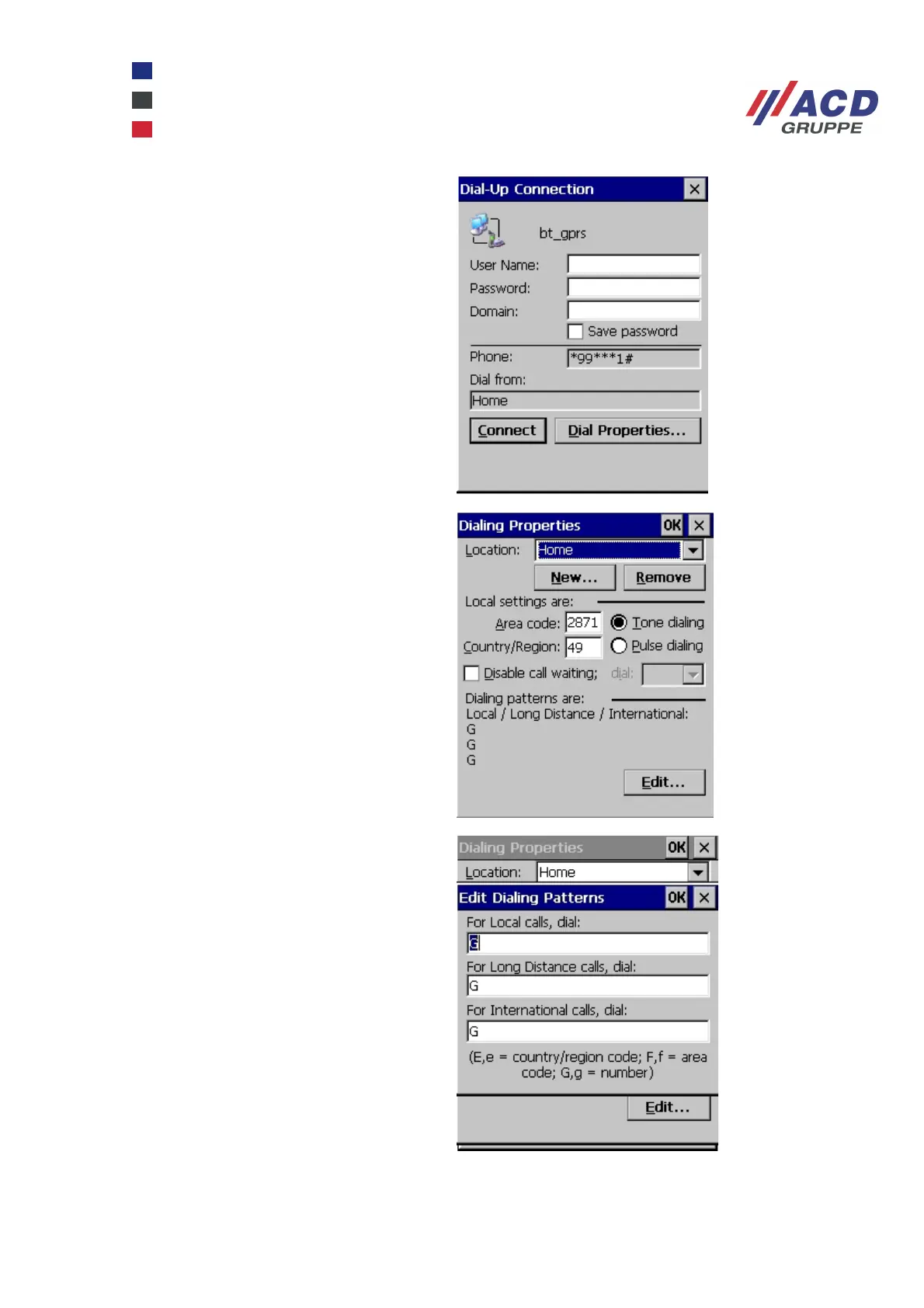
Go to Start / Settings / Network and Dial-up
Connections and double-click the profile you
have created bt_gprs. In the example, no
User Name or Password must be entered for
the provider vodafone. Click the Dial
Properties button.
Set Location to Home then click the Edit...
button.
Enter G in all boxes and click OK to confirm.
Also click OK to close the Dialing Properties
dialogue box.



 To Next Page