WinCEGeräte_Handbuch_Administration_v2 00_en 47 / 84
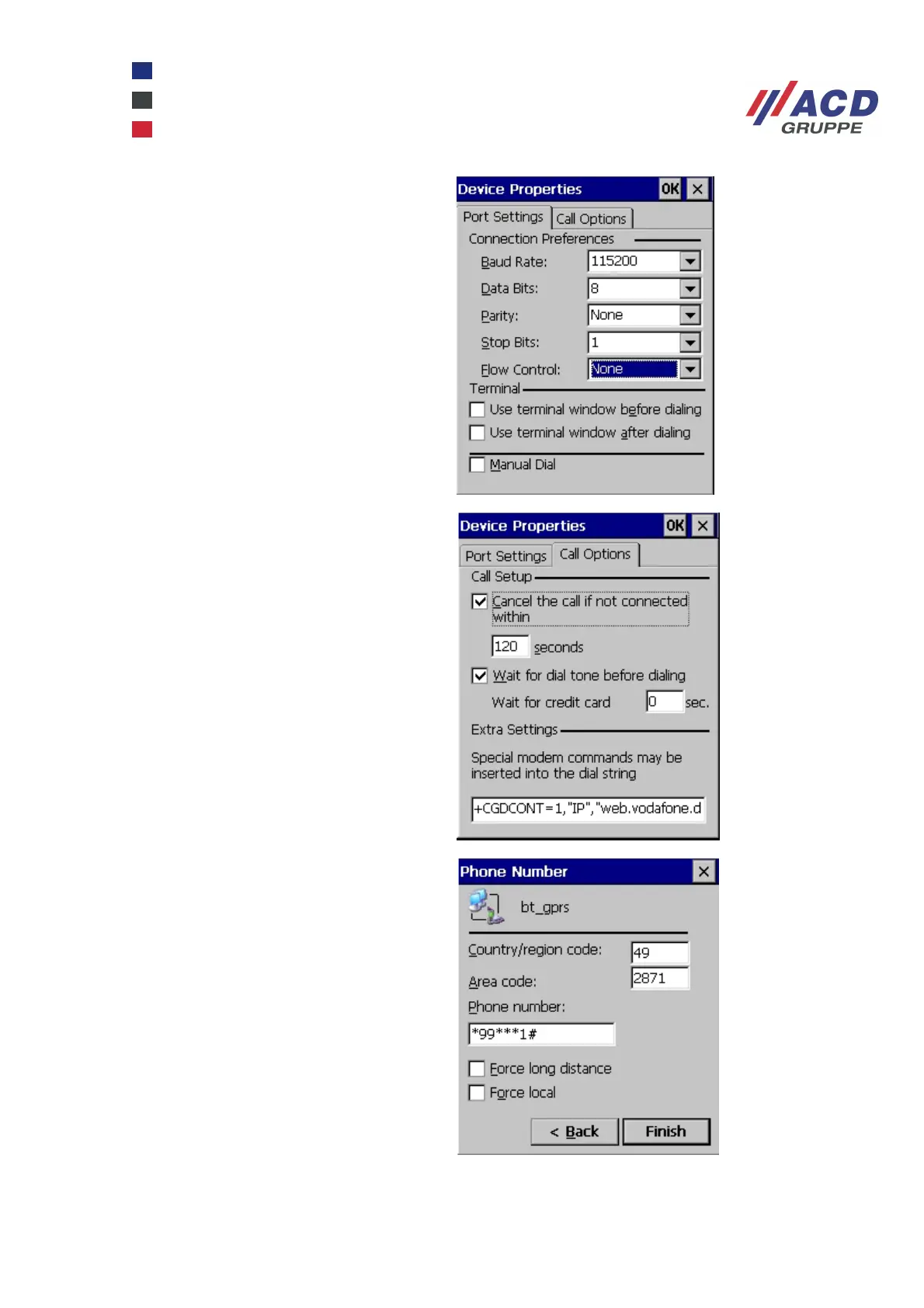
Set the Port Settings as shown in the
screenshot on the right.
Enter the following dial string:
+CGDCONT=1,"IP","APN".
The APN or access point name is for
example web.vodafone.de. Click OK to finish
and click Next to continue to the Phone
Number dialogue box.
The country code for Germany is 49. The
phone number for GPRS is usually *99***1#.
Close the configuration dialogue box by
clicking Finish.



 To Next Page