WinCEGeräte_Handbuch_Administration_v2 00_en 46 / 84
GPRS connection via Bluetooth (DUN profile: Dial Up Network)
First activate Bluetooth and GPRS on the mobile phone.
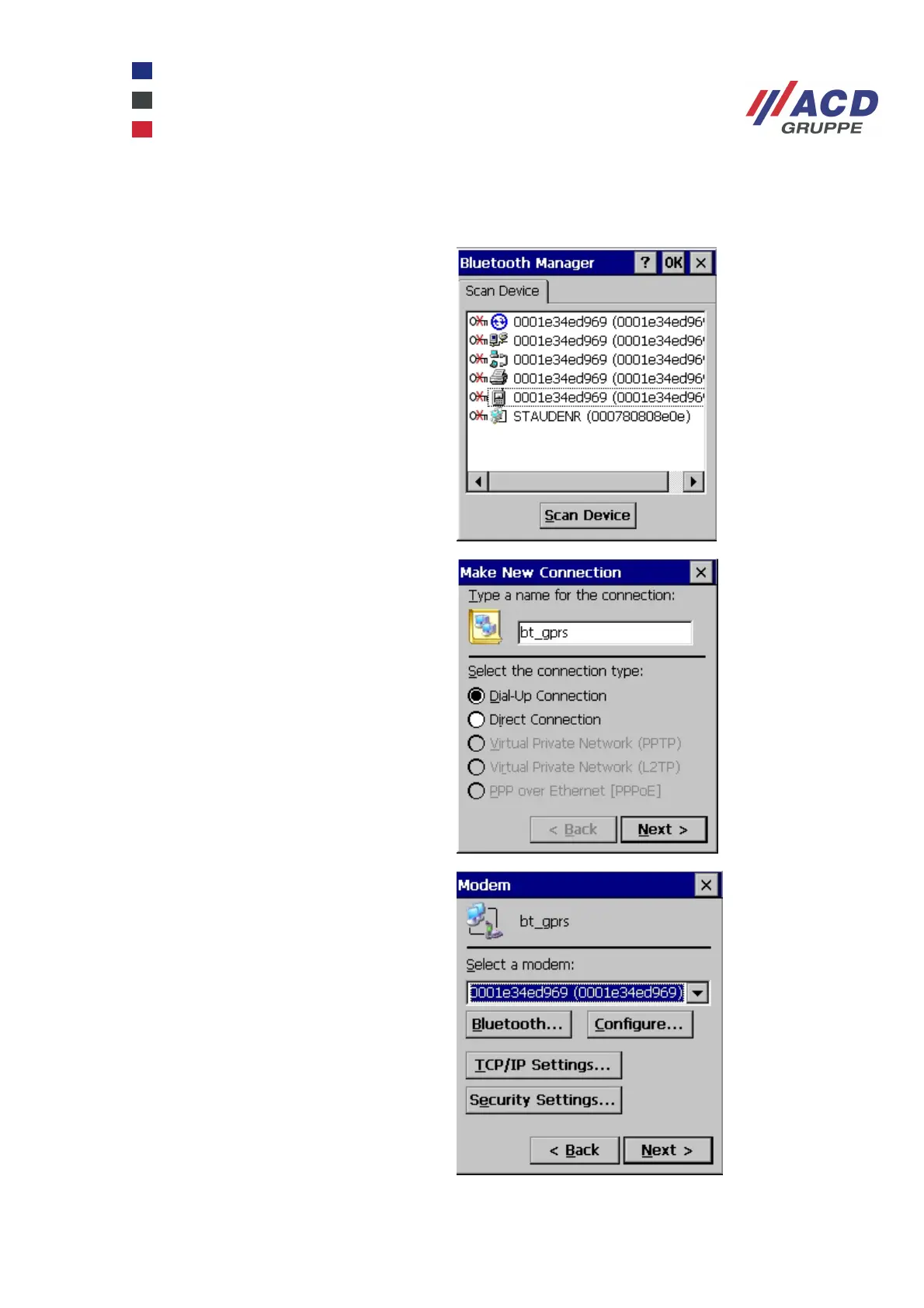
On the Windows CE device, a mobile phone
is the icon for the DUN profile. The device is
authenticated as described above for the
PAN profile. A checkmark next to the Active
option indicates that the process is
complete.
Now set up a dial-up connection by clicking
Start / Settings / Network and Dial-up
Connections / Make New Connection.
Click the mobile phone to select the DUN
connection as a modem. Leave the TCP/IP
Settings and Security Settings on the default
settings. Click Configure....



 To Next Page