English
11
Getting started watching your TV
1
1
2
4
1,3
1
Power
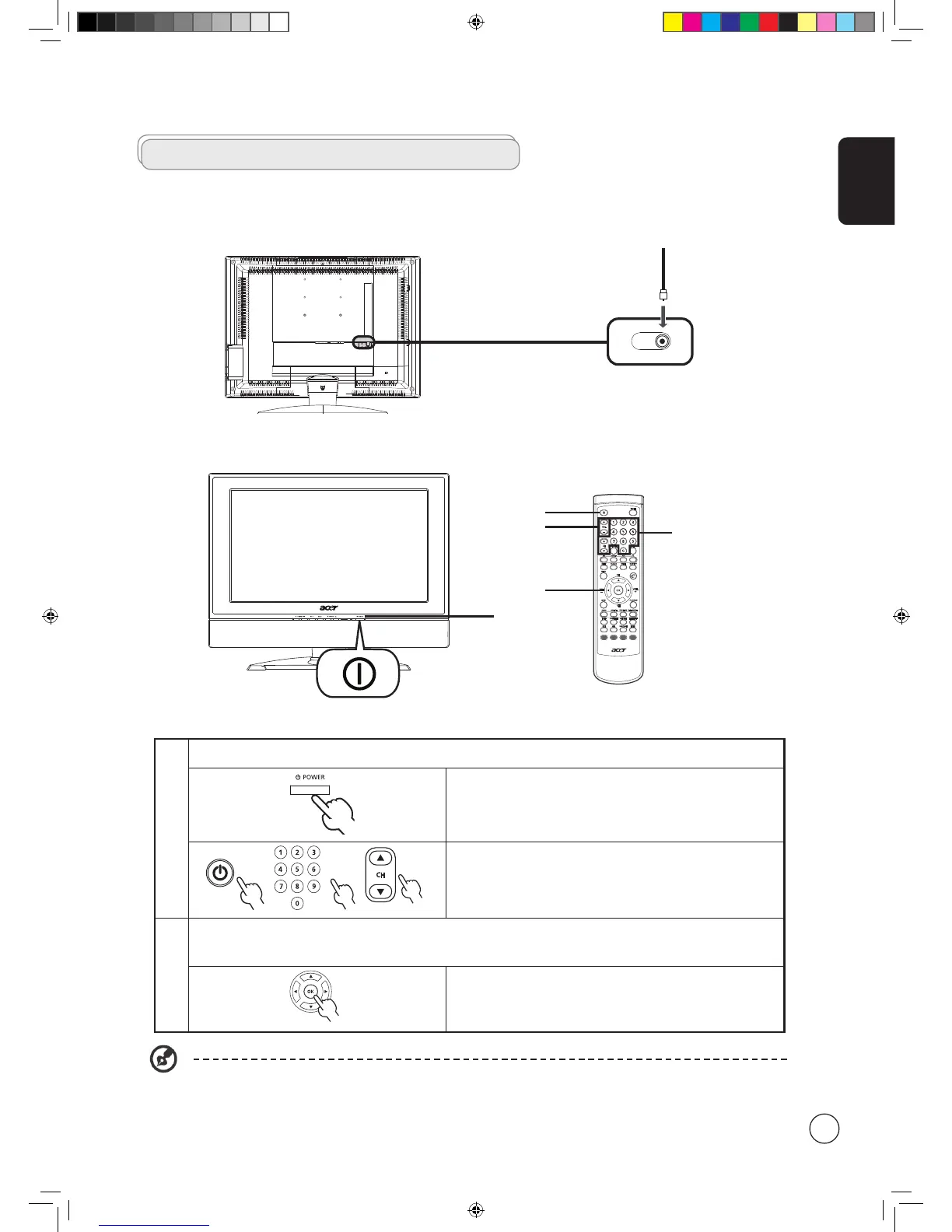
a. Turn on the power switch beneath the screen.
b. Press the power button, number keys or channel up / down
button on the remote control.
2
Setup Wizard
The first time you switch on the TV, the Setup Wizard will guide you
to complete the language selection and channel scanning.
Press the OK key to begin the setup process.
You can also adjust these settings using the front control panel. Please see "Front panel view" on page 6 for details.
Enjoying analog TV
Connecting an antenna/cable
Connect the antenna cable to the appropriate antenna terminal on the back of the TV set as shown below.



 To Next Page