3
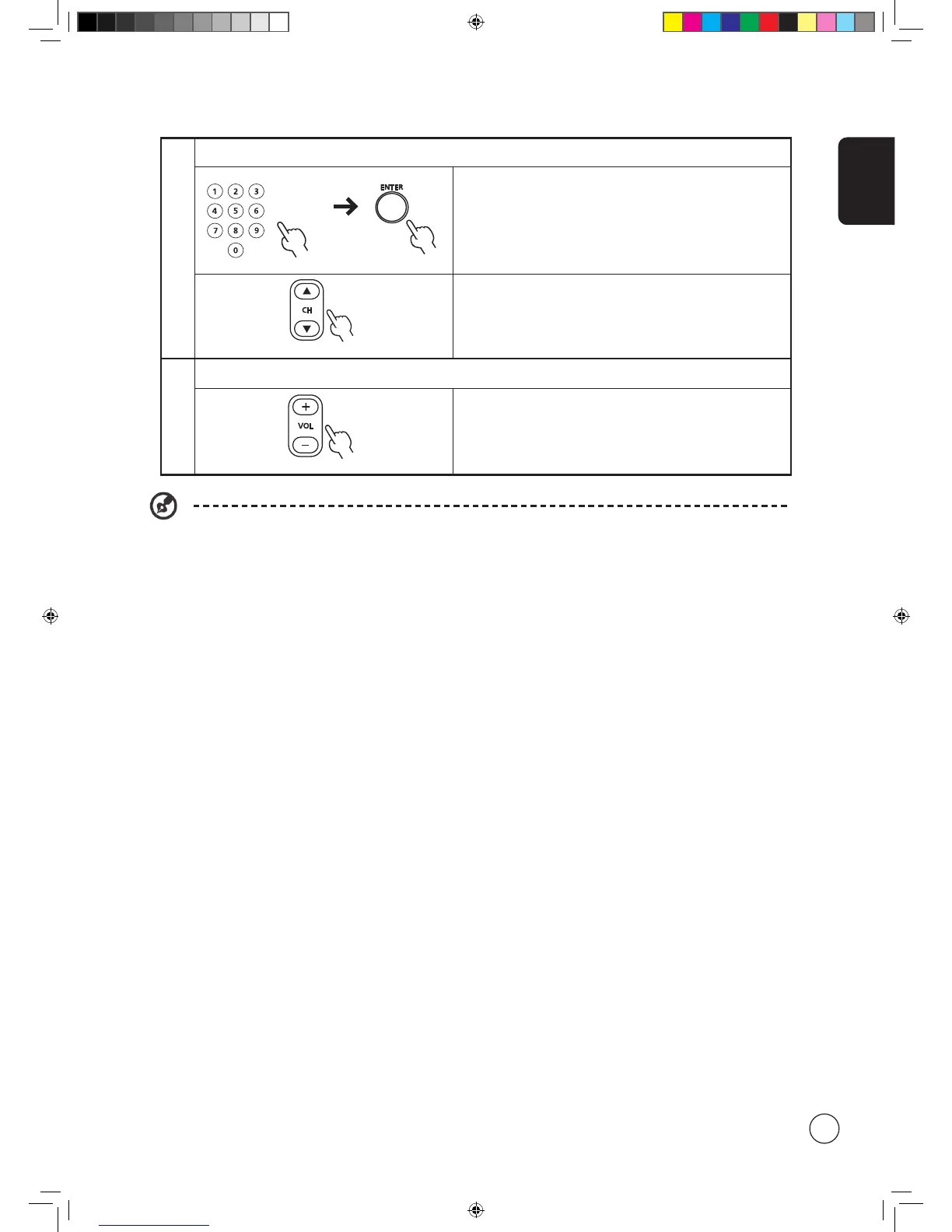
Changing channels
a. Press 0 - 9 on the remote control to select a channel. The
channel changes after 2 seconds. Press ENTER to select the
channel immediately.
b. Pressing the channel ( CH ) up / down button on the remote
control will also change the channel.
4
Adjusting the volume
Adjust the volume level using the ( VOL ) + / - button on the
remote control.
Setup may vary due to local broadcast differences.



 To Next Page