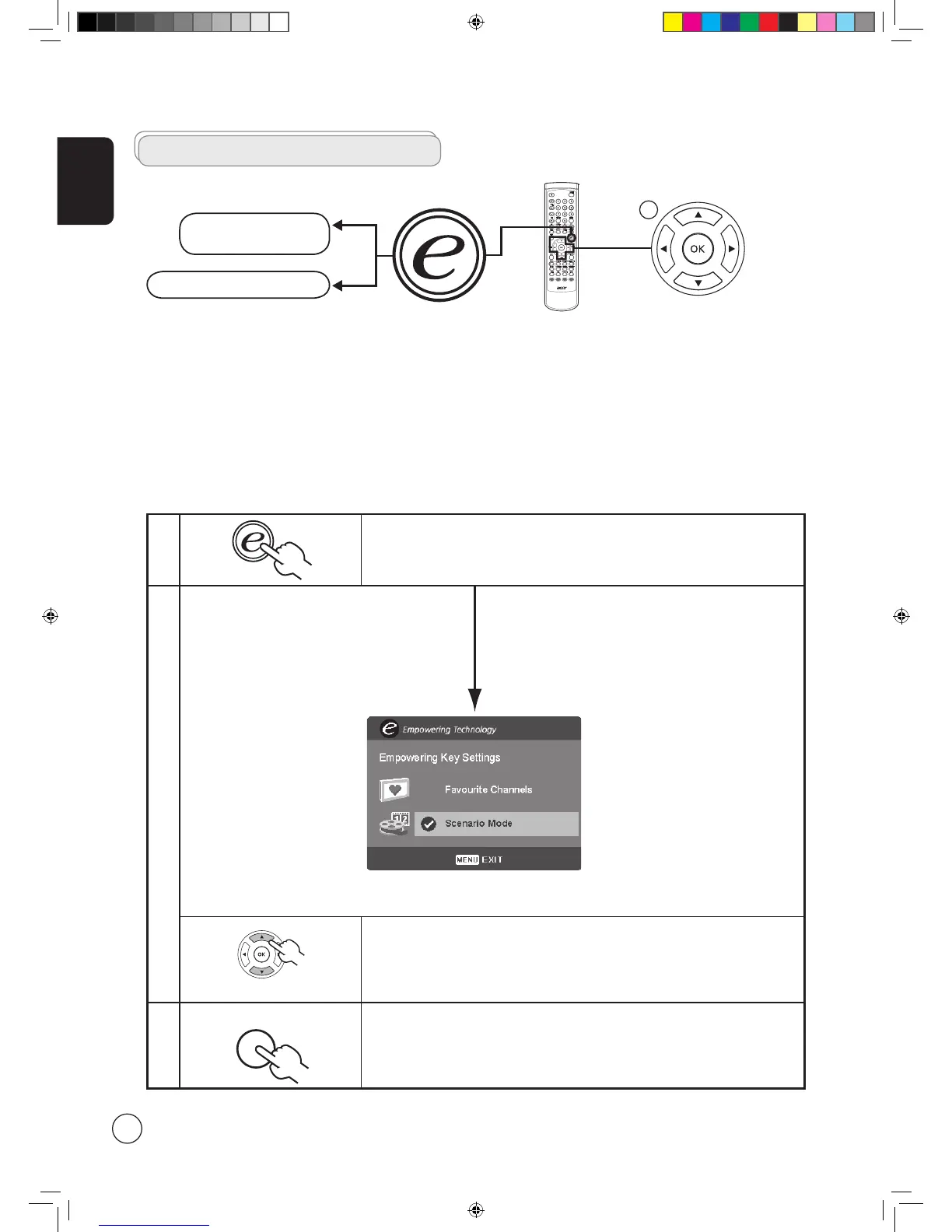
1 Press and hold the Empowering Key for more than two seconds to open the menu.
2
Use the directional keys to navigate the menu and select the Empowering
Technology icon.
3
Press MENU to exit. Now, when you press the Empowering Key, your chosen selection
will be accessed.
Empowering Technology
Set-up Empowering mode
To change your Empowering Key's default setting:
The Empowering Key opens up the Acer Empowering Technology functions. In TV mode, the choice is between Scenario mode
and Favourite channel; see page 19 for details. The default setting for both modes is Scenario mode.
TV mode Empowering Key settings menu
More than 2 seconds



 To Next Page