2
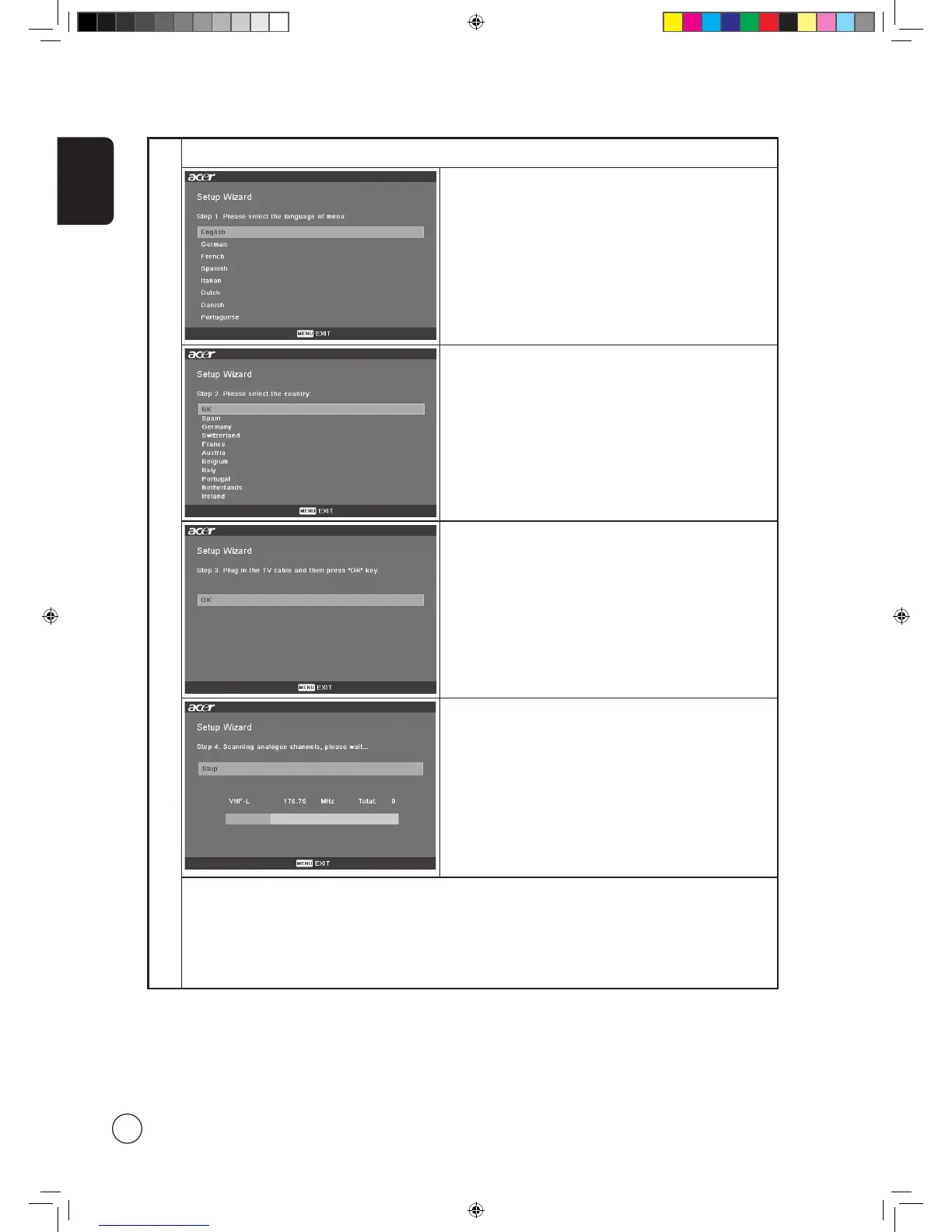
Setup Wizard
Step 1. Select the setup language you prefer.
Step 2. Please select country.
Step 3. Ensure that your co-axial cables are connected correctly
before proceeding (see page 11 for details).
Step 4. Scan for analog channels.
Step 5. Setup is now complete. You are ready to begin watching TV.
If you leave the setup process before it is complete, you will be given a choice of options:
1. Resume setup at next startup
2. Resume setup
3. Exit and don't remind me
Select an option and press
OK to exit.



 To Next Page