Adjusting the OSD settings
The OSD can be used for adjusting the settings of your LCD TV.
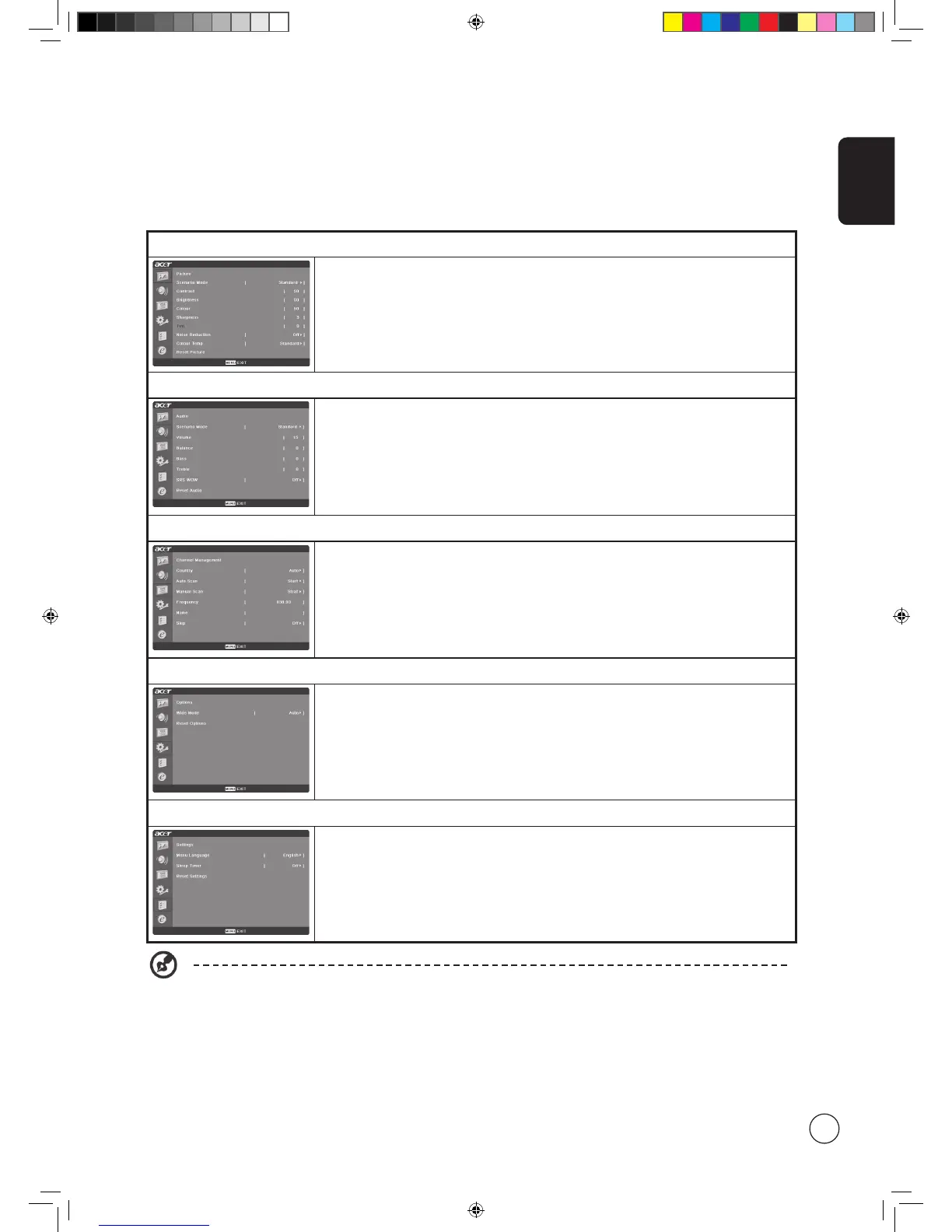
Press the MENU key to open the OSD. You can use the OSD to adjust the picture quality, audio settings, channel settings, general
settings and the Empowering Technology settings. For advanced settings, please refer to following page:
Adjusting the picture quality
1 Press the MENU key to bring up the OSD.
2 Using the directional keys, select
Picture from the OSD. Then navigate to the picture
element you wish to adjust.
3 Use the left or right keys to adjust the sliding scales.
4 The
Picture menu can be used to adjust the current Scenario mode, brightness, contrast,
colour, sharpness and other image-related qualities.
Adjusting the audio settings
1 Press the MENU key to bring up the OSD.
2 Using the directional keys, select
Audio from the onscreen display. Then navigate to the
feature you wish to adjust.
3 Use the left or right keys to adjust the sliding scale. Press
OK to save.
4 The
Audio menu can also be used to adjust the treble, balance, sound effects and other
important sound-related settings
Adjusting the channel management
1 Press the MENU key to bring up the OSD.
2 Using the directional keys, select
Channel management from the OSD.
3 Use the directional keys to navigate the menus.
4 The
Channel management menu can be used to adjust frequency, and set the channel
namings.
Adjusting other options
1 Press the MENU key to bring up the OSD.
2 Using the directional keys, select
Options from the OSD.
3 Use the directional keys to navigate the menus.
4 The
Options menu can be used to select the picture aspect-ratio mode and reset options.
Adjusting the settings
1 Press the MENU key to bring up the OSD.
2 Using the directional keys, select
Settings from the OSD. Then navigate to the feature
you wish to adjust.
3 The
Settings menu can be used to adjust the menu language, set the sleep timer and
other important settings.
The options available on the OSD may vary depending on the TV signal source.



 To Next Page