2
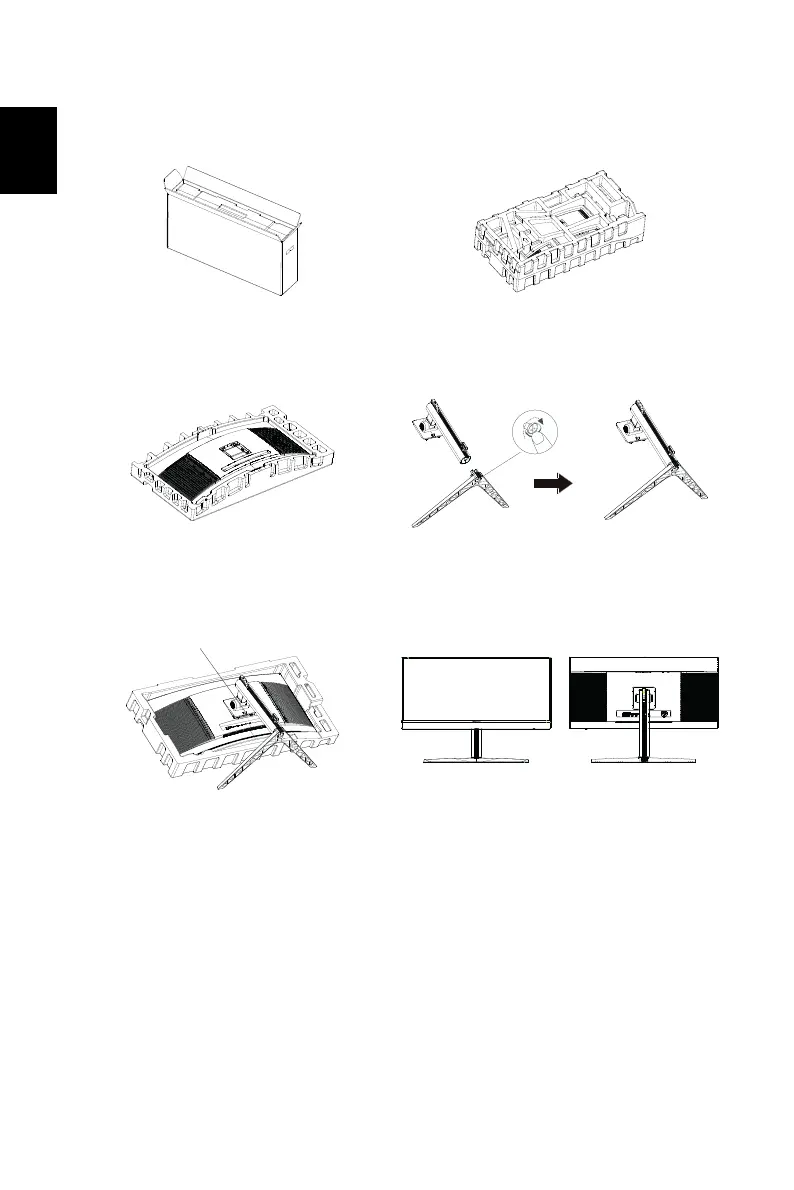
Attaching the monitor to the base
1. Unpack the box. Take out the
Styrofoam side by side and set flat
on the desktop.
2. Take the Styrofoam with display out
of the box.
3. Remove the top Styrofoam. 4. Install the stand onto the base and
fasten it with the thumb screw from
the bottom of the base.
5. Attach the base of step 4 to the
quick release notch of the OLED
monitor securely.
6. Flip the OLED monitor over to make
it stand upright on the desk where it
will be used. (Note: Do NOT press
the screen to avoid damage any
time.)


 To Next Page