11
Using the Shortcut Menu
The following content is for general reference only. Actual product specifications may vary.
The OSD (On Screen Display) can be used to adjust the settings of your OLED monitor.
Press the key to open the OSD. You can use the OSD to adjust the picture quality, OSD
position and general settings. For advanced settings, please refer to following page:
Main page
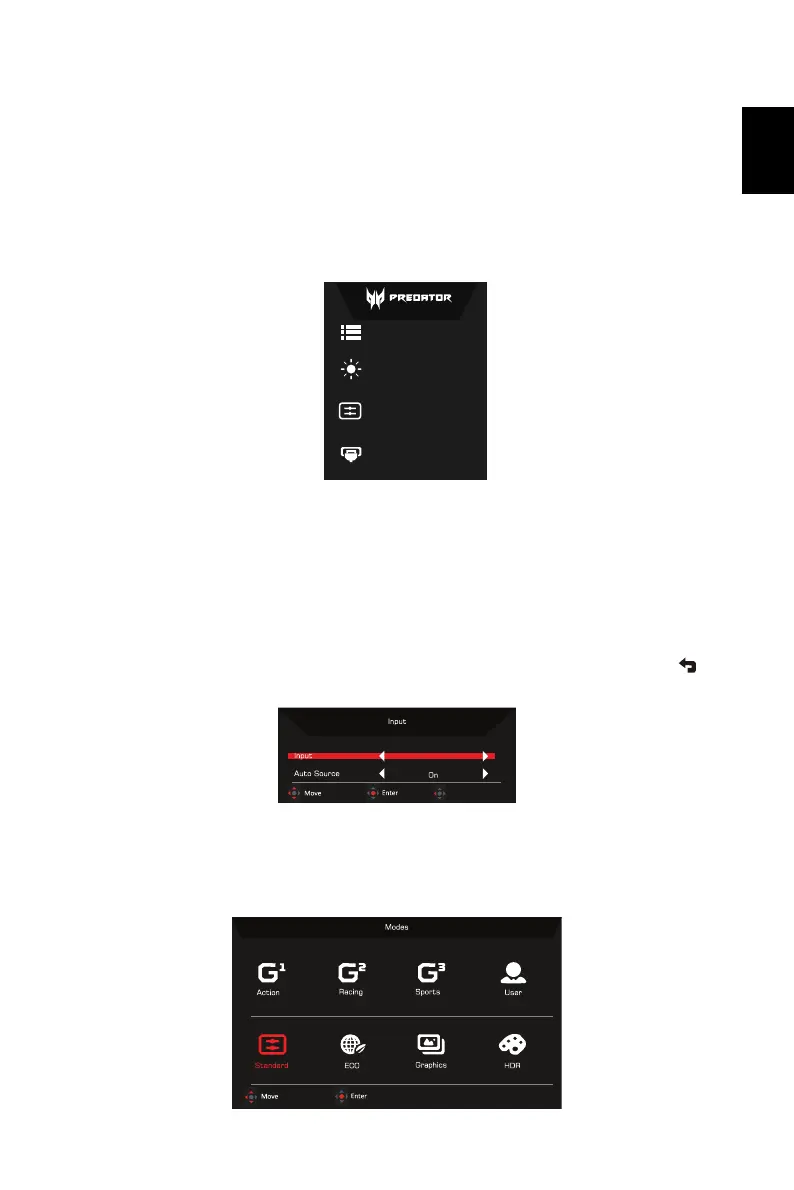
A. Main Menu
B. Hot Key1: Modes, Brightness, Volume, Gamma, Contrast, USB Port Select
C. Hot Key2: Modes, Brightness, Volume, Gamma, Contrast, USB Port Select
D. Input
Input
Open the Input control and select DP or HDMI input source. When you are done, use to
go back one level.
Hot key1 (default: Mode)
To choose scenario mode (G1, G2, G3) which user-defined profile to use or scenario mode
(User, Standard, ECO, Graphics, HDR).
A
B
C
D
Menu
Mode
Standard
Brightness
80
Input
HDMI
Exit
HDMI


 To Next Page