OMNIVERSA
®
ULTRASOUND / ELECTROTHERAPY SYSTEM - 25 -
COPYRIGHT © 2017-2020, ACCELERATED CARE PLUS CORP., ALL RIGHTS RESERVED
Setting Output Intensity
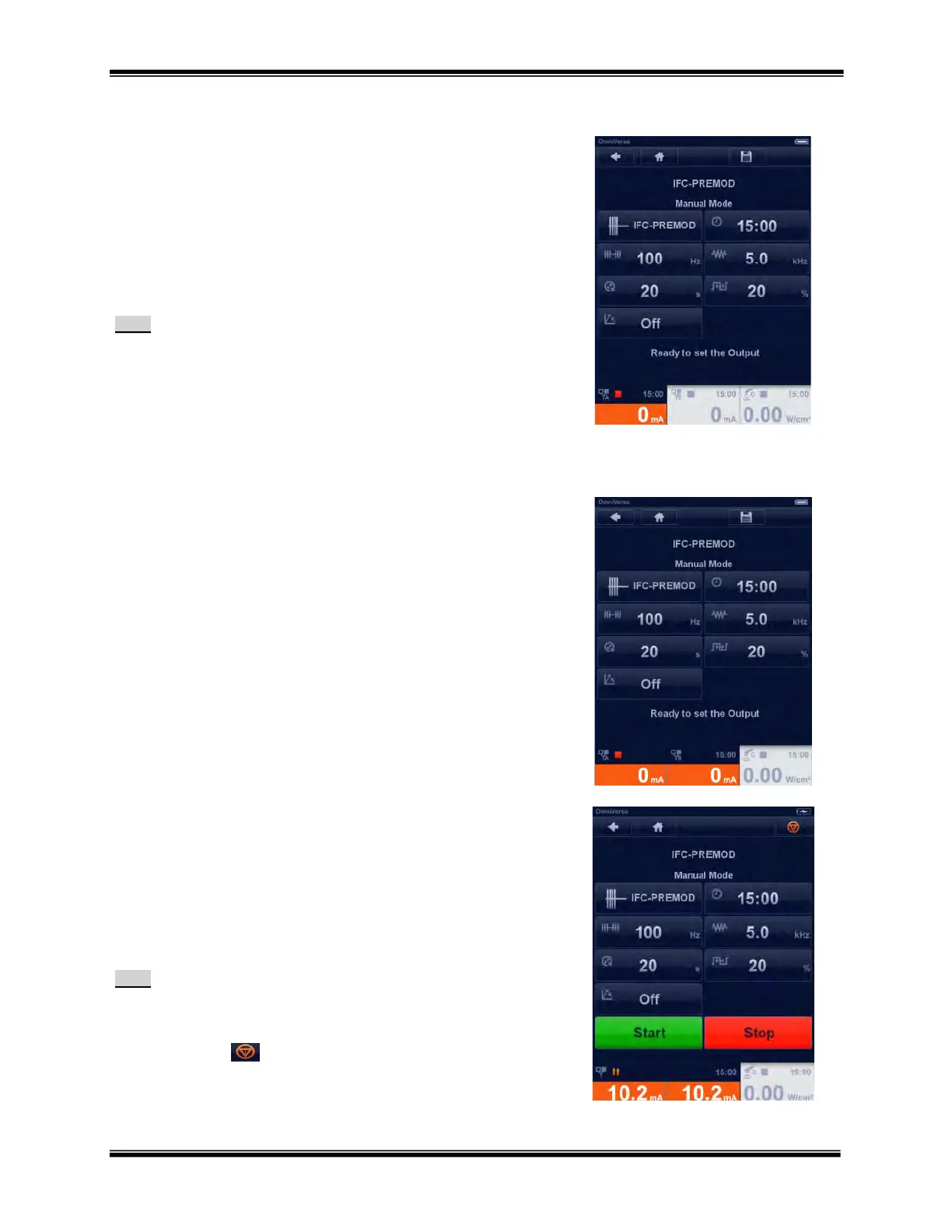
Output intensity can only be set when the selected channel tab(s) are
illuminated orange.
Screen text saying “Ready to set the output” appears during initial
setup.
As soon as intensity is increased the START and STOP buttons
appear.
Note:
If a 2-channel application is selected to simultaneously
increase the intensity of both channels, press and hold both
channel tabs with your fingers until both channel tabs
illuminate orange.
Within 12 seconds after setting the desired output intensity
the orange illuminated channel tab(s) fades too blue.
If additional output adjustment is needed prior to selecting
START, press the channel tab with your finger and it will
illuminate orange.
Setting Output Intensity Simultaneously:
2 Channel Program
If a 2-channel application is selected to simultaneously increase the
intensity of both channels, press and hold both channel tabs with your
fingers until both channel tabs illuminate orange.
Starting and Stopping a Treatment
As soon as output intensity is increased the START and STOP buttons
appear.
To start a treatment, touch the START button. A green RUN
triangle Icon will appear at the top of the channel tab
To end the treatment, touch the STOP button..
Note:
As soon as the Start button is pressed the Pause and Stop
buttons appear.
The treatment can also be stopped by pressing the emergency
stop icon
. Pressing this button stops the output on all
channels in use.



 To Next Page