OMNIVERSA
®
ULTRASOUND / ELECTROTHERAPY SYSTEM - 33 -
COPYRIGHT © 2017-2020, ACCELERATED CARE PLUS CORP., ALL RIGHTS RESERVED
Ultrasound Home Page – Manual Mode Operation
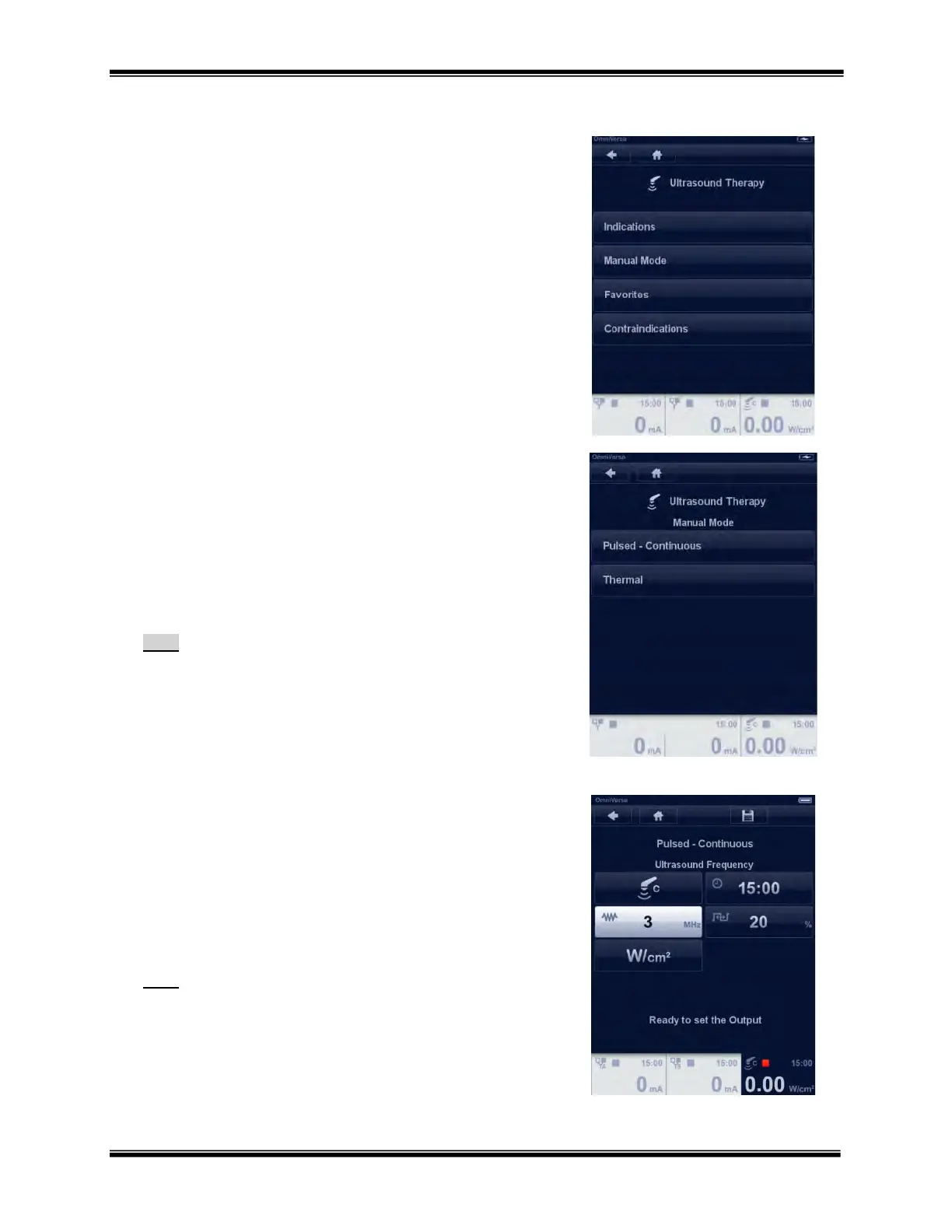
The Ultrasound Therapy menu provides access to the ways you can
navigate and the Ultrasound Contraindications library.
Indications
Manual Mode
Favorites
Contraindications
Select “Manual Mode” by touching the button and the Ultrasound
Manual Mode menu appears.
Ultrasound Manual Mode Menu
The Ultrasound Manual Mode menu gives access to the following
modes of operation.
Pulsed - Continuous
Thermal
Select “Pulsed-Continuous” by touching the button and the Ultrasound
Pulsed-Continuous parameters menu appears.
Note:
Pulsed Ultrasound Duty factor: 5, 10, 20, 25, 33 or 50%
Pulsed duration is fixed at 2 msec.
Thermal Delta T modes: 1ΔT, 2ΔT, 4ΔT
o Delta T technology only available on the 5cm
2
sound
head only
Ultrasound Parameter Adjustment – Changing parameters
All ultrasound parameter settings are changed by the same two-step
process.
1. Select/touch the parameter which will then illuminate bright
white. (The example shown is Megahertz - MHz)
2. Changes are made using the Rotary Selector Dial.
Repeat this process for all other parameters
Note:
Within 12 seconds of making a parameter change the
highlighted setting will fade back to blue.
All parameters can always be changed before starting a
treatment.
Some parameters may not be changed during active
treatment.



 To Next Page