AR-B1479 User’s Guide
22
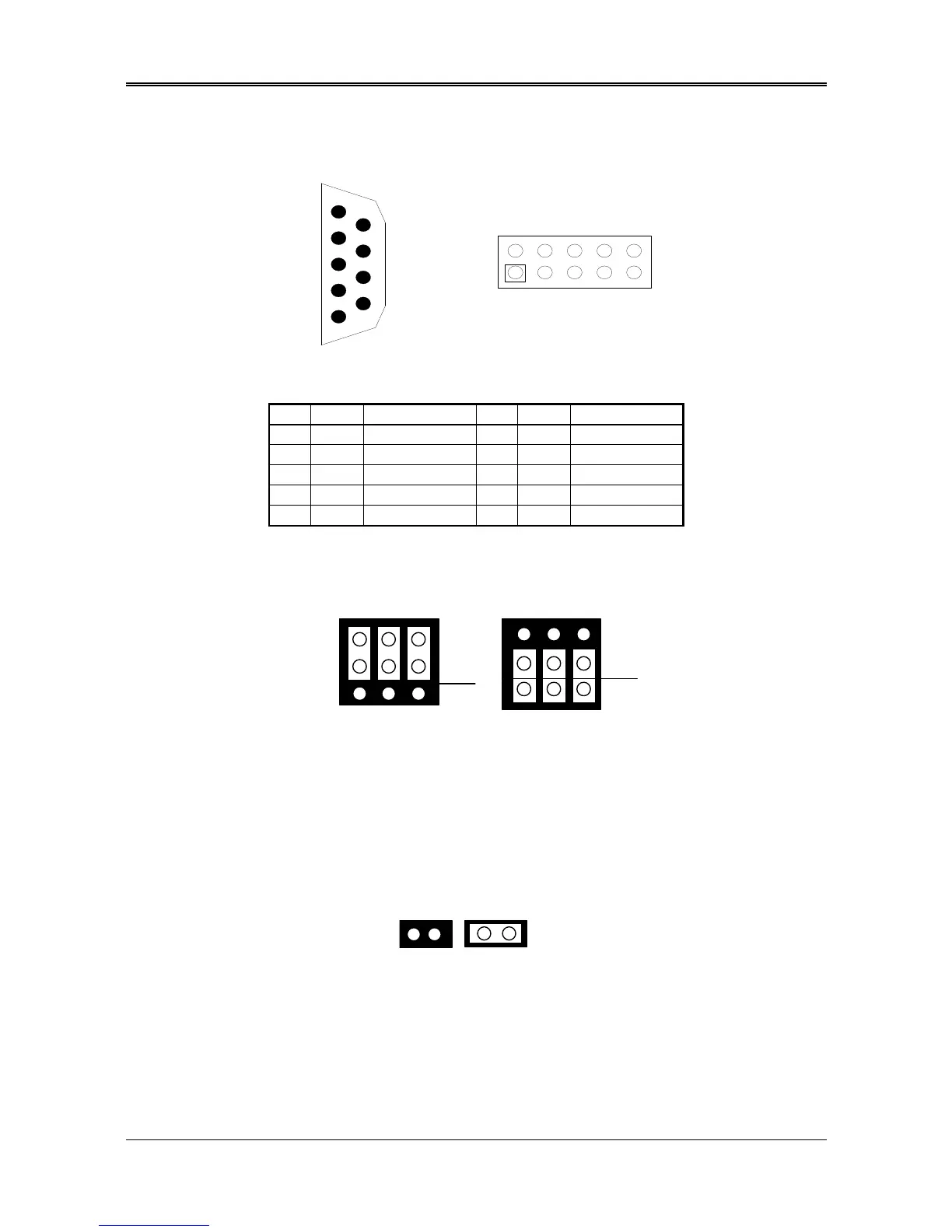
3.2.17 COM1, COM2 (DB2, CN5)
Figure 0-5 DB2 & CN5: RS-232 Connector
DB2
Signal
1 1 /DCD 8 6 /CTS
6 2 /DSR 4 7 /DTR
2 3 RXD 9 8 /RI
7 4 /RTS 5 9 GND
3 5 TXD -- 10 GND
Table 0-3 RS-232 Connector Pin Assignment
(1) RS-232/RS-485 Select for COM1 (P6 & P7)
The P6&P7 jumper is used to choose between the use of the on-board RS-232 or RS-485 for the DB2 – COM1.
1
Figure 0-6 P6 & P7: RS-232/RS-485 Select for COM1
(2) RS-485 Terminator Select (J5)
When there is only one line the setting should be left off (please take off the jumper), but if you are using
multiple blocks on a single line this should be set to “ON” (place a jumper) in order to properly terminate the
connection for better transmission of data
2
Figure 0-7 J5: RS-485 Terminator Select
DB2 (COM1)



 To Next Page