Hardware Manual
13
Step 2: Prepare the Camera
NOTE: To avoid scratches or leaving fingerprints on the dome cover, it is recommended to retain
the plastic covering the dome cover until the camera is completely installed. However, the plastic
has been removed on the pictures in this documentation to show clarity of the procedures being
described.
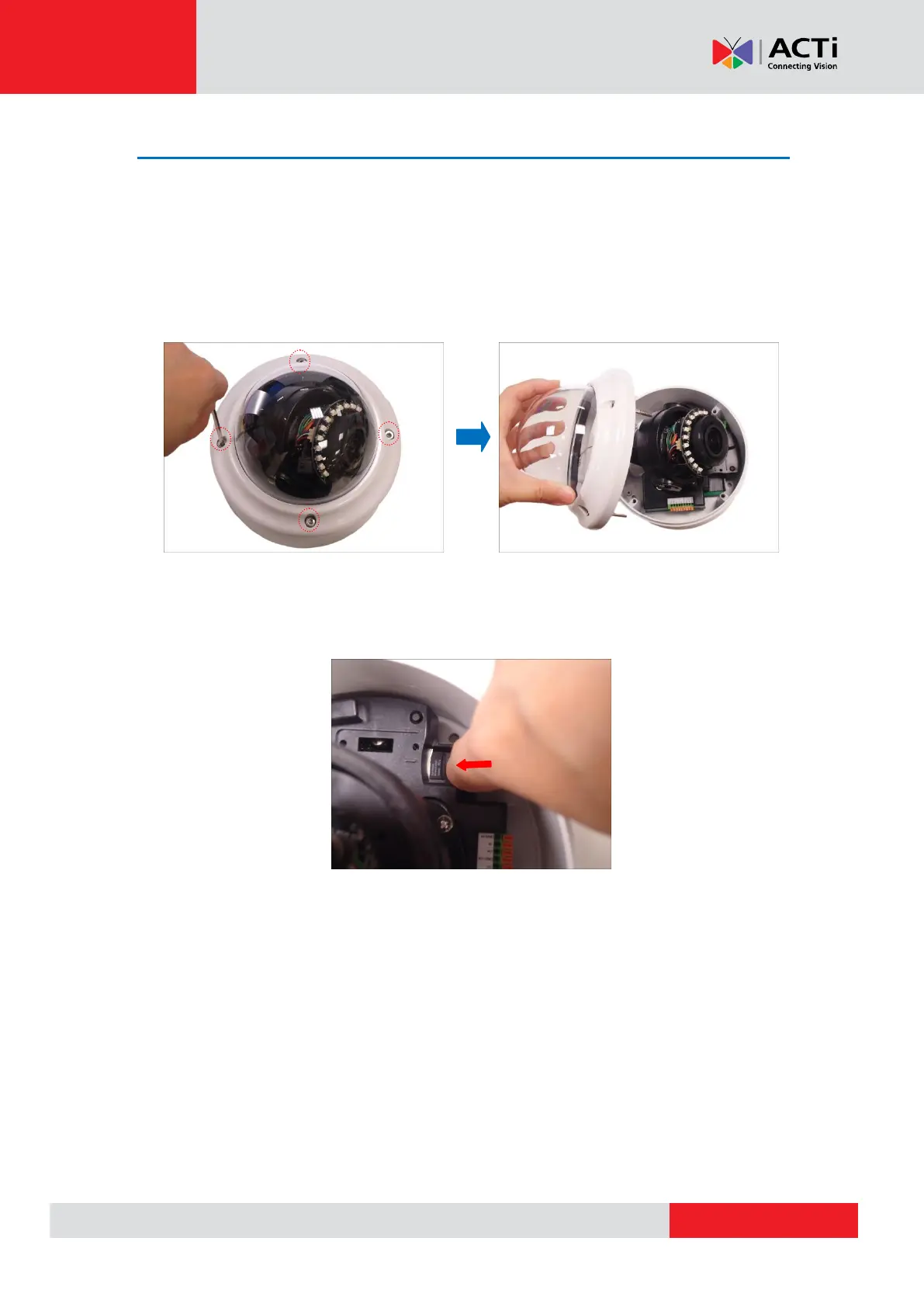
1. Loosen the four (4) screws securing the dome cover and lift to open the dome cover.
2. If necessary, insert a memory card with the metallic contacts facing down into the card slot of
the camera.
3. Prepare for cabling connections.
a. If the cable will pass through the surface, follow the procedures in Option 1: Cable
Passing Through the Surface and Bottom Cable Hole on page 14.
b. If the cable will be routed along the surface, follow the procedures in Option 2:
Cable Passing Along the Surface and the Camera Side Cable Hole on page 17.



 To Next Page