Hardware Manual
14
Step 3: Waterproof the Cable Connection
Depending on the installation environment, the cable can pass through the surface and go
through the bottom hole of the camera or pass along the surface and through the side hole of the
camera. Refer to the instructions below to protect the cable connections.
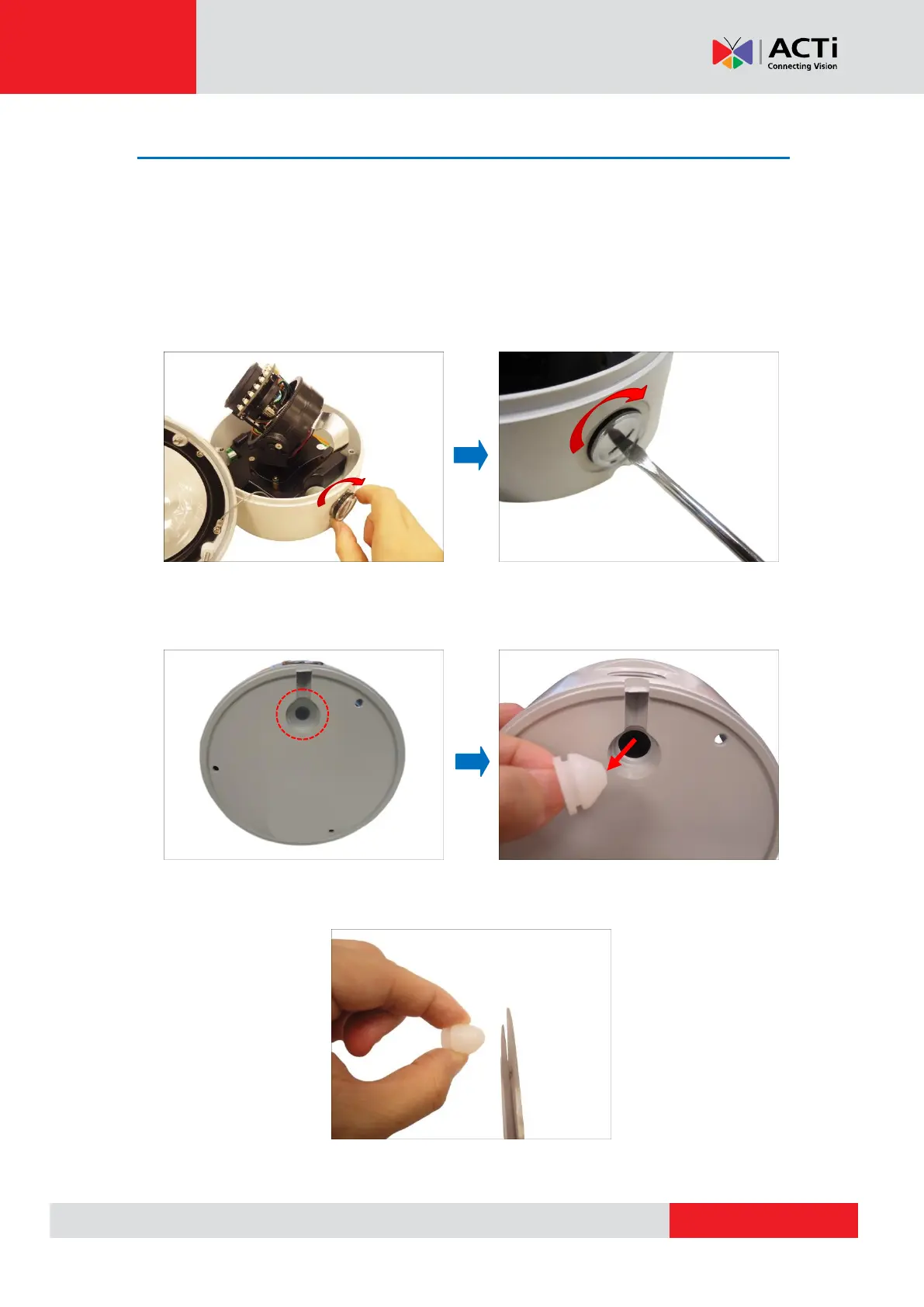
Option 1: Cable Passing Through the Surface and Bottom Cable Hole
1. Attach the bundled metal cap on the side conduit hole.
NOTE: Ensure the metal cap is tightly secured to avoid possible water leak.
2. Remove the rubber from the bottom cable hole.
3. Slightly cut off the tip of the rubber, just enough for the rubber to expand and let the Ethernet
cable to pass through.



 To Next Page