Hardware Manual
15
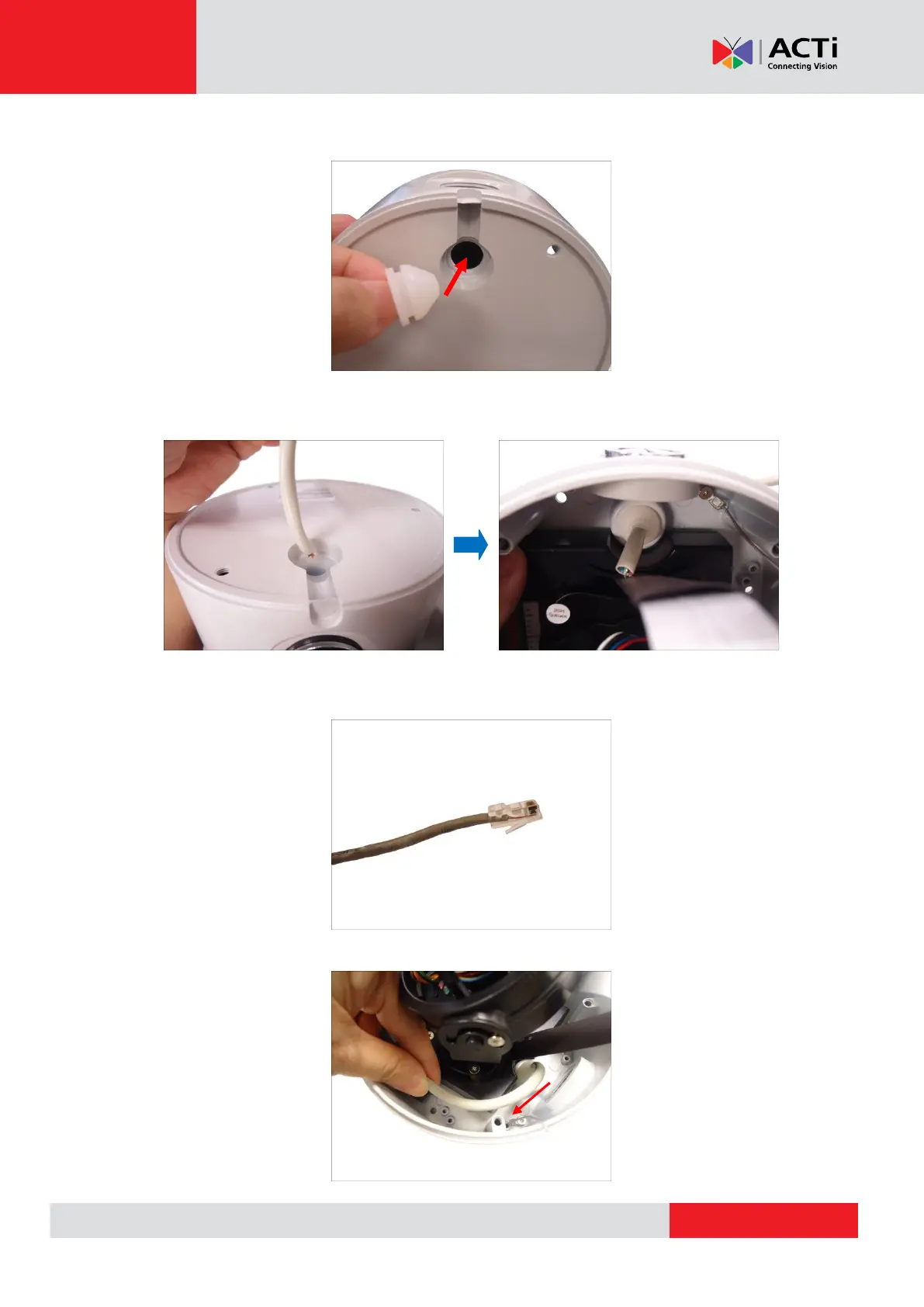
4. Insert the rubber back into the camera bottom hole.
5. Pull the Ethernet cable without connector from the hole on the surface and insert the cable
through the camera rubber.
6. Once the Ethernet cable pass through the camera hole, attach the RJ-45 connector (see
How to Attach the RJ-45 Connector on page 33 for detailed information).
7. Pull enough Ethernet cable length to be able to connect to the Ethernet port of the camera.



 To Next Page