36
Actiontec DSL Modem User Manual
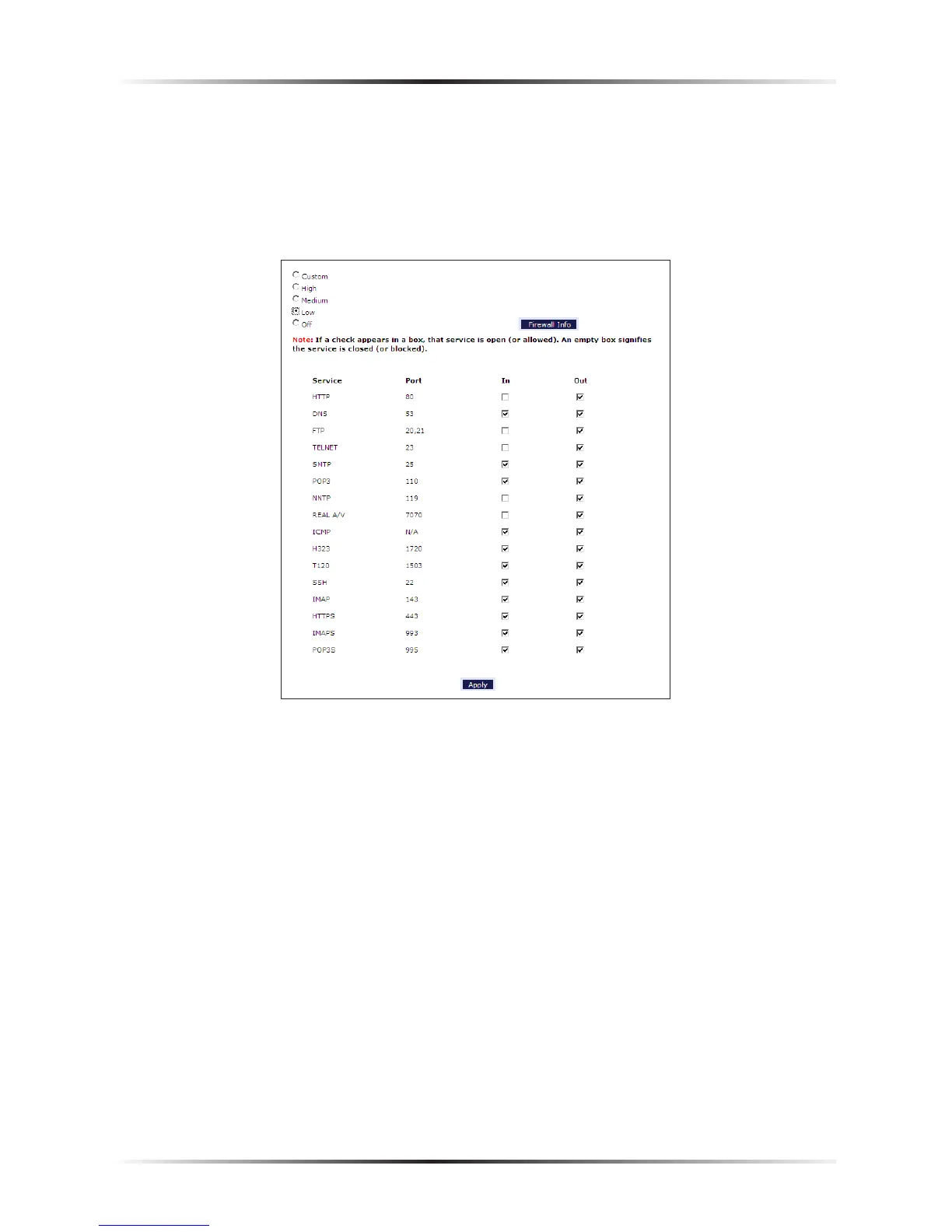
Low
If Low is selected in the “Firewall Security Level” screen, the services with a check
mark beside them will remain open (either incoming, outgoing, or both, depending
on the checkmarks), as shown in the figure below. These settings can be modified to
customize the firewall settings.
Off
If Off is selected in the “Firewall Security Level” screen, firewall filtering is based
solely on the basic NAT firewall. At this setting, VPN connections can be made, and
DMZ hosting, Port Forwarding, and Applicatiion Level Modem settings are active.
☞
Note: See “Service Acronyms,” for a description of the services
listed in the Firewall Security Level screens.



 To Next Page