• • • • • • • • • • • • • • • • • • • • • • • • • • • • • • • • • • • • • • • • • • • • • • • • • • • • • • • • 3 – 11
Using The Scan Tool
Print Header
✓ Print Header selection allows the user to turn off the Scan Tool
printing the currently-selected vehicle prior to the retrieved vehicle
data when selecting items from the Print Data menu.
✓ For example, if your currently-selected vehicle is a 2008 Chevrolet
Corvette W = 6.2L, this information would print at the top of the
page for the data you are printing.
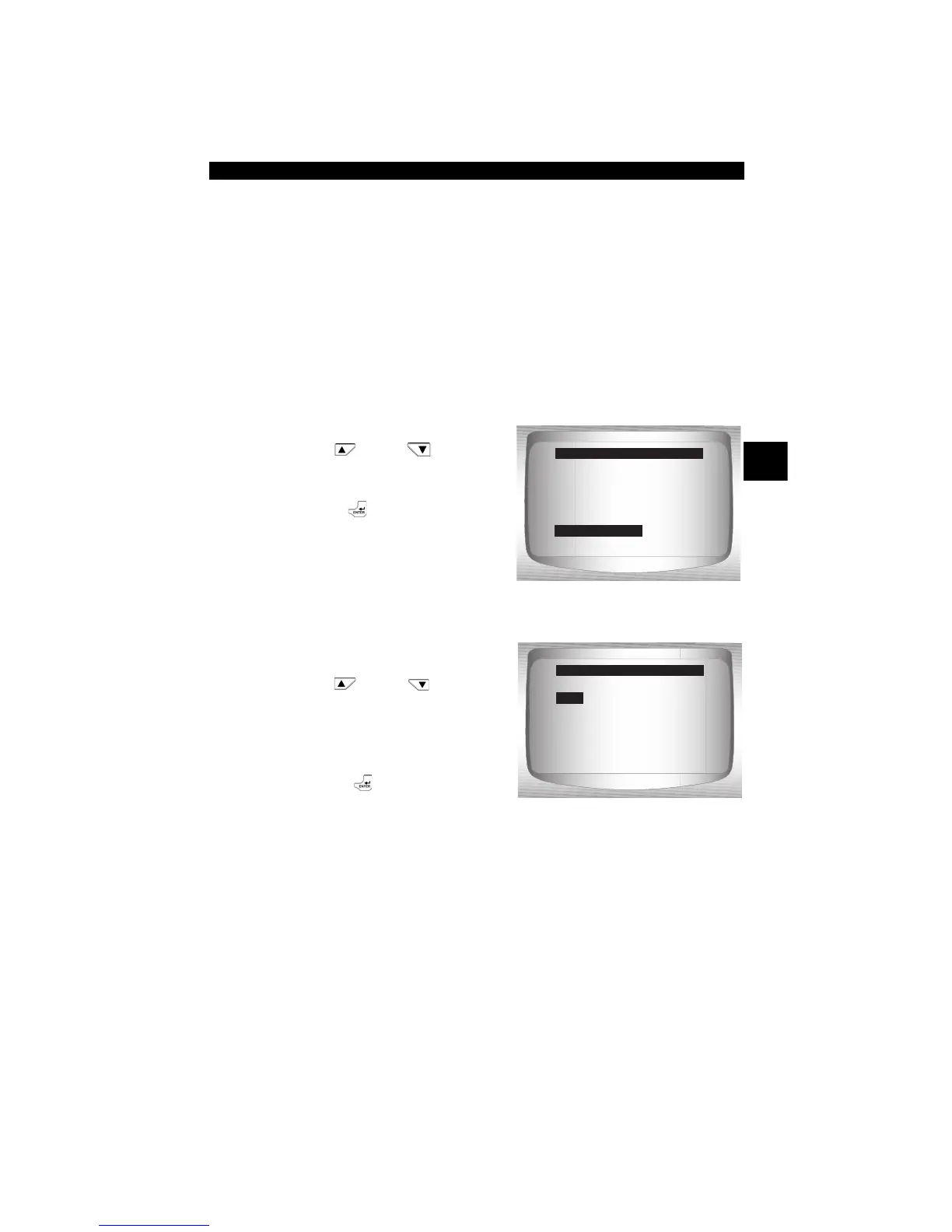
From System Setup menu:
1.Select Print Header.
•Use
UP
or
DOWN
arrow key until Print Header
is highlighted.
•Press
ENTER.
2.Select desired Print Header
choice.
•Use
UP
or
DOWN
arrow key until desired choice
is highlighted.
3.Save Print Header setting.
• Press
ENTER.
=====================
English/Metric
Adjust Contrast
Auto-Power Off
Quick Test
Print Header
Language Setup
System Setup
Print Header
=====================
Off
On
Print Header
Off


 To Next Page