• • • • • • • • • • • • • • • • • • • • • • • • • • • • • • • • • • • • • • • • • • • • • • • • • • • • • • • • 3 – 13
Using The Scan Tool
View Tool Information
✓ This function allows you to view specific tool information that may
be needed when contacting customer service.
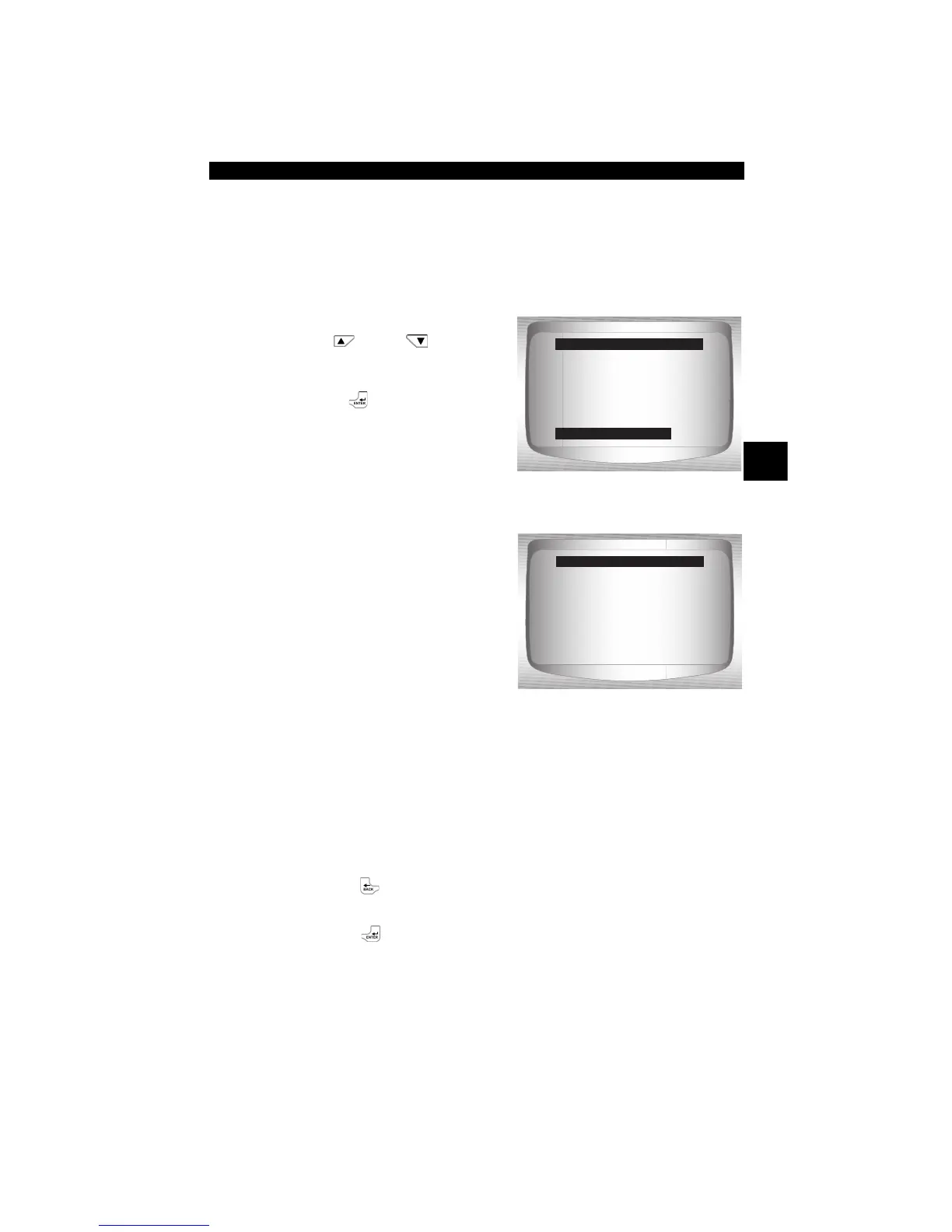
From System Setup menu:
1.Select Tool Information.
•Use
UP
or
DOWN
arrow key until Tool
Information is highlighted.
•Press
ENTER.
2.View Information:
❒ Serial Number (Serial No:)
❒ Software ID (SW ID:)
❒ Hardware Version
(HW Ver:)
❒ Boot Version (Boot Ver:)
❒ Product ID (Prod ID:)
❒ Board ID (Board ID:)
❒ Burn Date (Burn Date:)
❒ Burn Location (Burn Loc:)
3.Write Down Scan Tool Information.
• Space is provided on inside front cover of this manual to record
the Scan Tool information.
4.Return to Setup Tool Menu.
•Use the
BACK key.
OR
•Use the
ENTER Key.
=====================
Adjust Contrast
Auto-Power Off
Quick Test
Print Header
Language Setup
Tool Information
System Setup
Tool Information
=====================
Serial No 10002076
SW ID 0A46H
HW Ver 1
Boot Ver 1
Prod ID 5
Board ID 11
Tool Information


 To Next Page