• • • • • • • • • • • • • • • • • • • • • • • • • • • • • • • • • • • • • • • • • • • • • • • • • • • • • • • • • 4 – 5
Diagnostic Menu
From the Diagnostic Menu:
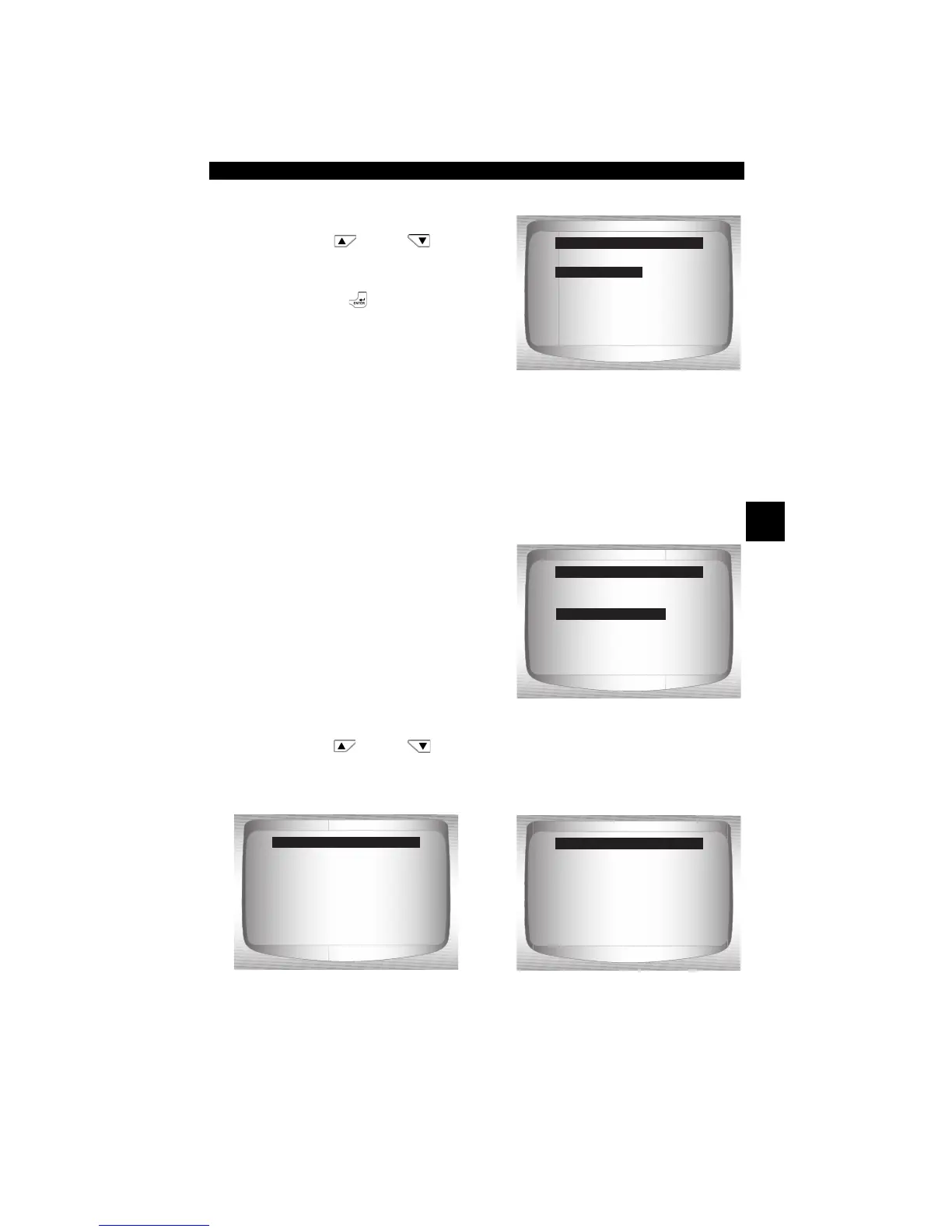
1. Select I/M Monitors.
•Use
UP
or
DOWN
arrow key until I/M Monitors is
highlighted.
•Press
ENTER
.
Two types of I/M Monitors test are:
❒ Since DTCs Cleared - shows status of the monitors since the
DTCs were last erased.
❒ This Drive Cycle - shows status of monitors since the start of the
current drive cycle. Refer to the vehicle service manual for more
detailed information on emission-related monitors and their
status.
✓ Some vehicles do not support
This Drive Cycle. If vehicle
supports both types of monitors
the I/M Monitors Menu displays.
2. View Summary of Monitor
Status.
•Use
UP
or
DOWN
arrow key (if required).
✓ Depending on Monitor Test one of these 2 screens will be present
. OR
=====================
I/M Monitors
Read Codes
Erase Codes
MIL Status
State OBD Check
View Data
Diagnostic Menu
I/M Monitors
=====================
Since DTCs Cleared
This Drive Cycle
I/M Monitors
This Drive Cycle
=====================
Misfire Monitor ok
Fuel System Mon ok
Comp Component ok
Catalyst Mon inc
Htd Catalyst n/a
Evap System Mon ok
This Drive Cycle
=====================
Misfire Monitor ok
Fuel System Mon ok
Comp Component ok
Catalyst Mon inc
Htd Catalyst n/a
Evap System Mon ok
Since DTCs Cleared


 To Next Page