• • • • • • • • • • • • • • • • • • • • • • • • • • • • • • • • • • • • • • • • • • • • • • • • • • • • • • • • 4 – 13
Diagnostic Menu
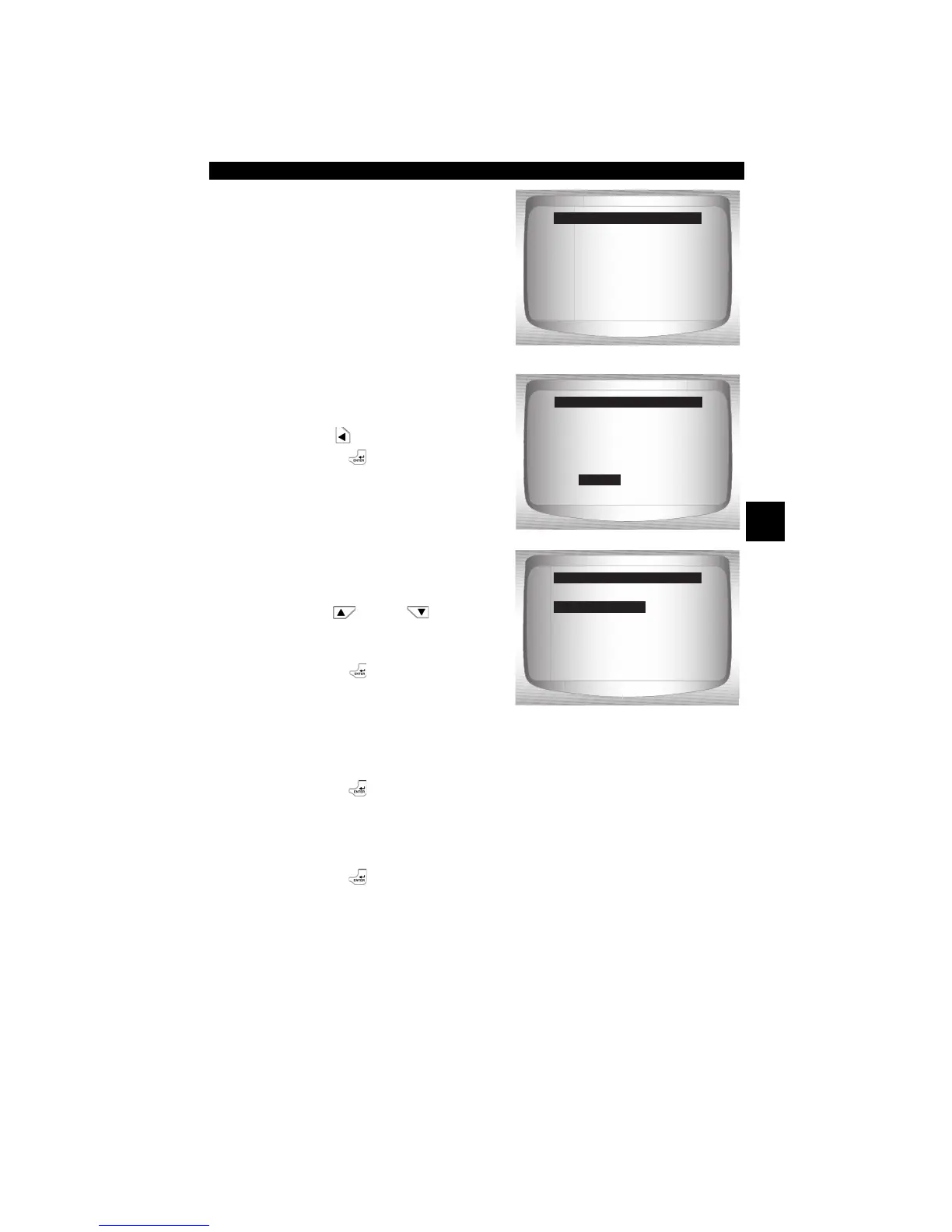
•Selecting No displays a Com-
mand Cancelled message.
2. Select Yes to erase
diagnostic results and
codes.
•Use
LEFT
arrow key.
•Press
ENTER
.
3. If more than one module is
supported, a menu is
displayed.
•Use
UP
or
DOWN
arrow key until desired choice
is highlighted.
•Press
ENTER
.
4. Observe Command Sent message is displayed.
•Press
ENTER
.
5. Return to Diagnostic Menu.
•Press
ENTER
.
Press BACK To Exit
=====================
Command Cancelled
Erase Codes
YES
NO
=====================
Are you sure you
want to Erase
Diagnostic Results
and Codes?
Erase Codes
YES
=====================
Global OBD II
ABS
All of the Above
Select Module
Global OBD II


 To Next Page