19
Programming
the Events
Programming Past Midnight
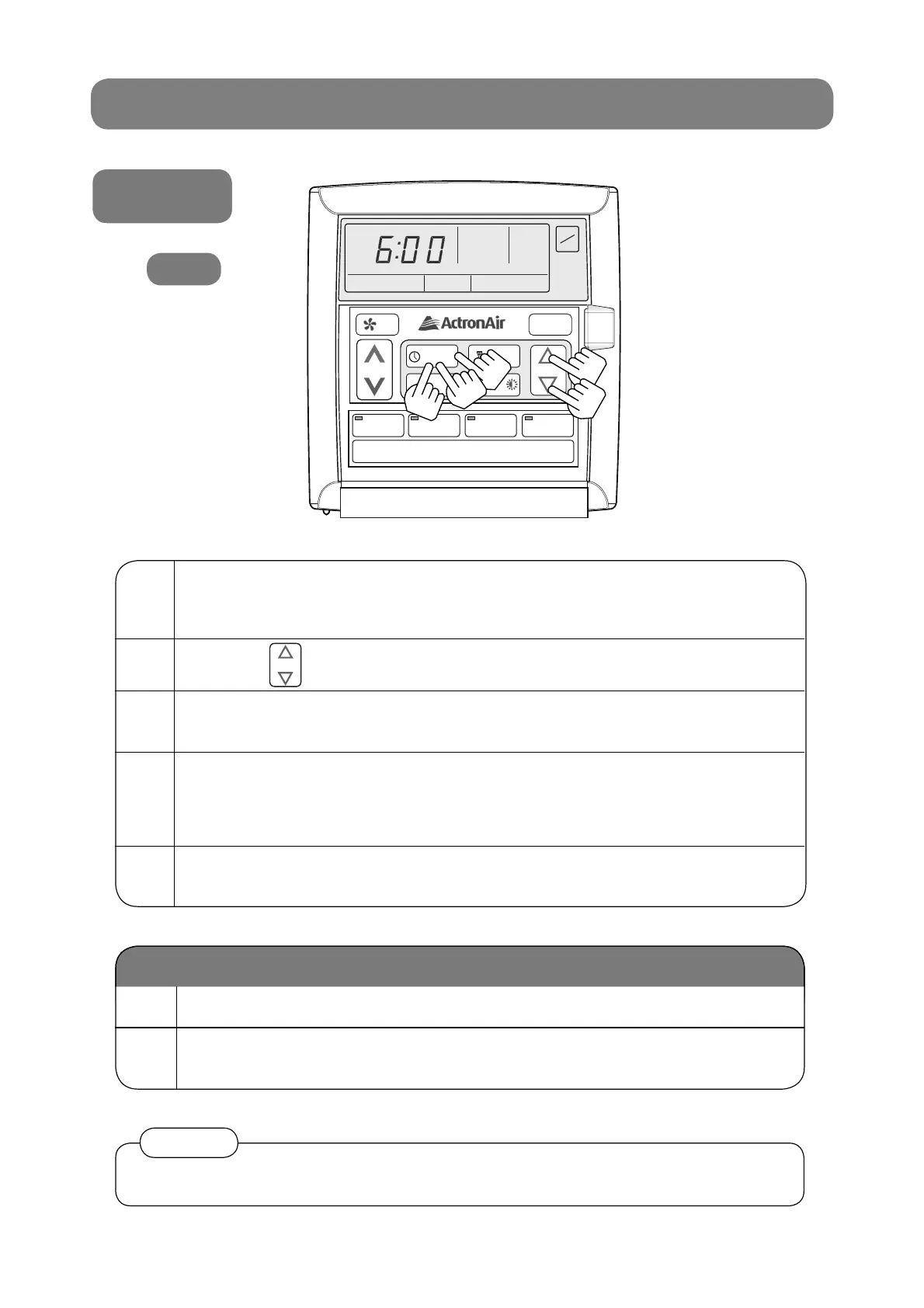
1 Press the PROGRAM button repeatedly until
event 1 and “MON” is showing.
You are now setting MONDAY, event 1, ON time.
2
Use the buttons to adjust time.
3
Press the PROGRAM button to move to event 1 off time
and follow step 2.
4 Press the PROGRAM button to move to the next event.
The event time is entered once you press the PROGRAM button.
If you press the EXIT button before moving to the next event, the time you have
programmed will not be entered.
5
Repeat the above steps until you have programmed all the
events you require.
1 Event On times can be set to 11:45 PM of the current day.
2
Event Off times can be set to 9:00 AM the following
morning.
SELECT
If you program event 1 past midnight, event 2 will be automatically cancelled.•
Notice
LM7
7-DAY PROGRAMMABLE MODEL
AUTO
HEAT / COOL
AUTO
HEAT / COOL
MON
AM
TIME CLOCK
ON
EVENT
1
SET
ON
OFF
PROGRAM
EXIT
SELECT
SET TEMP
REPEAT /
2
2
5
3
1



 To Next Page