7
LCD BACKLIGHT
LM7 LM24
AUTO
HEAT / COOL
AUTO
HEAT / COOL
LOW COOL
ON
OFF
PROGRAM
EXIT
SELECT
SET TEMP
REPEAT /
1
1
1
2A
1A
AUTO
HEAT / COOL
AUTO
HEAT / COOL
TEMP
MED
CONT
COOL
ON
OFF
TIMER
SELECT
DISPLAY
1
1
1
2A
1A
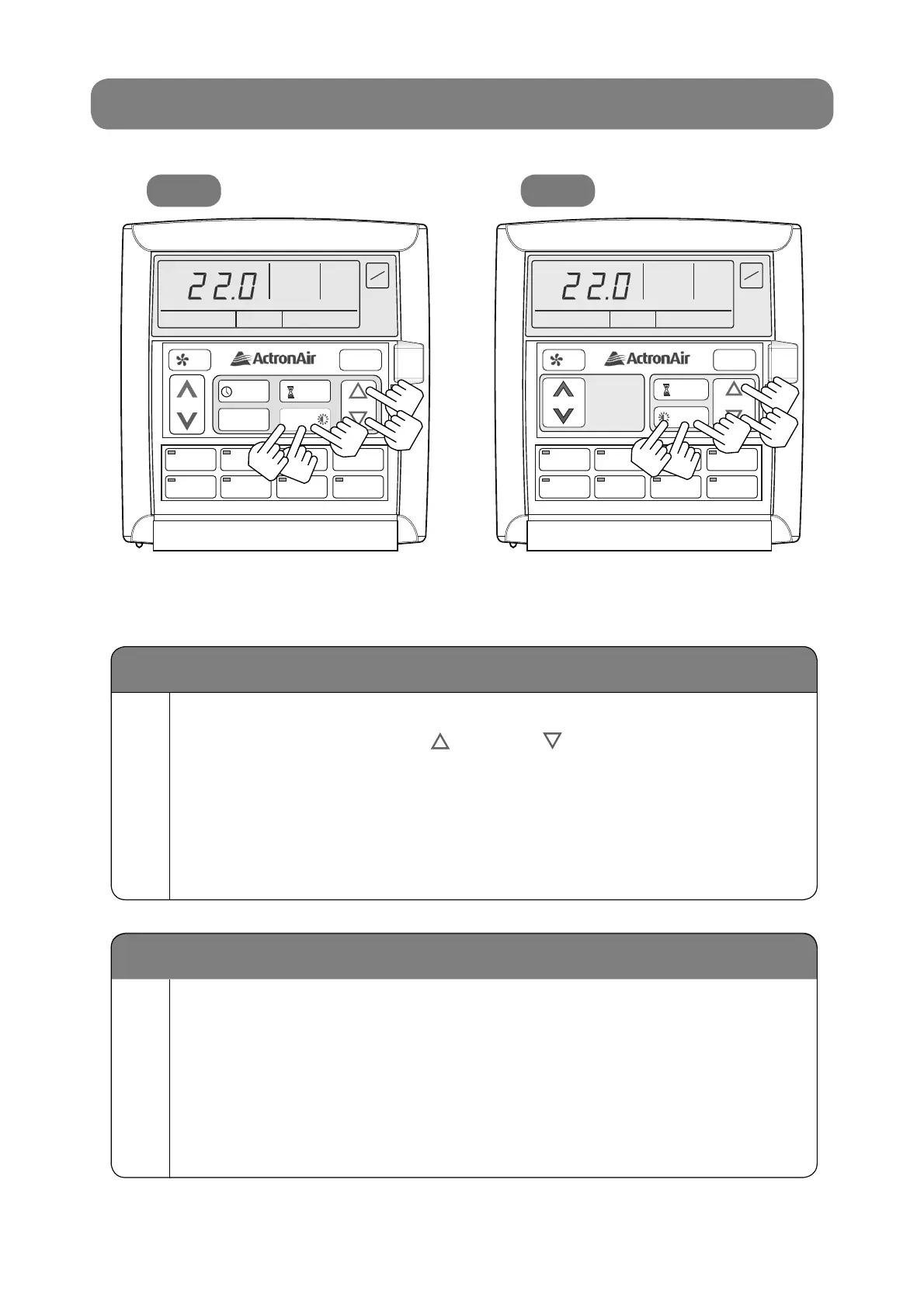
Turn On/Off LCD Backlight
1A
Turn On LCD Backlight.
Press and hold REPEAT (LM7) or DISPLAY (LM24) Button for 4 seconds. LOCK
symbol will appear, then release button and backlight will remain On.
2A
Turn Off LCD Backlight.
Press and hold REPEAT (LM7) or DISPLAY (LM24) Button for 4 seconds.
LOCK symbol will appear, then release button and backlight will turn Off after
6 seconds.
LCD Backlight Level Adjustments
1
Press and hold REPEAT (LM7) or DISPLAY (LM24) Button.
Then press SELECT UP / DOWN Arrow Button to
adjust the backlight level, as follows:
To brighten backlight, press SELECT UP Button.•
To dim backlight, press SELECT DOWN Button.•
Release the buttons at the desired level of LCD brightness and the LOCK
symbol will appear for 1 second indicating the backlight level is set.



 To Next Page