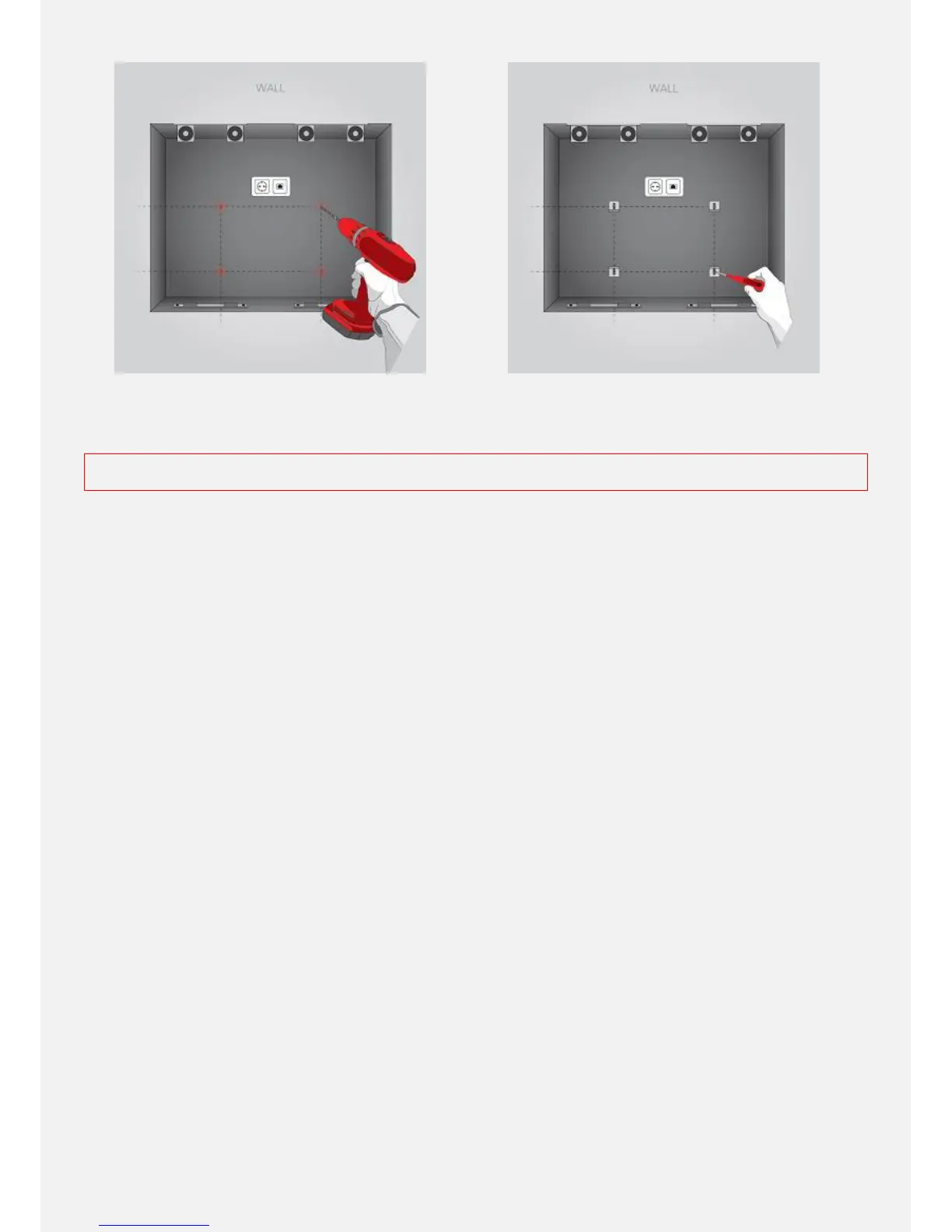
10. Art. Description - HOLDING ANGLE
. (Not found? Move to the next step.)
The 4 HOLDING ANGLES hold the monitor on the wall while
providing slight adjustment in order to align the monitor active area with the glass image area. Marginal inaccuracy can be
corrected with the long slots in the HOLDING ANGLES. Secure the 2 bottom HOLDING ANGLES firmly as shown above.
EXPERT TIPS. Before proceeding with the 2 top HOLDING ANGLES read the screen mounting instruction for additional
WARNING and EXPERT TIPS.
11. HOLDING ANGLE
. (Not found? Move to the next step.)
Drive the bolts including spring washers (and plain washers) half way into the
injection nuts of both sides of the DFU casing. Secure the 2 top holding angles at the injection nuts of the DFU casing.
12. HOLDING ANGLE
. (Not found? Move to the next step.).
Lift your ad notam monitor and place it on the lower HOLDING ANGLES so
that the injection nuts on the bottom are aligned with the holes in the HOLDING ANGLE. The holes in the upper HOLDING
ANGLES should be aligned with the screw anchors. Marginal inaccuracy can be corrected with the long slots in the
HOLDING ANGLES. Secure the 2 top HOLDING ANGLES firmly.


 To Next Page