14
BASIC MODES BASIC MODES
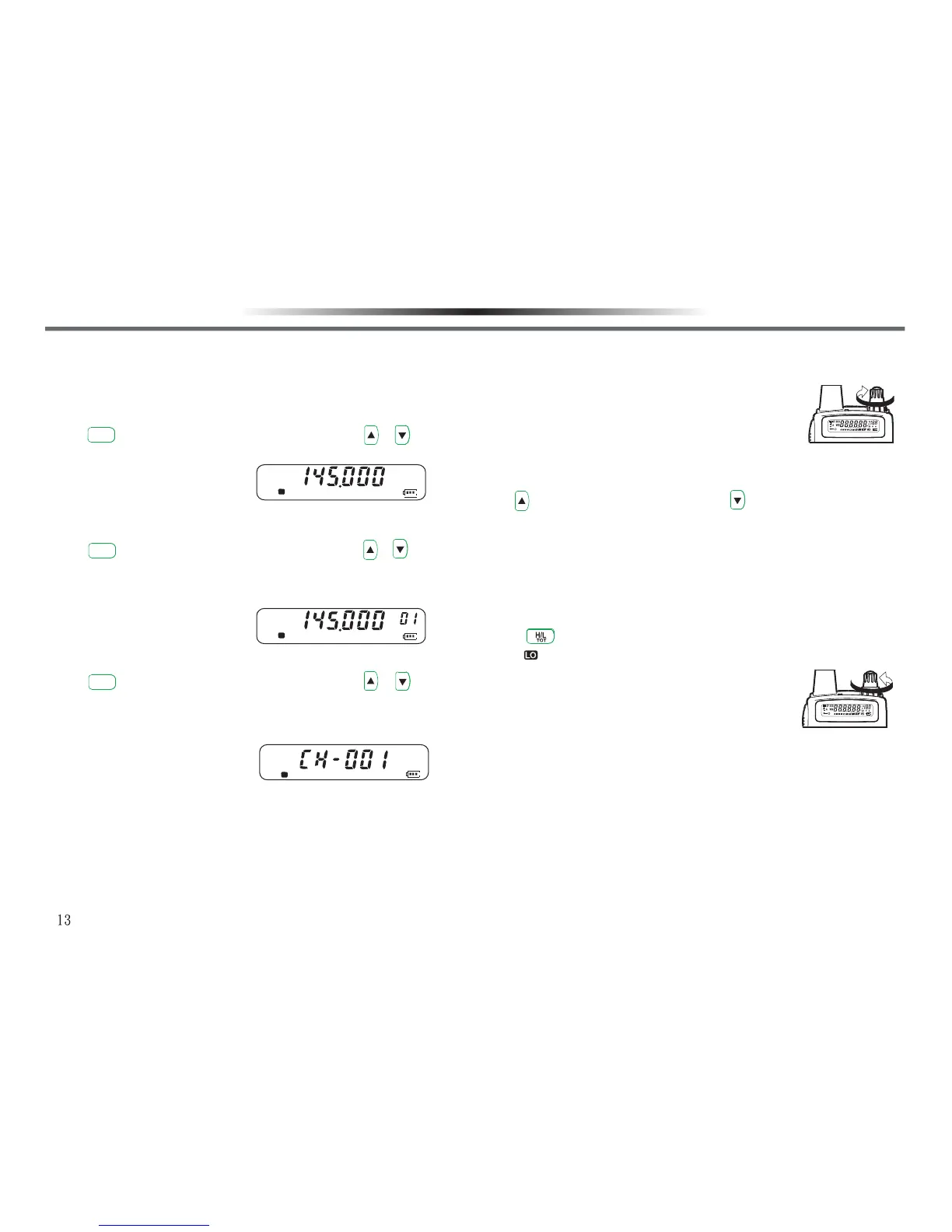
There are 3 basic modes available for selection:
■ VFO MODE(FREQUENCY DISPLAY MODE)■ VFO MODE(FREQUENCY DISPLAY MODE)
Press key to proceed with selection. You can use / to
change the frequency, or use keypad to input the frequency required
directly.
■ MR MODE (MEMORY RECALL MODE)■ MR MODE (MEMORY RECALL MODE)
Press key to proceed with selection. You can use / or
input the frequency required directly, or change the frequency
(freauency and relative data saved). You have to save at least one
memory channel or you cannot enter into the mode.
■ CH MODE (CHANNEL DISPLAY MODE)■ CH MODE (CHANNEL DISPLAY MODE)
Press key to proceed with selection. You can use / or
keypad to input the frequency required directly, change the
frequency (freauency and relative data saved). You have to save at
least one memory channel or you cannot enter into the mode.
SWITCH POWER ON/OFFSWITCH POWER ON/OFF
1.Turn the Power/Volume Knob clockwise to turn on the transceiver.
•A music tone sounds.
2.To turn it off, turn the Power/Volume Knob counterclockwise.
S
F
S
V/M
R.
V/M
R.
V/M
R.
F
S
ADJUST THE VOLUMEADJUST THE VOLUME
1.Rotate the Power/Volume knob clockwise to increase the volume.
2.Rotate it counterclockwise to decrease the volume.
•If you cannot hear clearly due to squelch function,
press and hold [MONI] and rotate the power/volume
knob, then you can hear the background noise.
SELECT A FREQUENCYSELECT A FREQUENCY
Use key to increase the frequency, and key to decrease it.
•If you cannot select a specific frequency, the frequency step size
needs to be changed. See ‘’CHANGING FREQUENCY STEP SIZE’’.
•You can also input the frequency required directly with the keypad.
SELECT AN OUPPUT POWERSELECT AN OUPPUT POWER
Press to select Hi/Lo output power .
•If appears on LCD display, it shows the output power is low.
Note: If voice receiving is clear within communication
range, please select low output power to reduce
battery consumption and extend its life.
TRANSMITTRANSMIT
1.When ready to transmit, press the [PTT] switch and speak into the
microphone in your normal speaking voice.
•The lamp lights red when transmit.
•If you are too close to microphone or spead too loudm the distortion
may increase and the clarity of your signal to the receiving party may
reduce.
2.Release the [PTT] switch to receive.
ADJUST THE VOLUME
1.Rotate the Power/Volume knob clockwise to increase the volume.
2.Rotate it counterclockwise to decrease the volume.
•If you cannot hear clearly due to squelch function,
press and hold [MONI] and rotate the power/volume
knob, then you can hear the background noise.
SELECT A FREQUENCY
Use key to increase the frequency, and key to decrease it.
•If you cannot select a specific frequency, the frequency step size
needs to be changed. See ‘’CHANGING FREQUENCY STEP SIZE’’.
•You can also input the frequency required directly with the keypad.
SELECT AN OUPPUT POWER
Press to select Hi/Lo output power .
•If appears on LCD display, it shows the output power is low.
Note: If voice receiving is clear within communication
range, please select low output power to reduce
battery consumption and extend its life.
TRANSMIT
1.When ready to transmit, press the [PTT] switch and speak into the
microphone in your normal speaking voice.
•The lamp lights red when transmit.
•If you are too close to microphone or spead too loudm the distortion
may increase and the clarity of your signal to the receiving party may
reduce.
2.Release the [PTT] switch to receive.
BASIC OPERATION BASIC OPERATION



 To Next Page