RECEIVE WITH CTCSS/DCSRECEIVE WITH CTCSS/DCS
Sometimes you may only need to receive calls from specific persons.
CTCSS/DCS allows you not to hear unwanted calls from other persons
who are using the same frequency. You can select the set required from
51 sets of CTCSS and 107 sets of DCS.
Note : It cannot be guaranteed to keep your private talk secret, it only ensures that
you will not receive the calls from other group persons using the same frequency.
1.Under VFO/MR mode, press + to enter into ‘’Receive with
CTCSS/DCS’’.
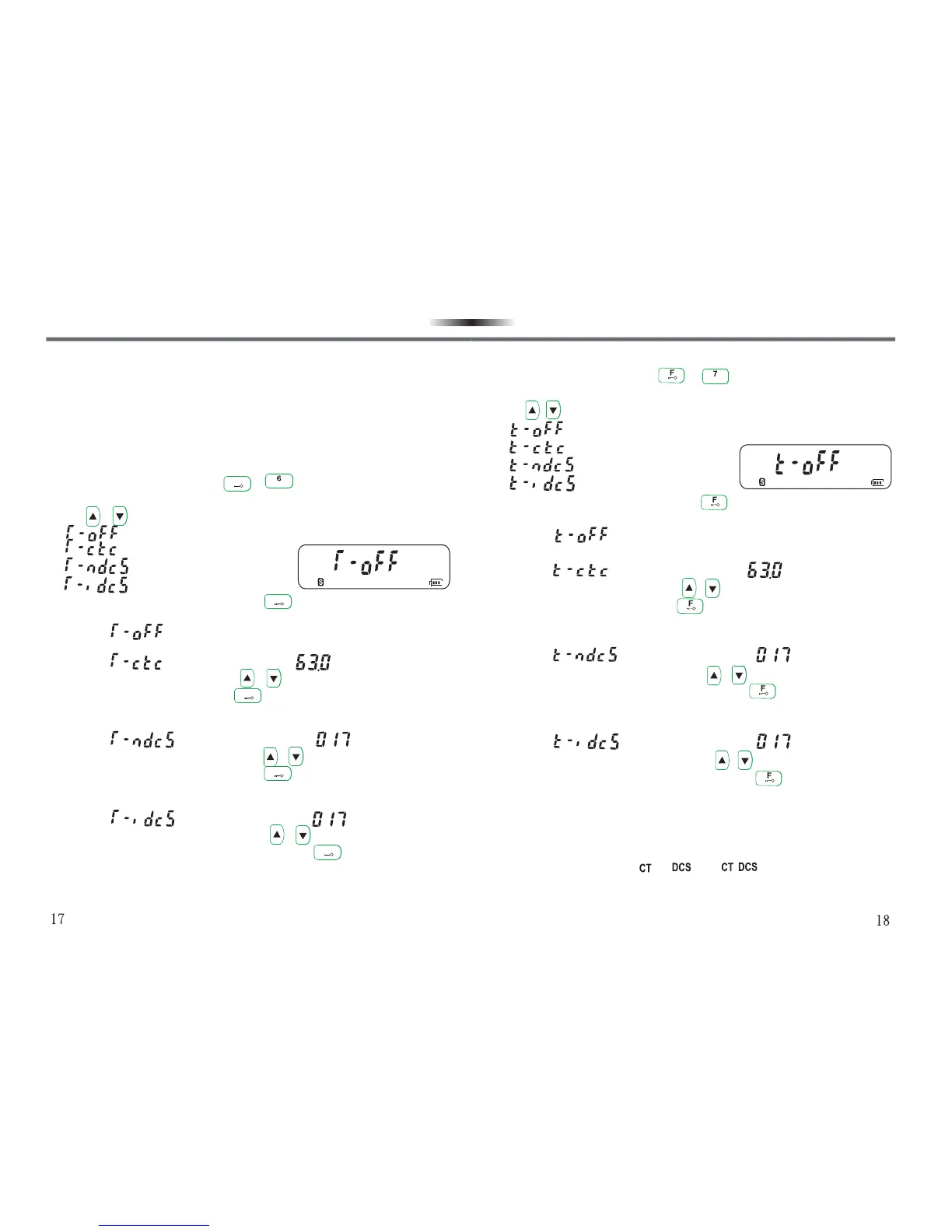
2.Use / to select the following 4 modes:
• :Receive without CTCSS/DCS.
• :Receive with CTCSS.
• :Receive with normal DCS.
• :Receive with inverted DCS.
3.Select the mode required and press key to confirm your setting
and enter into the next setting selection.
•If select , exit “Receive with CTCSS/DCS” mode directly, the
transceiver will return back to the present operation mode.
•If select , the LCD display show , that is the first
CTCSS frequency, you can use / keys to select the audio
frequency required, then press key to confirm your setting.
“Receive with CTCSS” function will be activated, and the transceiver
will return back to the present operation mode.
•If select , the LCD display shows , that is the first
normal DCS frequency, you can use / keys to select the normal
DCS frequency required, then press key to confirm your setting.
“Receive with normal DCS” function will be activated, and thetrans-
ceiver will return back to the present operation mode.
•If select , the LCD display shows , that is the first
inverted DCS frequency, you can use / keys to select the
inverted DCS frequency required, then press key to confirm
your setting. “Receive with inverted DCS” function will be activated,
and the transceiver will return back to the present operation mode.
F
RSQTRSQT
F
F
F
F
TRANSMIT WITH CTCSS/DCS
1.Under VFO/MR mode, press + to enter into “Transmit with
CTCSS/DCS”.
2.Use / to select the following 4 modes:
• :Transmit without CTCSS/DCS.
• :Transmit with CTCSS.
• :Transmit with normal DCS.
• :Transmit with inverted DCS.
3.Select the mode required and press key to confirm your setting
and enter into the next setting selection.
•If select , exit “Transmit with CTCSS/DCS” mode directly,
the transceiver will return back to the present operation mode.
•If select , the LCD display shows , that is the first
CTCSS frequency, you can use / keys to select the audio
frequency required, then press key to confirm your setting.
“Transmit with CTCSS” function will be activated, and the transceiver
will return back to the present operation mode.
•If select , the LCD display shows ,that is the first
normal DCS frequency, you can use / keys to select the
normal DCS frequency required, then press key to confirm
your setting. “Transmit with normal DCS” function will be activated,
and the transceiver will return back to the present operation mode.
•If select ,the LCD display shows , that is the first
inverted DCS frequency, you can use / keys to select the
inverted DCS frequency required, then press key to confirm
your setting. “Transmit with inverted DCS” function will be activated,
and the transceiver will erturn back to the present operation mode.
Note :
1.CTCSS/DCS functions cannot be activated under CH mode.
2.When you have set CTCSS/DCS during transmitting or receiving, LCD display
will show the corresponding “ ”, “ ” or “ ”.
3.When selecting modes and numeric values, you have to finish delection within
10 seconds, or the transceiver will return back to the present operation mode,
and you have to operate according to the above steps from the beginning.
TSQTTSQT
FUNCTION SETTING AND DESCRIPTION
FUNCTION SETTING AND DESCRIPTION



 To Next Page