MEMORY CHANNEL
You can store frequencies and common settings under memory channel
so that you do not need to reset these data from the beginning every
time. Just a simple operation can call the frequency you need. There
are 199 memory channels available, you can store channels by
frequency-writing software at dealers.
STORING MEMORY CHANNELSTORING MEMORY CHANNEL
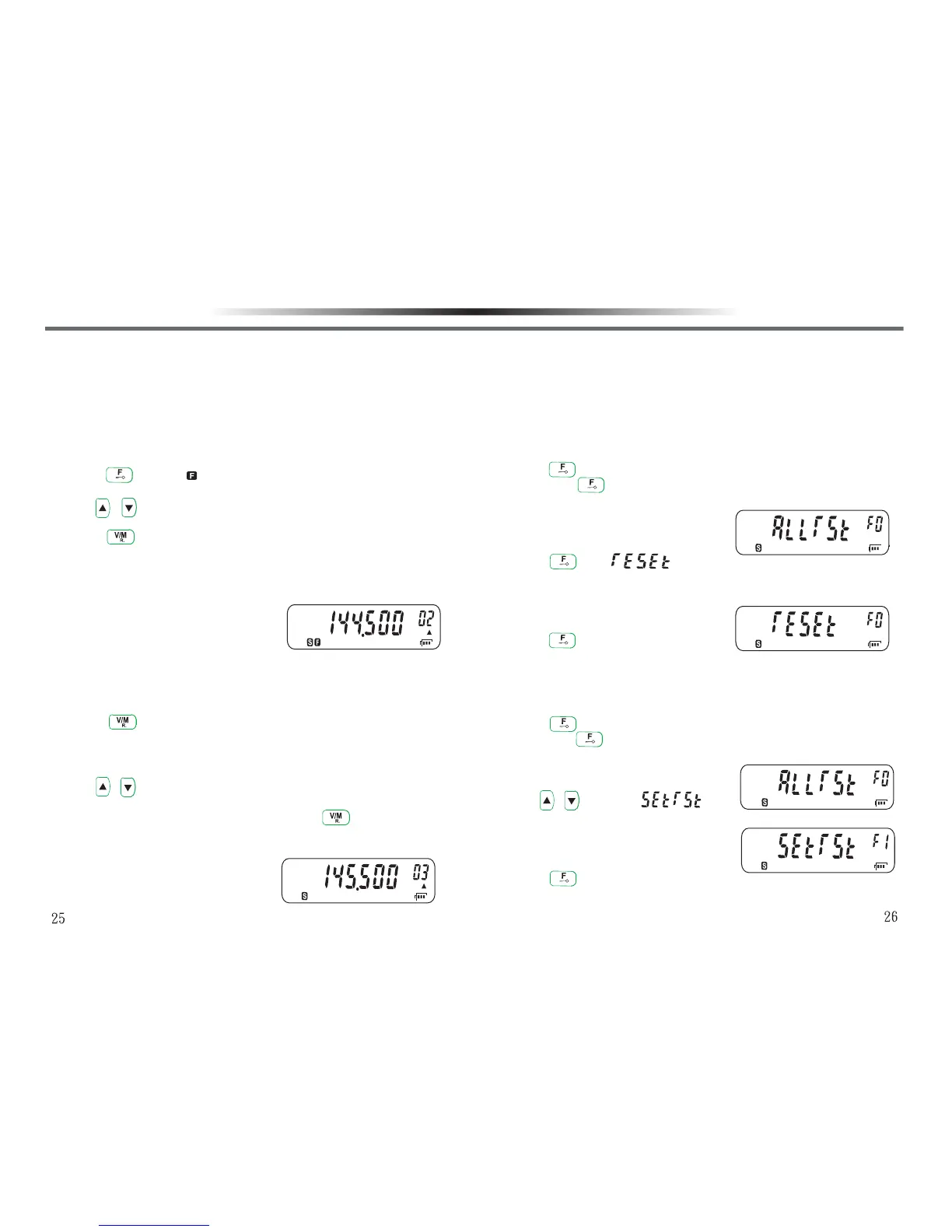
1.Input the frequency you need under VFO mode.
2.Press key, and will flash on the LCD display.
•The memory channel number will appear in the upper right corner.
3.Use / key to select the channel number where you want to
store the frequency.
4.Press key to confirm the setting and return back to VFO mode.
•The frequency selected and the related data will be stored in the
memory channel.
•If the memory channel selected in Step 3 has data in it, the new
data will replace the old one.
Note : Before storing the memory channel, please confirm if the receiving /
transmitting squelch numbers and the related settings have fully been set.
USING MEMORY CHANNELUSING MEMORY CHANNEL
1.Press key to enter into memory recall mode.
•The memory channel used last appears in the LCD display. If this
is the first time you use, then the least channel number will
appear.
2.Use / keys to select the memory channel you would like to
use.
•If you want to resume to VFO mode, press key to switch.
Note : The memory channel must have data stored or it cannot be used.
MEMORY CHANNEL
INITIALIZING MEMORYINITIALIZING MEMORY
If your transceiver seems to be malfunctioning, initializing the
transceiver may resolve the problem. Remember that you have to
reprogram memory channels after initizlization. On the other hand,
initialization is a quick way to clear alll memory channels.
FULL RESET INITALIZATION (MEMORY MODE)FULL RESET INITALIZATION (MEMORY MODE)
Used to initialize all settings.
1.Press key and hold, and turn on the power switch.
•Release key after turning on the power switch.
•The LCD display will show a menu for selection.
2.Press key, will appear for you to confirm if all
settings will be reset.
•The LCD display appears a menu for selection.
3.Press key to finish setting.
PARTIAL RESET INITIALIZATION (VFO MODE)PARTIAL RESET INITIALIZATION (VFO MODE)
Used to initialize all settings except memory channel / memory channel
lock.
1.Press key and hold, and turn on the power seitch.
•Release key after turning on the power switch.
•The LCD display will show a menu for selection.
2.Use / to select “ ”.
•The LCD display appears a menu for selection.
3.Press key to finish confirmation and return back to VFO mode.



 To Next Page