MAINTENANCE
USAGE AND MAINTENANCE INSTRUCTIONUSAGE AND MAINTENANCE INSTRUCTION
•Keep the transceiver dry. Rain, moisture, all kinds of liquid and water
may lead to circuit corrosion. If it is wet, remove the battery. Please
don’t install the battery until the transceiver is fully dry.
•Don’t keep the transceiver in dusty or dirty places, which will damage
the detachable parts and electronics components.
•Don’t keep the transceiver in overheated places. High temperature
will shorten the life of electronics equipments, destroy batteries, and
deform or melt some plastic parts.
•Do not place the transceiver in over cooling places. Otherwise when
it reaches the normal temperature, internally generated moisture will
destroy printing circuit boards.
•Turn on the transceiver according to the instruction of the manual,
never try other methods.
•Never drop, knock, or shake the transceiver. Treat it rudely will
damage internal printing circuit boards and precision structures.
•Never use strong chemicals, cleaning agents, or detergents to clean
the transceiver.
•Do not paint the transceiver with pigments. The painting may form a
clog in the detachable parts and affect normal operation.
•Don’t hold the antenna directly or have an external microphone
connection.
•When replacing an antenna, use only the one accompanied with the
kit or an approved one. An unapproved, refitted one may damage the
transceiver.
•Please charge indoors.
•Cover with the earphone plug when the transceiver is not in use.
•Please backup the necessary data (such as frequencies and
channels) before you send your transceiver to an authorized repair
station for service.
The above suggestions equally apply to your transceiver, battery, charger, and
every accessory. If any equipment cannot operate properly, pleae forward to an
authorized repair station for service.
For accuracy, the information contained in the manual has been checked carefully.
If there are still any possible printing mistakes or translation errors, please feel
free to point out. reserves the right to change the product setting and
specification without prior notice.
28
MEMORY CHANNEL
CHANNEL RESET INITIALIZATION (MR MODE)CHANNEL RESET INITIALIZATION (MR MODE)
Used to initalize memory recall mode.
1.Confirm the channel mode is under MR mode, and select the
memory channel you would like to delete.
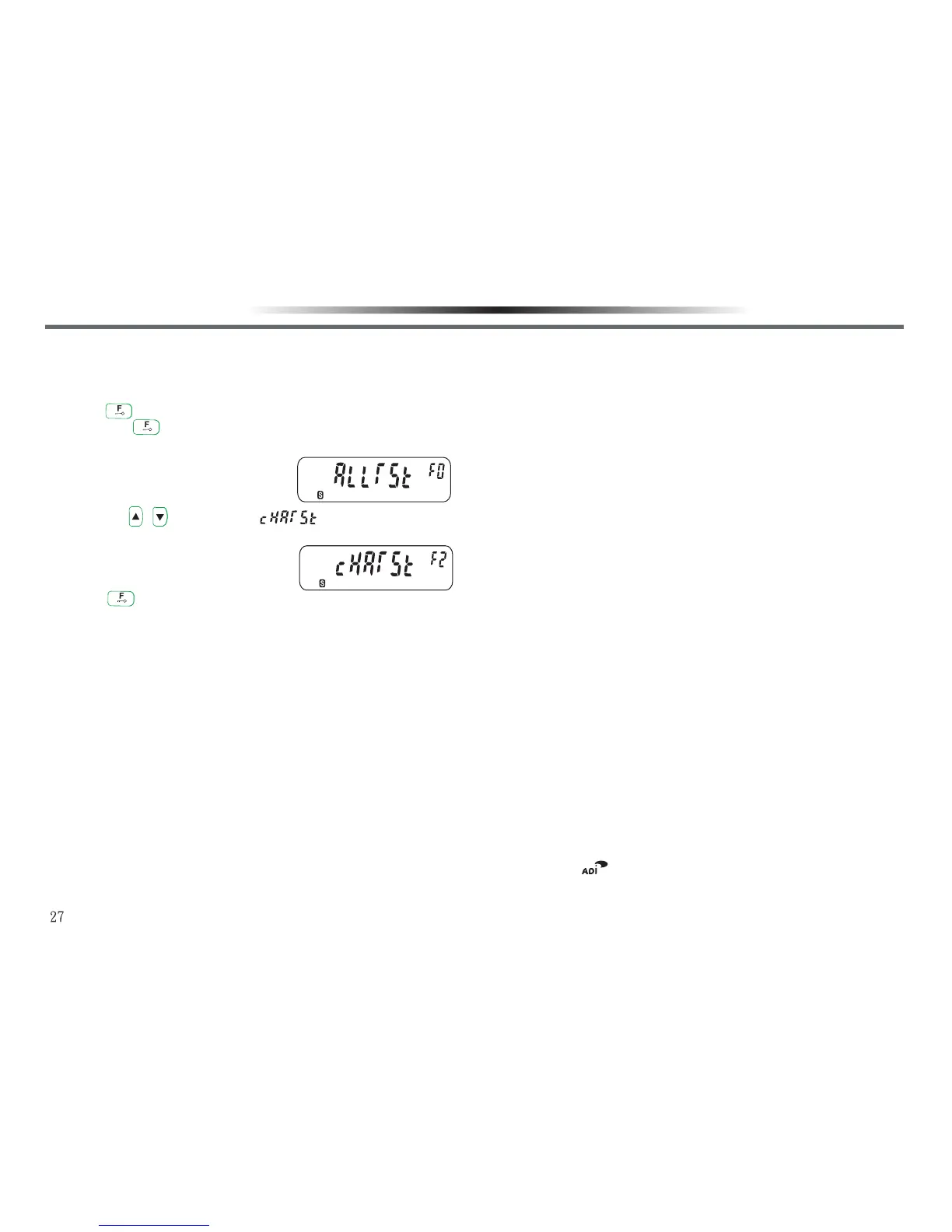
2.Press key and hold, and turn on the power switch.
•Release key after turning on the power switch.
•The LCD display will show a menu for selection.
3.Then use / key and select “ ”.
•The LCD display will show a menu for selection.
4.Press key to finish confirmation, and the LCD display will show
the memory channel next to the deleted one.



 To Previous Page