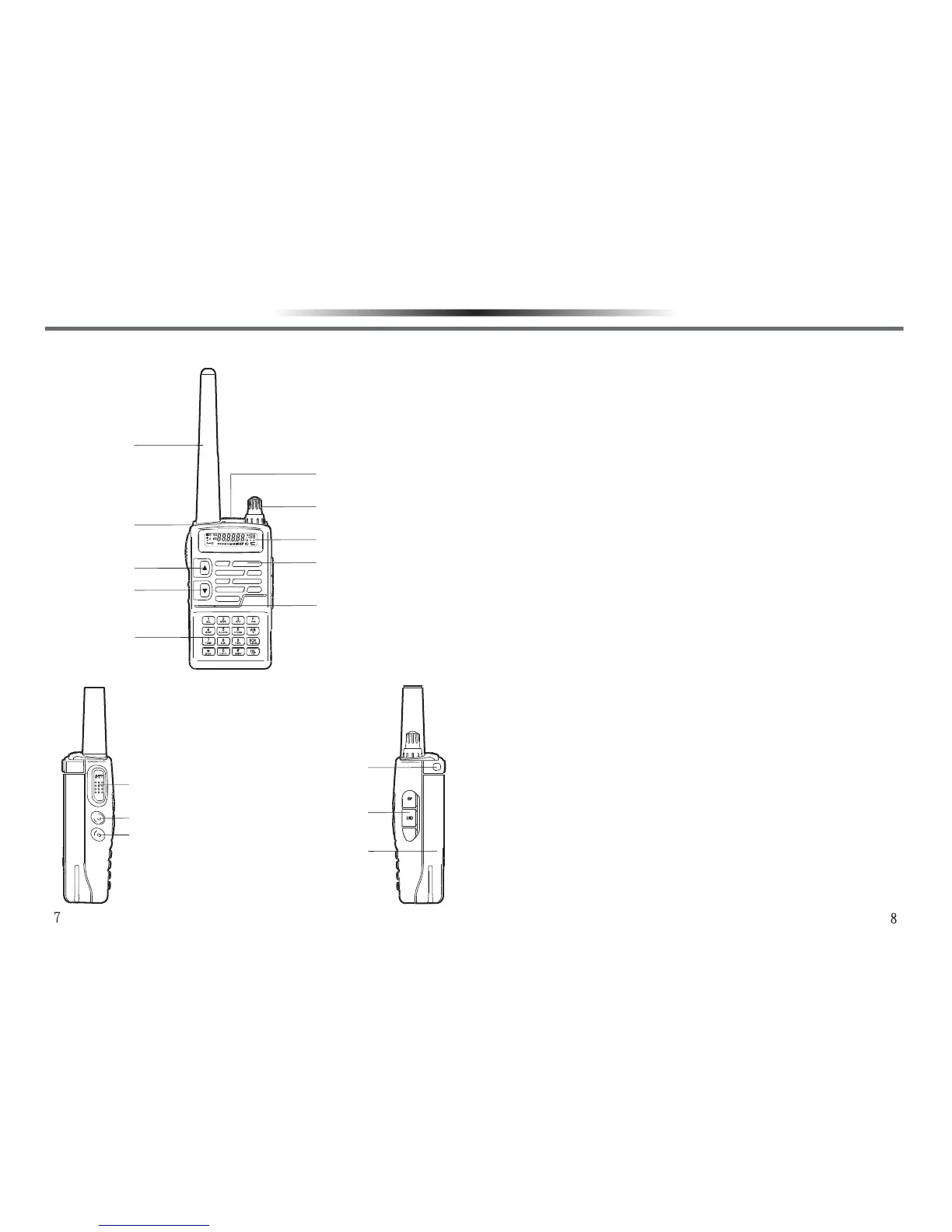
AntennaAntenna
Used for receiving or transmit-
ting a signal.
LCD DisplayLCD Display
Show the operation state of the
transceiver.
UP/DOWN KeyUP/DOWN Key
Adjust the displayed frequency
or function upwards or
downwards.
MicrophoneMicrophone
Input the audio signal.
Power/Volume KnobPower/Volume Knob
Ratate clockwise to switch
power on or to increase the
volume. Rotate counterclock-
wise to switch power off or to
reduce the volume.
SpeakerSpeaker
Output the audio.
TX/RX IndicatorTX/RX Indicator
Light red while transmitting,
light green while receiving a
signal.
KeypadKeypad
Used for inputting frequency
and function.
Push To Talk(PTT)Push To Talk(PTT)
Push to enter into transmitting
state, and release to return to
receiving state.
Lamp KeyLamp Key
Push to light the LCD backlight
and keypad lights.
Monitor KeyMonitor Key
Push to hear the signal or noise
on the channel you select in
receiving state.
Earphone,Microphone / Earphone,Microphone /
Programming Cable JacksProgramming Cable Jacks
Connect an earphone,
microphone, or programming
cable for PC software program-
ming.
Li-ion Battery PackLi-ion Battery Pack
Used as power supply for the
transceiver.
Battery Release LatchBattery Release Latch
Used to lock / unlock the battery
pack.
ORIENTATIONORIENTATION
AntennaAntenna
TX/RX IndicatorTX/RX Indicator
UP KeyUP Key
Down KeyDown Key
KeypadKeypad
Release LatchRelease Latch
Power/Volume KnobPower/Volume Knob
LCD DisplayLCD Display
SpeakerSpeaker
MicrophoneMicrophone
Push To Talk(PTT)Push To Talk(PTT)
LampLamp
MonitorMonitor
Strap HookStrap Hook
Earphone,Earphone,
Microphone/Microphone/
ProgrammingProgramming
Cable JacksCable Jacks
GETTING ACQUAINTED GETTING ACQUAINTED



 To Next Page