VOICE COMPANDER/SCRAMBLER (APS)VOICE COMPANDER/SCRAMBLER (APS)
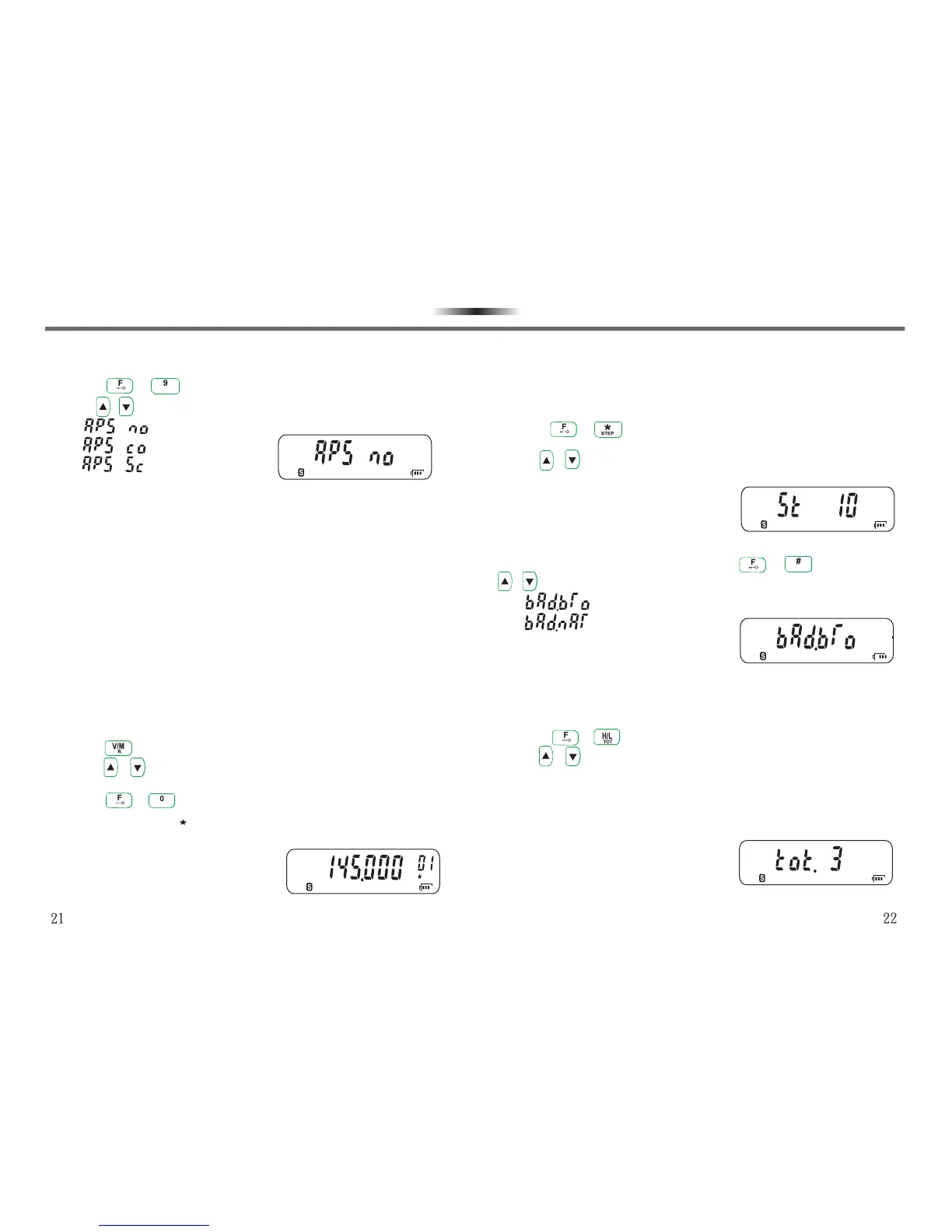
APS offers 3 modes for selection, default setting is OFF.
1.Press + to enter into APS.
2.Use / keys to select.
• :Without compander/scrambler function.
• :Voice Compander.
• :Voice Scrambler.
-Voice Compander (Co)
Voice Compander is an advanced audio frequency technique to
suppress noise and enhance voice quality. This technique can bring
more clear and melodious voice for you to keep smooth communication
in noisy environment.
-Voice Scrambler (Sc)
Voice Scrambler can keep your conversation fully private. The
transceiver recombines audio frequency and then transmits, making
only communication group members with the same voice scrambler can
receive your calls, otherwise the other transceivers cannot understand
your conversation.
MEMORY CHANNEL SCAN LOCK/UNLOCK (S.A/D)MEMORY CHANNEL SCAN LOCK/UNLOCK (S.A/D)
Sometimes you may hope some memory channels not to be scanned
under scan mode. In the meantime, you can lock/unlock the memory
channel monitored under scan (Default : On).
1.Press key to enter into memory recall mode under VFO mode.
2.Press / keys to select the Memory Channel you need to
lock/unlock.
3.Press + keys to complete lock/unlock.
•If LCD displays “ ” in the right, it means the channel has been
locked; if it doesn’t display, the channel has not been locked.
SCRSCR
SA / DSA / D
FREQUENCY STEP SETTINGFREQUENCY STEP SETTING
If you cannot find the specific frequency, you have to change frequency
intervals. It is the basic condition of selecting accurate receiving
frequency to select an accurate frequency interval. Default value:10
KHz.
1.Press + to enter into Frequency Step Setting under VFO
mode.
2.Use / keys to select a frequency interval.
•The frequency intervals available are 5,6.25,10,12.5,25 KHz.
BROAD/NARROW BAND (W/N)BROAD/NARROW BAND (W/N)
You can enter into Broad/Narrow band with + keys, and use
/ keys to select the band width you need. Default value : Broad.
• :Broad band, 25KHz.
• :Narrow band, 12.5KHz.
TIME OUT TIMER (TOT)TIME OUT TIMER (TOT)
Uncertain continuous transmissions will do harm to a transceiver. In
order to protect it from thermal damage, before the transmission time
limit is over, a warning beep sounds. The default setting is 3 Min.
1.Press + to enter into Time out timer setting.
2.Use / keys to select the time limit.
•The time limits available : 1-8 minutes and OFF.
•If your continuous transmissions excedeed the time limit, the
transceiver will stop transmission and a ‘‘beep’’ sounds. If you want
to stop the “beep” sound, release PTT key to restore to normal
situation.
W / NW / N
FUNCTION SETTING AND DESCRIPTION
FUNCTION SETTING AND DESCRIPTION



 To Next Page