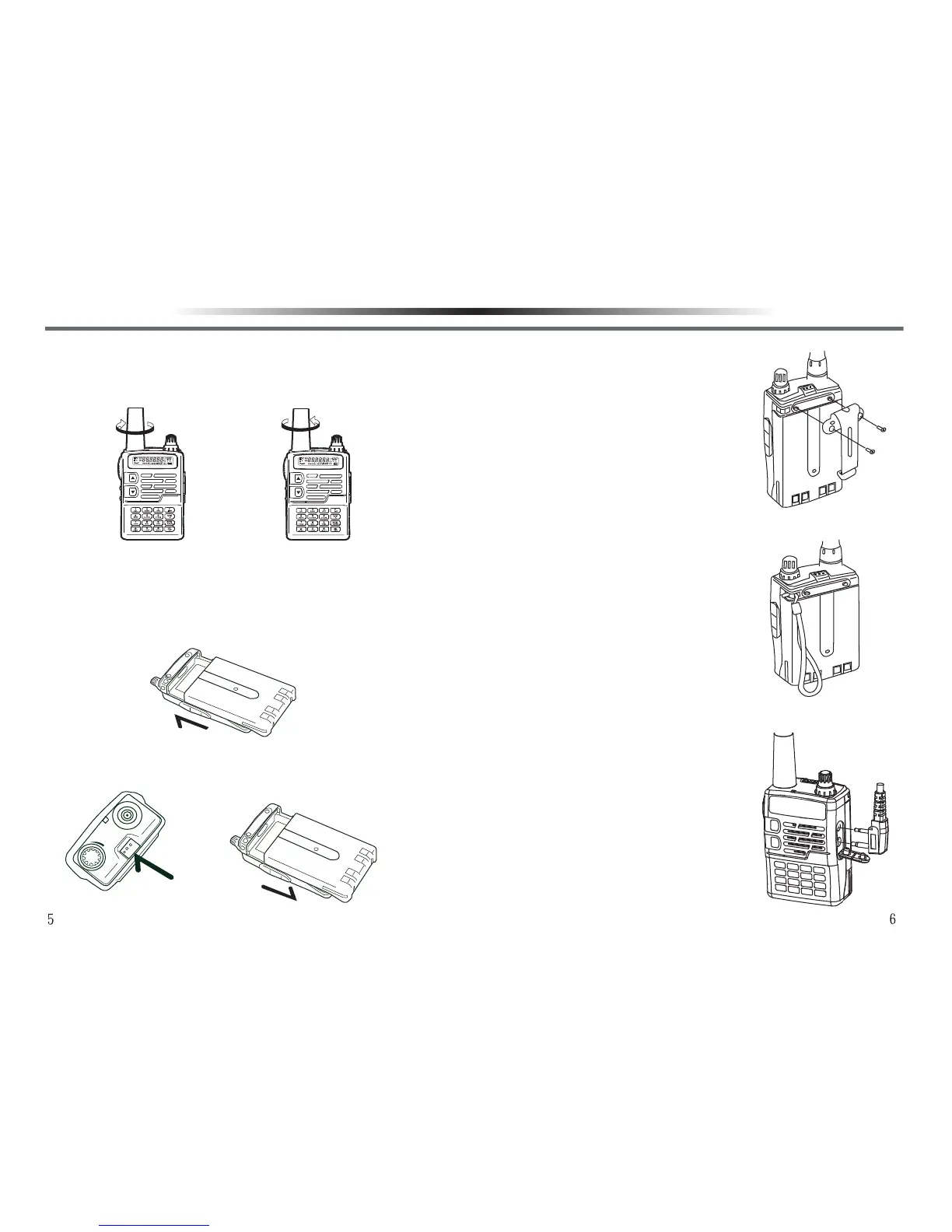
INSTALLING/REMOVING THE ANTENNAINSTALLING/REMOVING THE ANTENNA
Hold the base of the antenna, then screw clockwise the antenna
into the connector on the top of the transceiver until secure. To
remove the antenna, turn counterclockwise until loosen.
INSTALLING/REMOVING THE LI-ION BATTERY PACKINSTALLING/REMOVING THE LI-ION BATTERY PACK
To install the battery pack, align the two bulges on the top of
the battery pack with the two grooves at corresponding
positions on the aluminum frame of the back of the trans
-
ceiver, then press it into the transceiver until a ‘’click’’ sound
is heard.
To remove the battery pack, turn off the transceiver first,
push the release latch on the top of the transceiver, and
then slide it down.
INSTALLING THE BELT CLIPINSTALLING THE BELT CLIP
1.If necessary, install the supplied belt
clip by tightening the two screws to the
holes at the back of the battery pack for
easy carrying.
2.To remove the belt clip, just loosen the
two screws and take out.
INSTALLING THE HAND STRAPINSTALLING THE HAND STRAP
If necessary, thread the hand strap through
the loop on the top of the body to facilitate
carrying.
INSTALLING THE OPTIONAL EARPHONEINSTALLING THE OPTIONAL EARPHONE
Open the dust cover of the earphone,
insert the earphone plug into the earphone
jack.
Installing the antenna
Removing the antenna
PREPARATIONPREPARATION



 To Next Page