ADJ Products, LLC - www.adj.com - KAOS User Manual Page 17ADJ Products, LLC - www.adj.com - KAOS User Manual Page 16
button, the displayed value will begin to ash. You can now
adjust the values by pressing the UP and DOWN buttons. Once
you have nished testing press the ENTER button.
4. To exit the manual test mode, press the MENU button.
Fixture Hours - With this function you can display
the running time of the xture.
1. Press the MENU button until “Fixture Hours” is displayed,
press ENTER.
2. The running time of the xture will now be displayed. Press
MENU to exit.
Software Version - With this function you can dis-
play the version software of the xture.
1. Tap the MENU button until “Software Version” is displayed,
press ENTER.
2. The software version will now be displayed. Press MENU to
exit.
Reset - Use this function to reset the unit.
1. Press the MENU button until “Reset” is displayed, press
ENTER.
2. The xture will now reset.
Blackout Mode - With this function you can manu-
ally blackout the unit.
1. Press the MENU button until “Blackout Mode” is displayed,
press ENTER.
2. Press the UP or DOWN buttons to select “Yes” to blackout
the unit, or “No” to deactivate blackout.
3. Press ENTER to conrm.
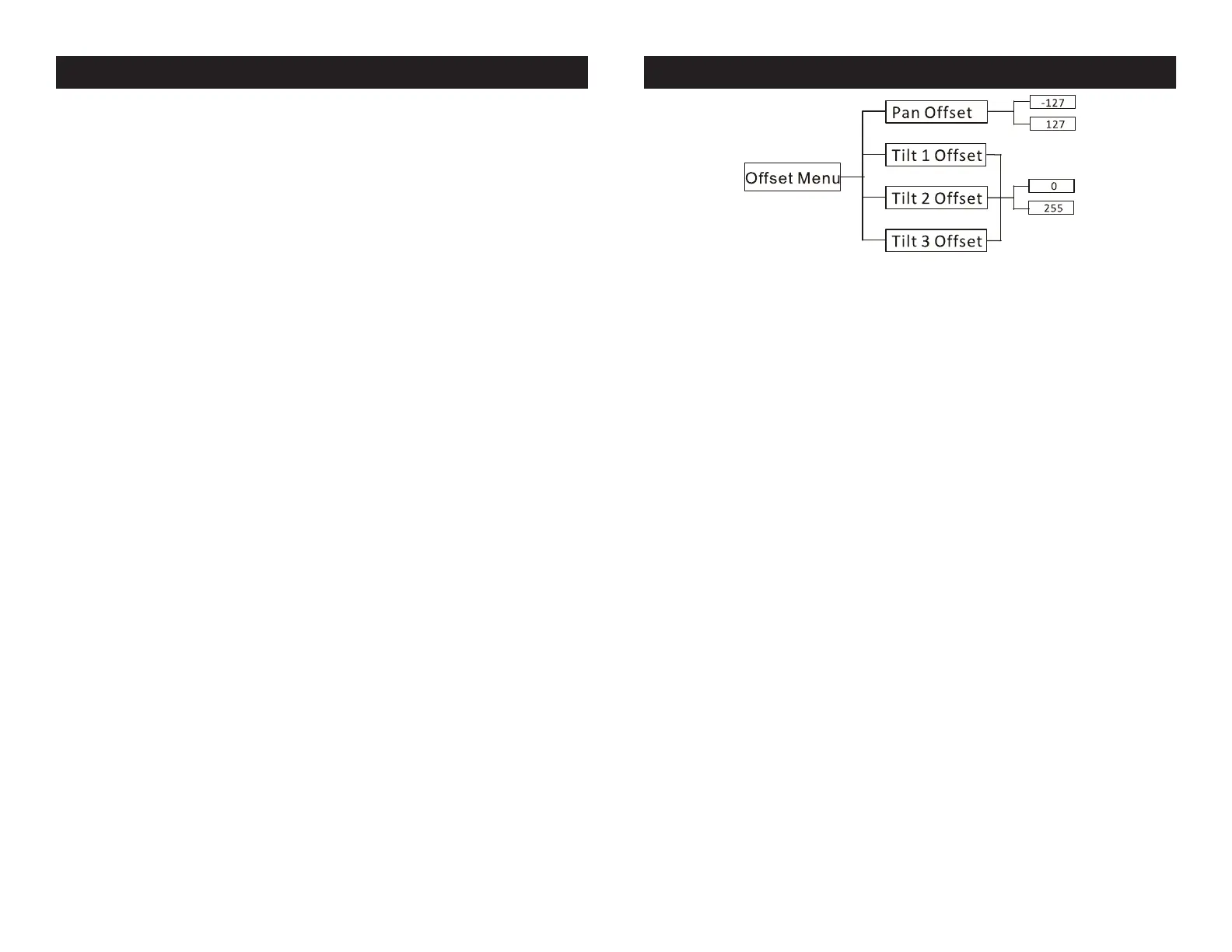
KAOS System Menu KAOS Offset Submenu
To enter the Oset Menu, press the ENTER button for at least 3 sec-
onds. In this submenu you are able to adjust the home position of the
pan & tilt positions.
Pan Offset - Adjustment of the pan home position.
1. Press the ENTER button for at least 3 seconds, then press the
UP or DOWN buttons so that “Pan Offset” is displayed, and press
ENTER.
2. Use the UP and DOWN buttons to make your adjustments, and
then press ENTER to conrm. Press the MENU button for one second
to exit.
Tilt Offset - Adjustment of the tilt home position for
any of the 3 bars.
1. Press the ENTER button for at least 3 seconds, then press the UP
or DOWN buttons so that either “Tilt Offset 1”, “Tilt Offset 2”, or
“Tilt Offset 3” is displayed, and press ENTER.
2. Use the UP and DOWN buttons to make your adjustments, and
then press ENTER to conrm. Press the MENU button for one second
to exit.


 To Next Page