13
LED MODULE REMOVAL
Note that the (4x) LED Modules are firmly held to the Vision Series LED Video Panel Frame with
strong integrated magnets, and secured with a safety cable should any of the LED modules be acci-
dently knocked free.
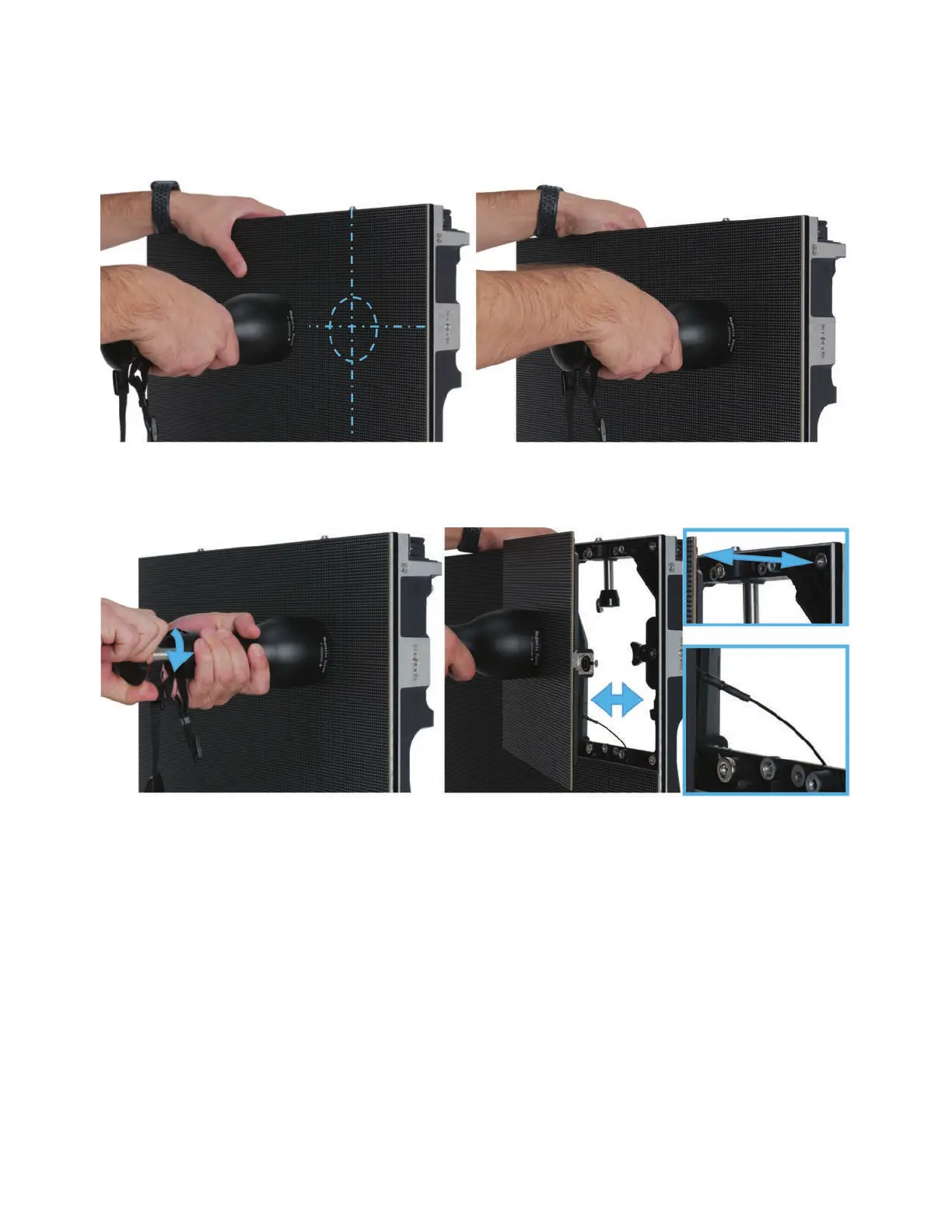
Locate the center of selected LED module to be removed (1 of 4), and place the O-Ring of the
Magnetic Module Removal Tool against the surface of the module.
Turn the knob at the rear of the Magnetic Module Removal Tool to advance the magnet and secure
the LED Module. The Magnetic Module Removal Tool magnet is stronger than the magnets that
hold the LED Module to the Vision Series LED Video Panel frame, allowing the tool to pull the mod-
ule from the frame. With the tool secured to the LED module, carefully pull the module free from the
video panel frame. When finished servicing the LED Module, reverse the operation. Be sure to reat-
tach the safety cable to the LED Module.



 To Next Page