31
VII. Maintenance
The only required maintenance for normal uninterrupted operation of your MegaTronXS controller is cleaning of the electrode(s).
After initial startup, it is a good idea to clean the electrode frequently until a schedule based on need has been developed. Since
about one week of the system being on line.
To determine the required cleaning frequency, record the reading on the controller before the electrode is removed for cleaning.
After cleaning, record the new reading. If a change is observed in the two readings, the electrode was dirty. The more
Conductivity Electrode Cleaning Procedure
1. Record the current conductivity reading.
electrode.
4. If the electrode has deposits such as scale attached to the electrode surface a more a g g r e s s i v e
cleaning approach will be needed. There are several ways to do this, the preferred method being the
one that is easiest for the user.
a. Use a mild acid solution to dissolve deposits.
b. Lay a piece of sandpaper (200 grit or finer) on a flat surface such as a bench t o p .
your skin will foul carbon tips.
5. Reinstall the electrode in the system. After the reading stabilizes, calibrate the unit to a reliable test
reading.
Many times, an electrode can appear to be clean, but the unit still cannot be calibrated. If this is the case, use one of the more
aggressive electrode cleaning procedures listed in step 4 above. Recheck the calibration after completion of this procedure. If
no change was observed in the reading, replace the electrode. If a change occurred but the unit still will not calibrate, repeat
procedure as many times as necessary.
pH and ORP Electrode Cleaning Procedure
1. Remove the pH electrode from the system.
2. Spray with water and/or detergent, using a soft brush to dislodge any fouling.
3. Visually inspect the electrode for signs of damage.
4. Calibrate the electrode while it is in a known solution.
Slow response or non-reproducible measurements are signs that the electrode has become coated or clogged. The pH glass
is susceptible to mounting by many substances. The speed of response, normally 95% of the reading in less than 10 seconds,
is dramatically degraded when the pH glass is coated.
To restore the speed of response for a pH electrode, clean the bulb with a high-quality detergent, methyl alcohol or other
the sensor in 0.1 Molar HCl for 5 minutes. Remove and rinse with water and place in 0.1 Molar NaOH for 5 minutes. Remove,
VIII. Troubleshooting
The MegaTronXS controller is designed for many years of trouble-free operation. Should a problem occur, refer to the following
chart to help identify the problem. If replacement is required, follow the procedures listed in the Warranty and Factory Service
portion of this manual.
POSSIBLE CAUSE SOLUTION
MegaTron Quick Steps
After second update is complete, power down and
remove USB. Power back on (after 20 seconds) and
gototheConguremenu.
>HOME SETUP<
SETPOINTS DATE/TIME
CALIBRATION CONFIGURE
TIMERS HISTORY
CUSTOMIZE WATER METER
ALARMS RELAYS
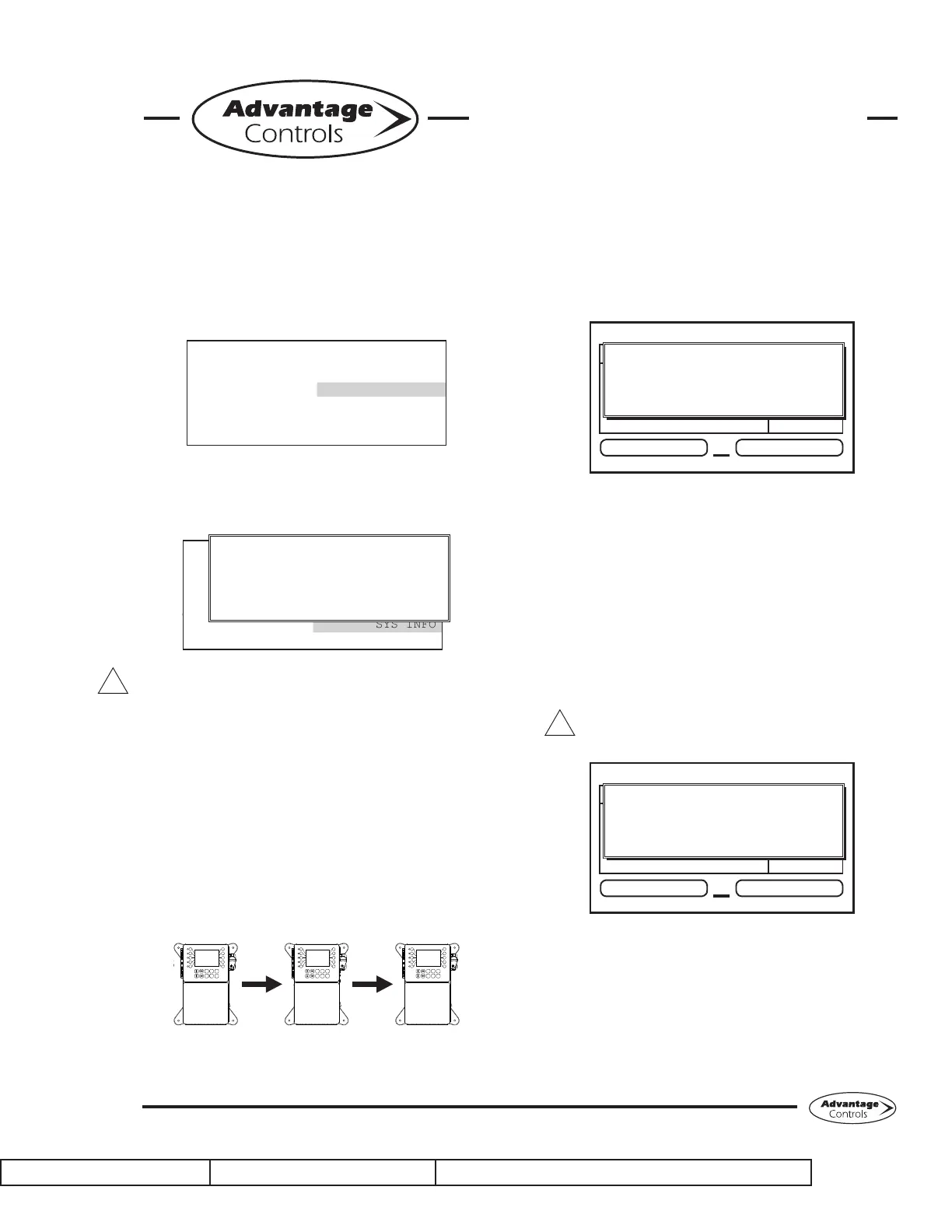
From here push SYS INFO (Button 9) and conrm
that the unit now has the new version and that the
CARD version is also current (consult factory for
current).
>CONFIGURE<
PASSWORD CONTRAST
RELAYS TEMP SCALE
NETWORK
HISTORY SYS INFO
FLOW SW FACTORY
SYSTEM INFORMATION:
XS MEGATRON CONTROLLER
ADVANTAGE CONTROLS INC.
FRMWARE REV: KA.10.03A Jan 29 2018
S/N: SERIAL#
CARD VER: 5
Warning: If the card revision has not updated
to the newer version, the sensor function will not
work correctly. A few power cycles may be needed
to get the system card updated. The mA input
and communications card (if present) may need
to be removed with the power o and a power
cycle performed. Once the system card version is
updated, power back down and reinstall the mA and
communications cards.
Cloning User Settings for other XS Units
The XS has the ability to copy the User Settings
from one XS to another. This process is referred to
as cloning.
3
4
5
2
1
8
9
0
7
6
SET UP
RUN
CANCEL HELP BACK
ENTER HOME
3
4
5
2
1
8
9
0
7
6
SET UP
RUN
CANCEL HELP BACK
ENTER HOME
3
4
5
2
1
8
9
0
7
6
SET UP
RUN
CANCEL HELP BACK
ENTER HOME
Step 1:
With the controller powered up, plug the USB drive
into the XS USB port. The USB DRIVE DETECTED
pop-up window will appear. Select → Cong → USB
(Cong to USB) by using the Arrow buttons. Then
press ENTER.
XS Controller
3 ALARMS! RELAYS
Friday, February 6, 2015 15:50:47 Wk1
SYS1: Towers 1-4
COND: 0 uS/cm
pH: 3.2
ORP: 548 mV
TEMP1: 68°F
WM1: 0.0
WM2: 0.0
FLOW: ON
DR
USB DRIVE DETECTED
--> Cong --> USB
PRESS UP/DOWN KEYS TO CHANGE
PRESS ENTER TO ACCEPT
The User settings will be saved to the USB drive under
thelename“CONFIG.BIN”.Thepop-upwindowwill
close when the copy is completed.
Step 2:
Plug the USB drive into the XS that you would like
to copy the User Settings to. The USB DRIVE
DETECTED pop-up window will appear.
Select → USB → Cong(USB toCong) by using
the Arrow buttons. Then press ENTER.
CAUTION: Donotchoose→Cong→
USB again or you will save over your USB
containedCONFIG.BINle.
XS Controller
3 ALARMS! RELAYS
Friday, February 6, 2015 15:50:47 Wk1
SYS1: Towers 1-4
COND: 0 uS/cm
pH: 3.2
ORP: 548 mV
TEMP1: 68°F
WM1: 0.0
WM2: 0.0
FLOW: ON
DR
USB DRIVE DETECTED
--> USB --> Cong
PRESS UP/DOWN KEYS TO CHANGE
PRESS ENTER TO ACCEPT
The User Data will be loaded into the XS from the
USB drive. Once the pop-up window closes, cloning
has been completed.
Notes:
• Not all customized names will be cloned.
•Ifyouhavetroublereadingcloneles,insure
that the XS you are cloning has current
rmware.
XS Controller - USB Functions
!
!


 To Next Page
 Loading...