ADAM-4000 Series User Manual 12
To alter baud rate or checksum settings, you must perform the following steps:
Power on all components except the ADAM Module.
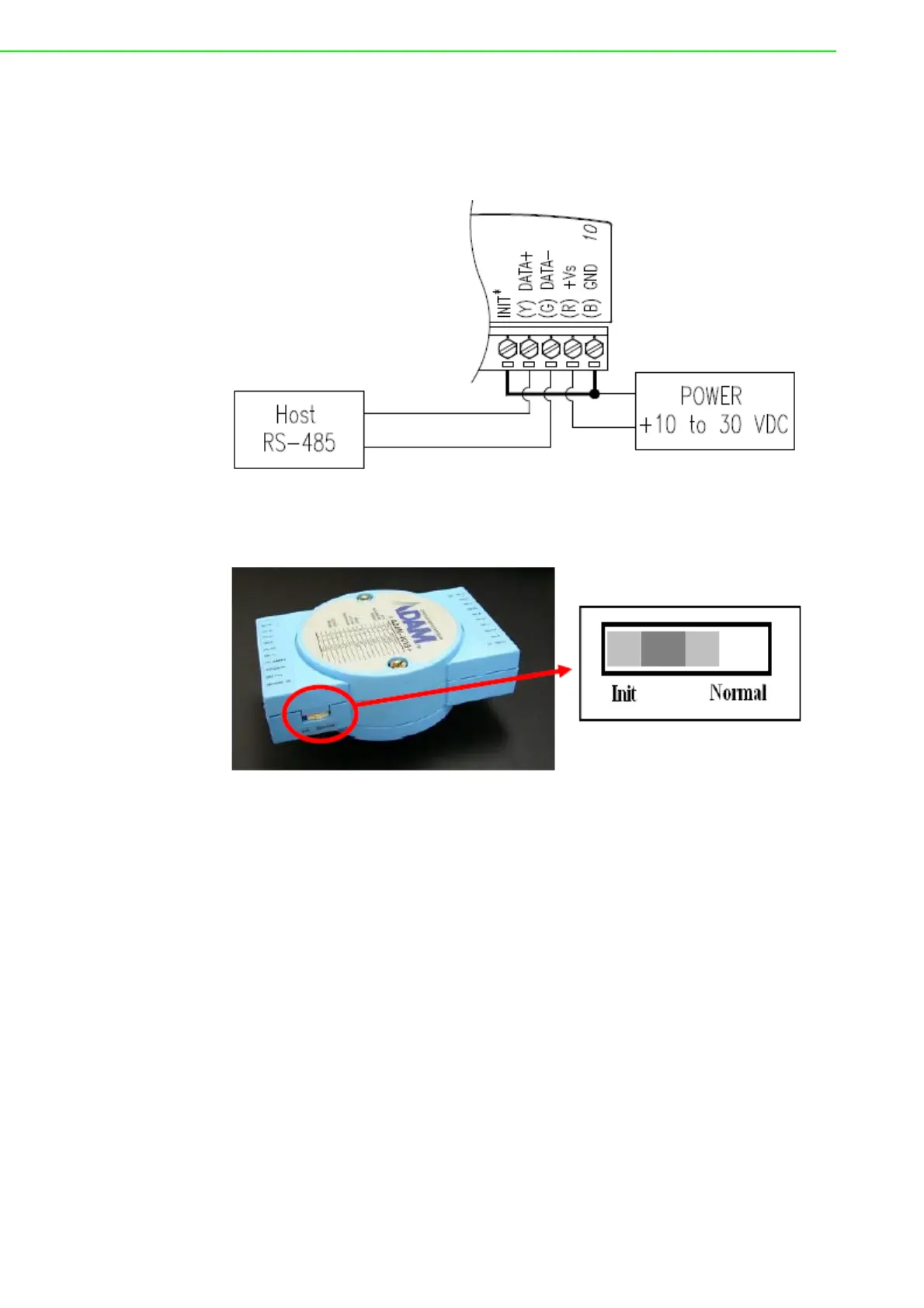
• Power the ADAM module on while shorting the INIT* and GND terminals (See
Figure 2.3) or set the INIT switch to “Init” (See Figure 2-4)
Figure 2.3 Grounding the INIT* Terminal
Figure 2.4 Set INIT switch to “Init”
Configure the checksum status and/or the baud rate.
Switch the power OFF to the ADAM Module.
Remove the grounding of the INIT* terminal and turn on the module, or set the
INIT switch to “Normal”.
Check the settings (If the baud rate has changed, the settings on the host com-
puter should be changed accordingly).



 To Next Page