11 Chapter 2
2.1.4 Stickers
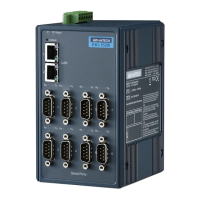
If you forgot the IP addresses of specific ADAM-4570 series or where the
host PC is mapped to the ADAM-4570 series port, we have provided five
stickers for you to note the IP addresses and place in a secure location.
For example,
172.20.20.5: The IP address of specific ADAM-4570 series
160.59.20.89: The IP address of the specific host PC mapped to this port.
2.2 Connecting the Hardware
Next, we will explain how to find a proper location for your serial device
server, and then explain how to connect to the network, hook up the
power cable, and connect to the ADAM-4570 series’s serial port.
Note: Before you install ADAM-4570 series, you can install other com-
munication cards first.
2.2.1 Choosing a Location
Due to its versatile and innovative design, the ADAM-4570 series can be:
• Fixed to a panel mount
• Fxed to a DIN-rail.
• Piggyback Stack


 To Next Page