ADAM-4570 Series User Manual 30
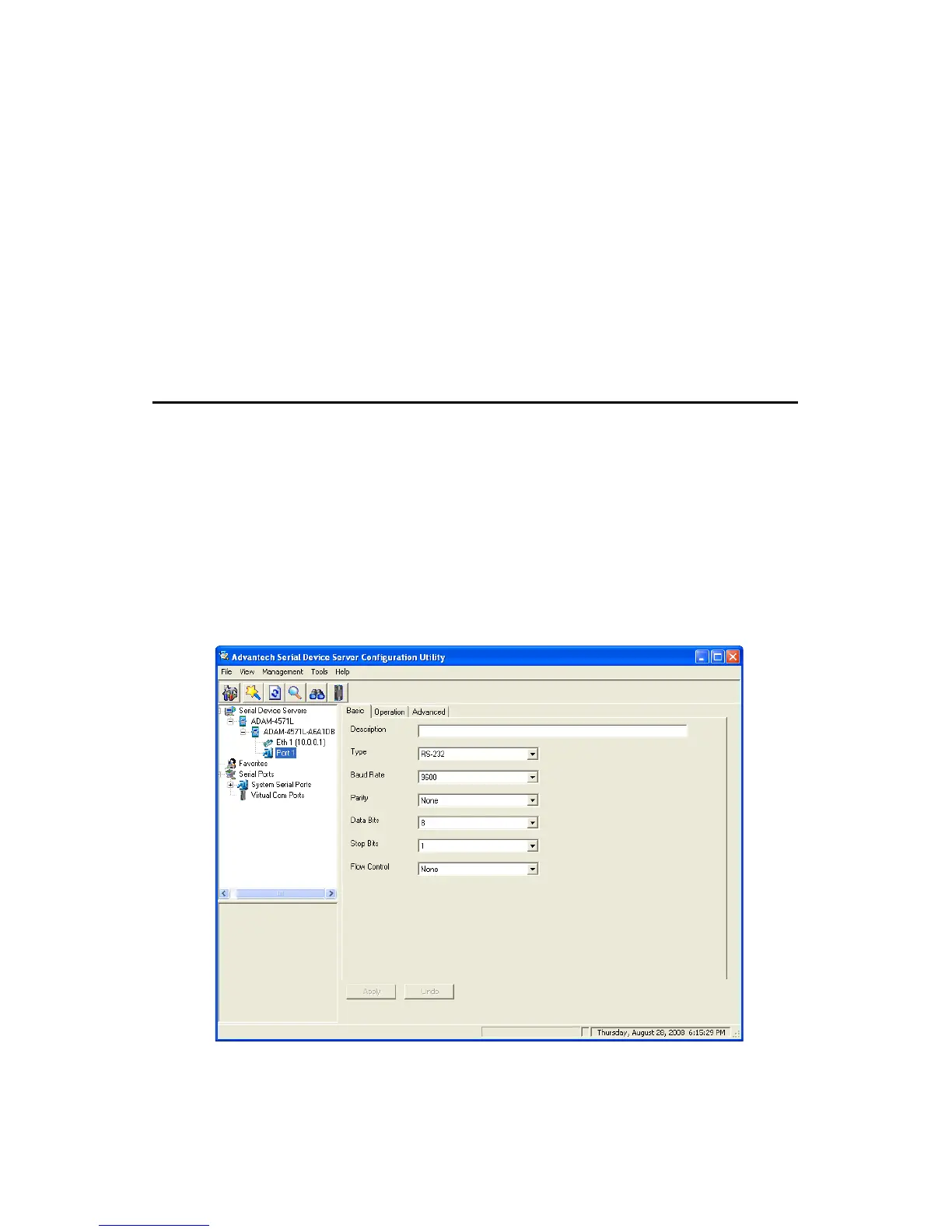
3.4 Setting Serial Parameters
This section explains how to configure the ADAM-4570 series serial
communication parameters using this utility. There are various operation
modes that are suitable for different application.
Click on the "+" before the model name (e.g. ADAM-4571L), and the
utility will expand the tree structure to show the individual device name.
And click on the “+” before the device name, and the utility will expand
the interfaces on this device server. Select the serial interface (Port1).
Note When you have finished the configuration of these set-
tings for each category, please press the “Apply” button in
order to make these settings effective on the Serial
Device Server. (Will reboot your Serial Device Server)
Note ADAM-4570 series serial device severs do not support
DHCP and Auto IP functions.


 To Next Page